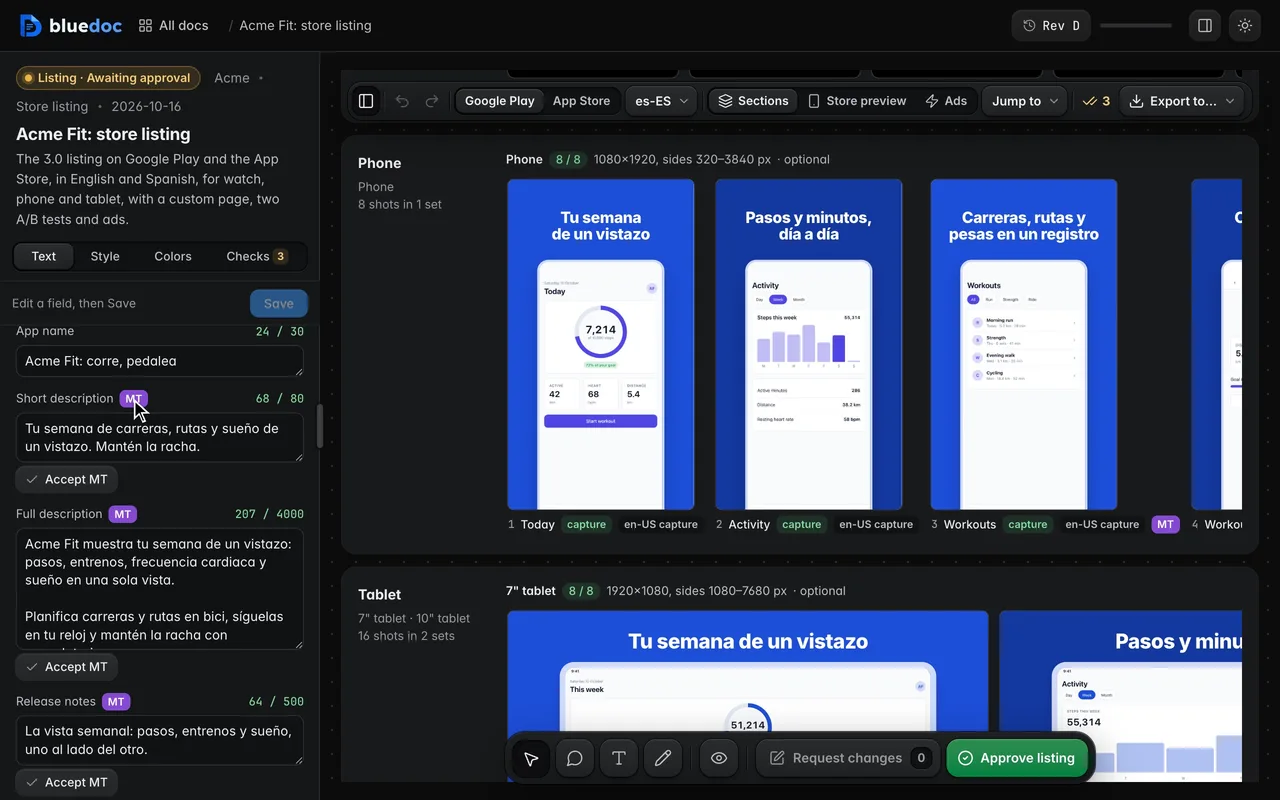
Switch locales, with machine translations flagged
The locale menu switches the text, captions and captures, and counts each locale’s machine-translated strings. An MT string keeps its badge until you accept it.
Doc type
Both store pages, checked before you upload.
A store listing lays out an app’s Google Play and App Store pages: the screenshots for every device, the icon and feature graphic, the store text in each locale. You check it against the stores’ rules, edit the text in place, approve it, and get the fastlane folders to upload.
"type": "storelisting"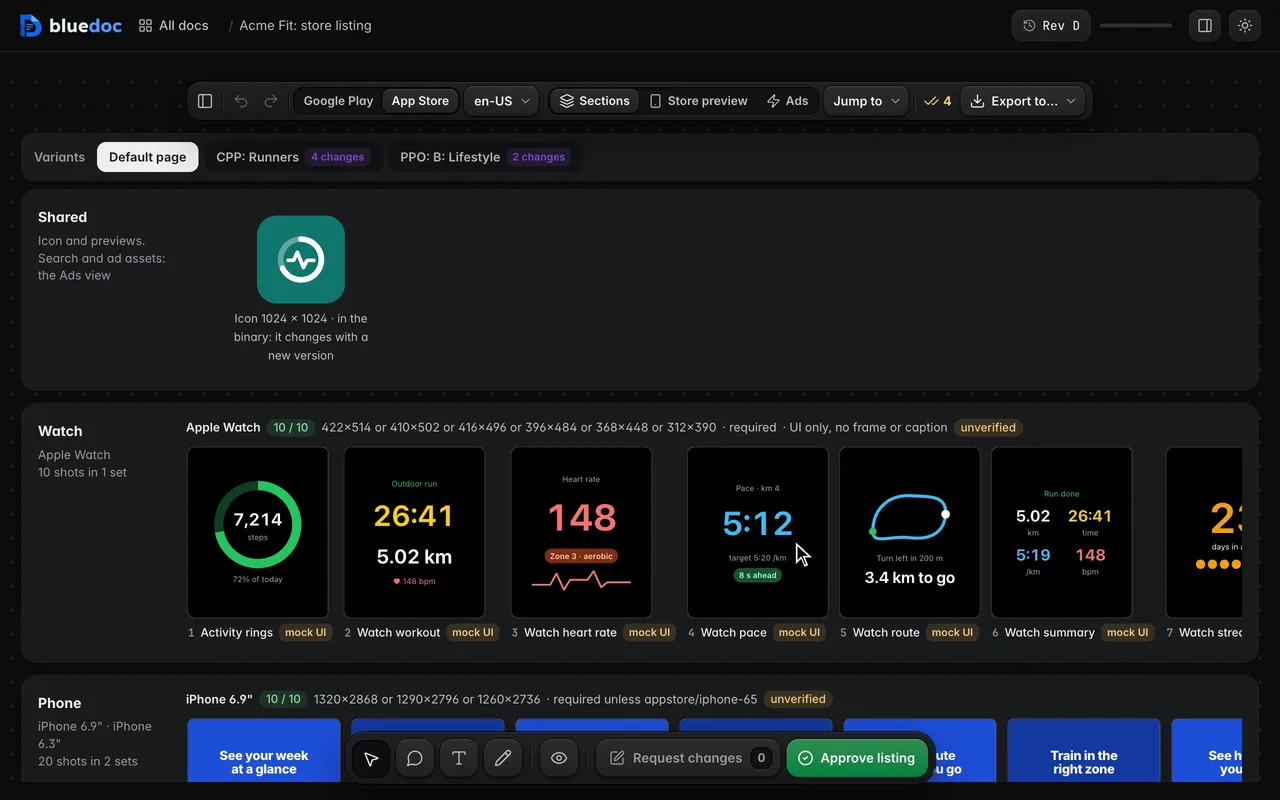
Switch between Google Play and the App Store. Each store has its own page: a Shared section, then a section per device row, each set with its count against the store’s maximum.
What it’s for
One HTML file per shot renders at every set’s size, so a change lands in each set at once. Sizes and limits come from a dated rules file, never from the agent.
Watch, phone and tablet sets at each store’s sizes; TV, desktop, XR and car as optional rows.
The name, descriptions, keywords and release notes per locale, each with its limit.
Text, captions and captures per locale, with machine translations badged MT.
App Store custom pages and A/B tests, Play custom listings and experiments.
Google App campaign text and images, Apple Ads variations and the search asset.
Features
The locale menu switches the text, captions and captures, and counts each locale’s machine-translated strings. An MT string keeps its badge until you accept it.
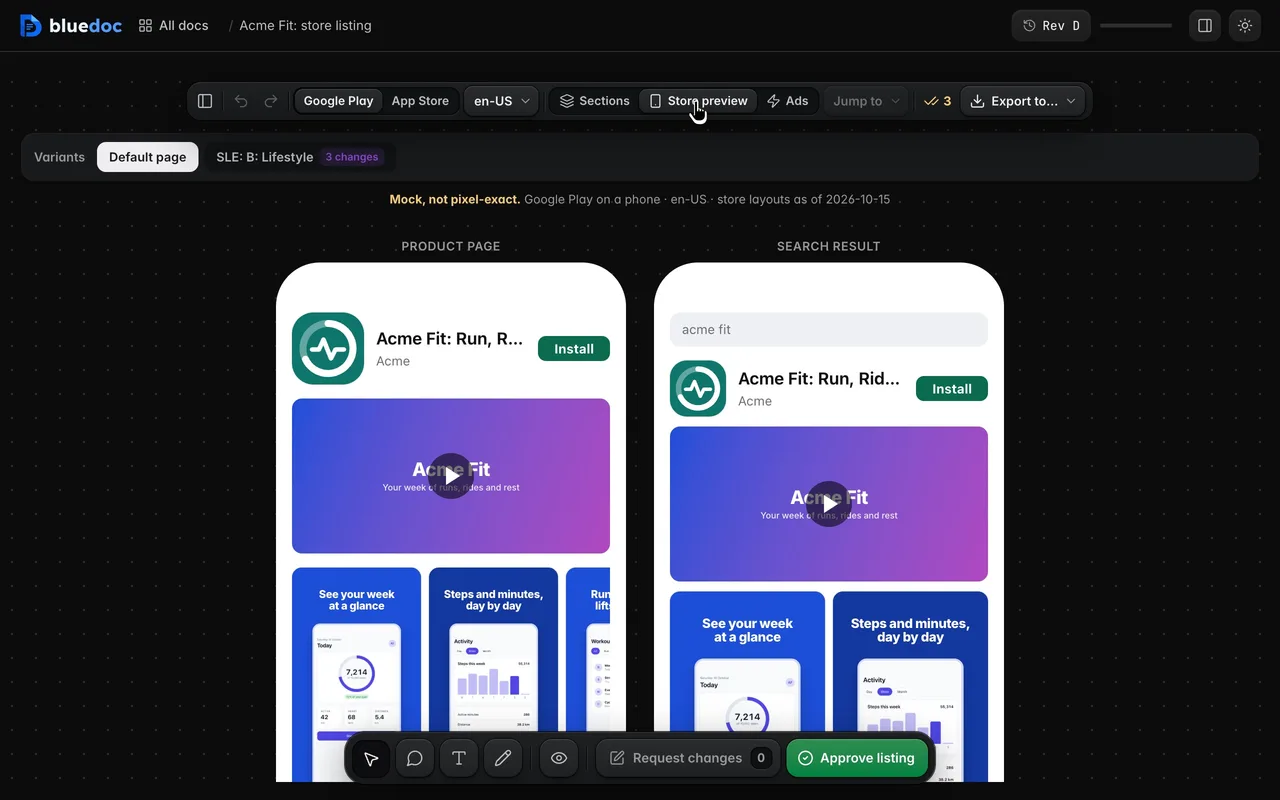
Sections shows every set by device. Store preview draws the product page and a search result at phone width, as a mock; Ads holds the campaign text and images.
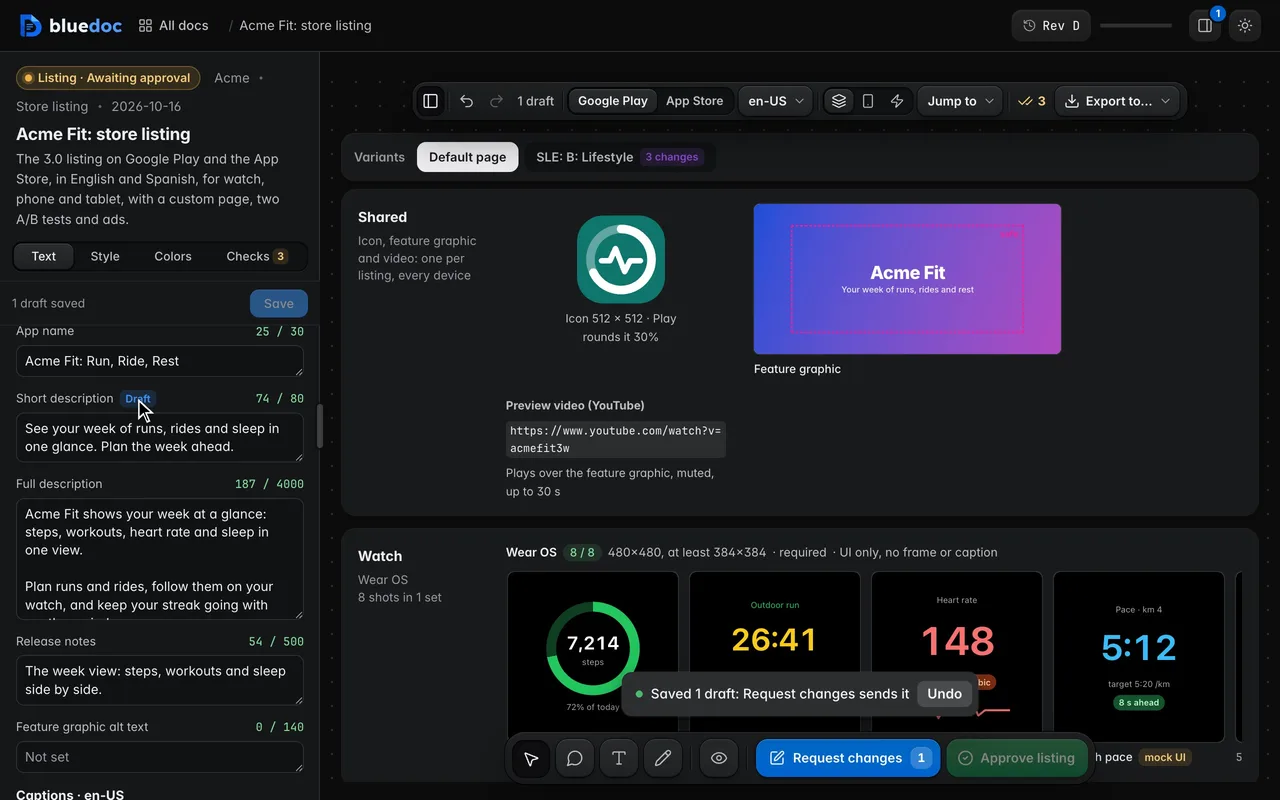
Each store text and caption is a field with its counter, red past the store’s limit. Save turns the changed fields into drafts the agent writes into the doc.
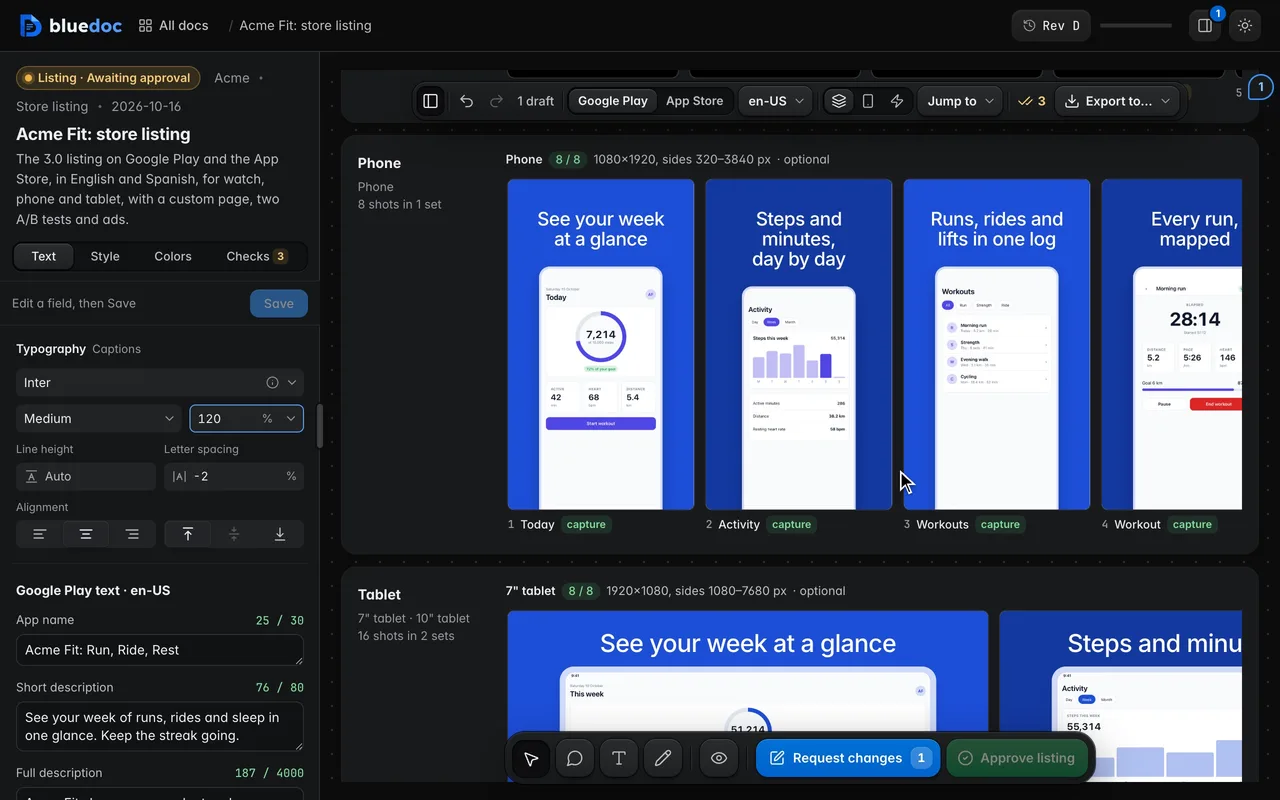
The Typography panel at the top of Text sets the captions’ font, weight, size, spacing and alignment, from the fonts installed on your machine.
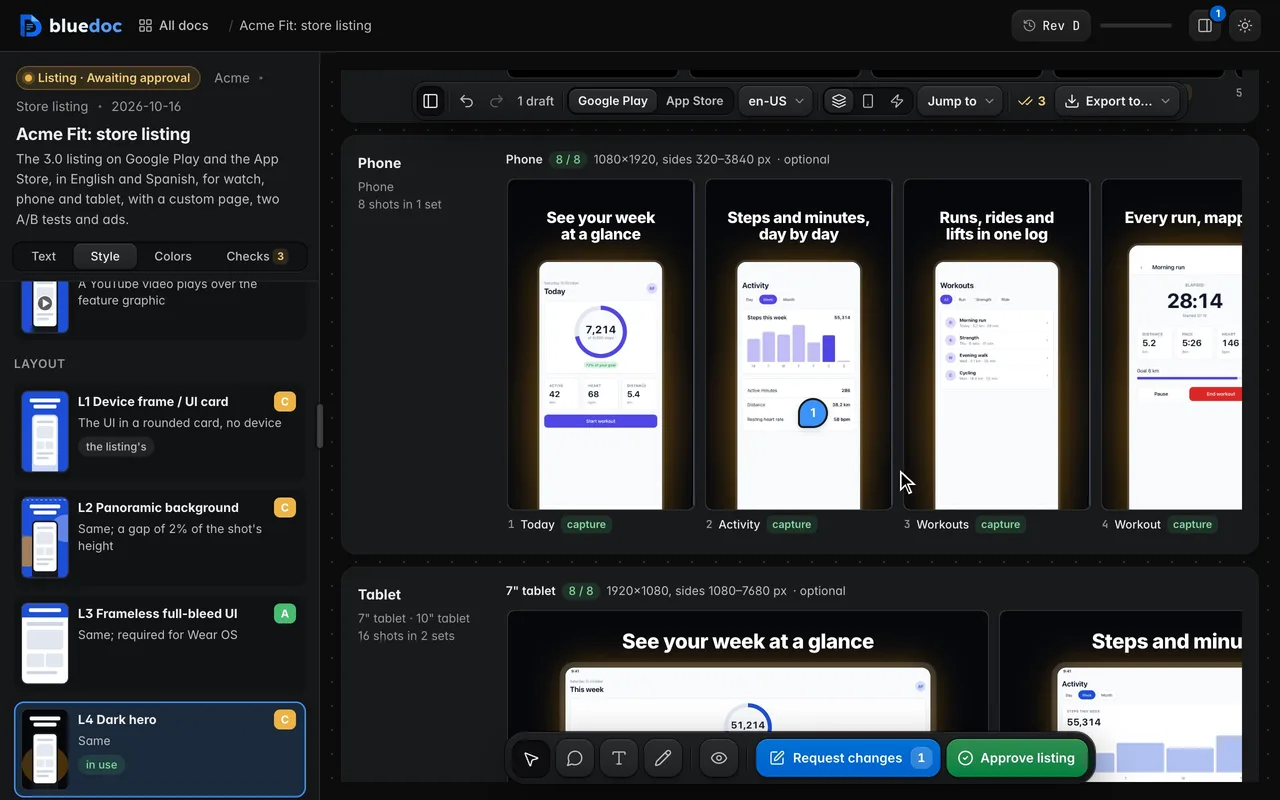
The Style tab offers five message styles (M1–M5) and five layouts (L1–L5) per platform, each with its evidence. A pick re-renders every shot live.
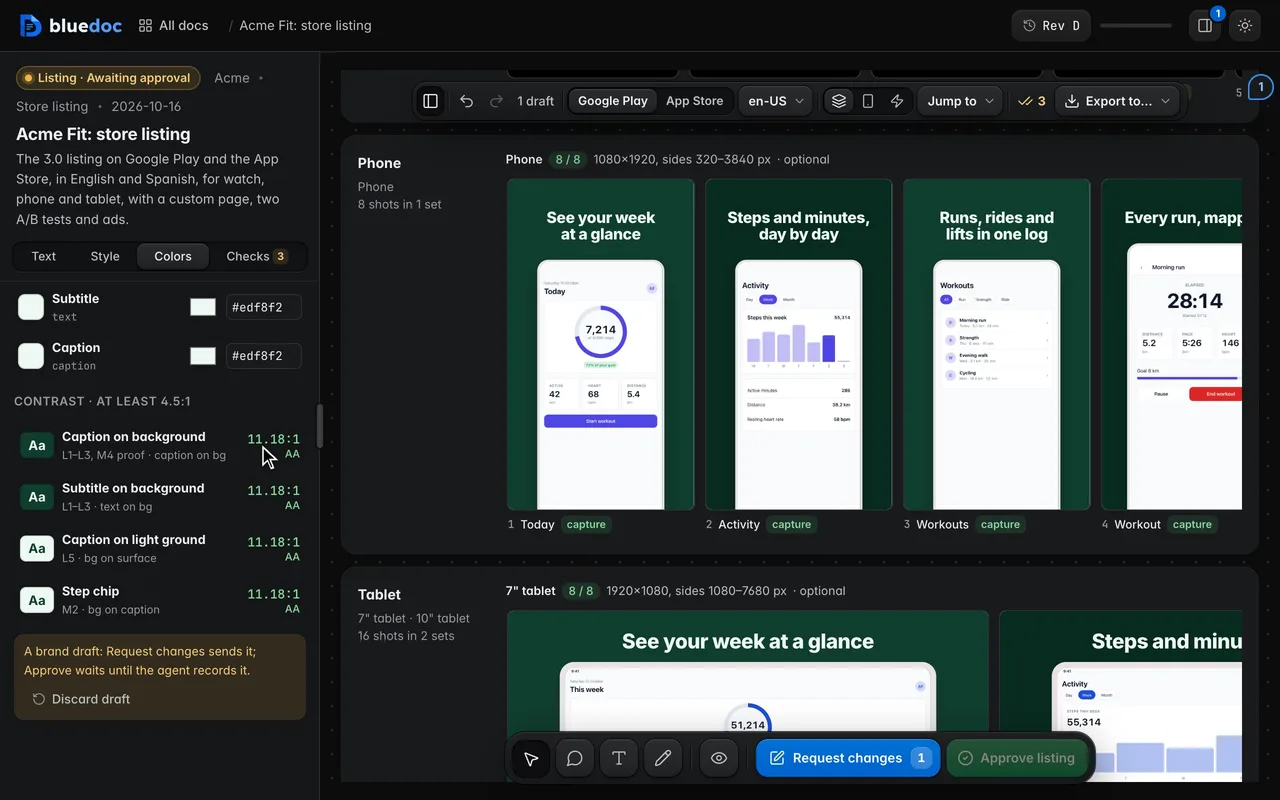
Drop an image on the Colors tab and its colours become the palette. Each text pair shows its contrast ratio against 4.5:1.
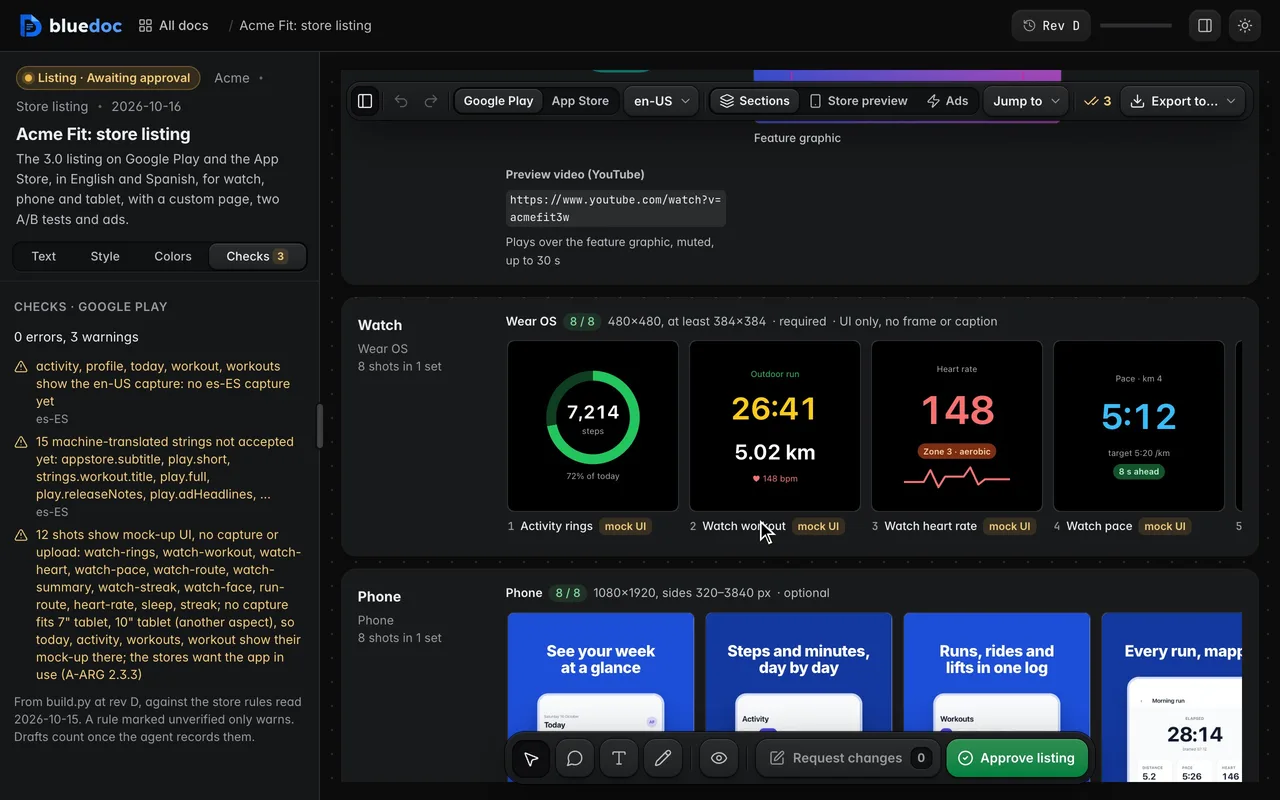
The build checks text limits, set counts, sizes, alpha, locales and mock-up UI against a dated rules file. The Checks tab lists each finding and shows the shot it is about.
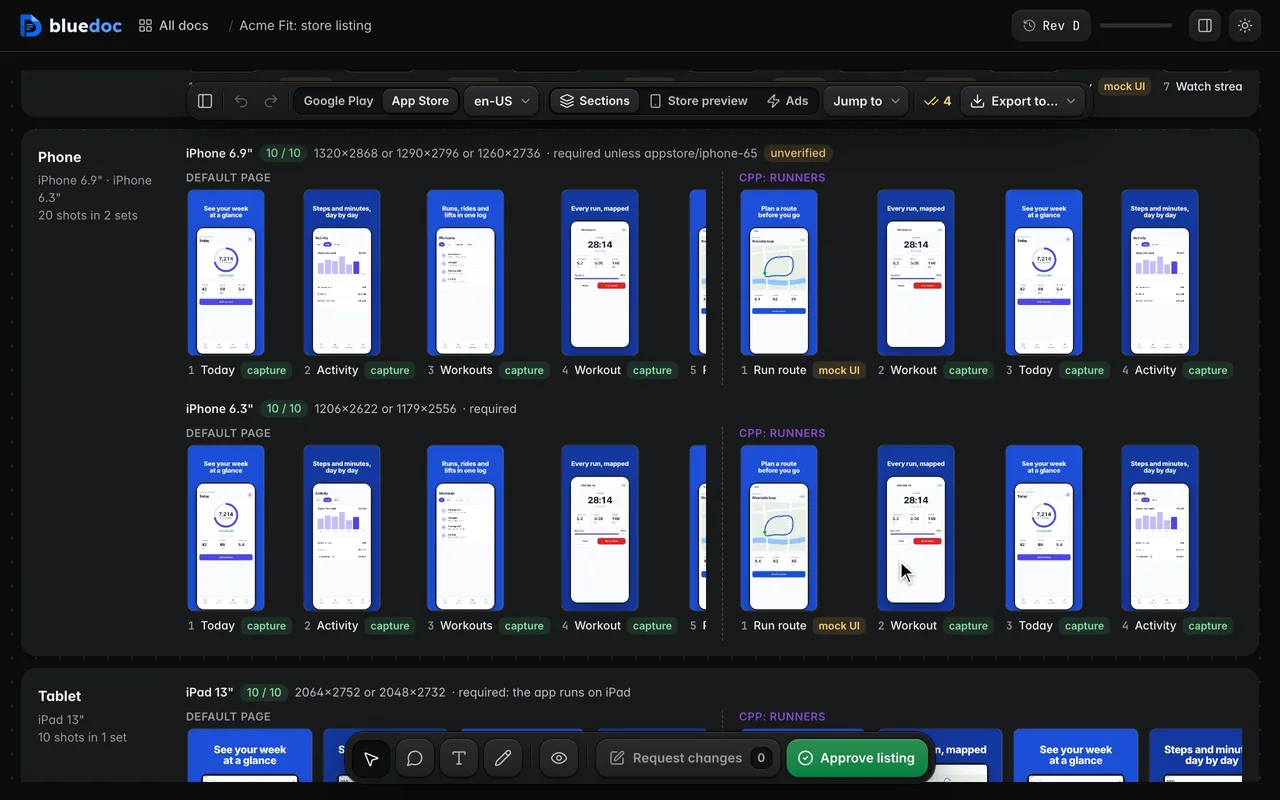
A tab per custom page or A/B test lists what it changes against the default page. Compare to default puts each set’s default shots beside the variant’s.
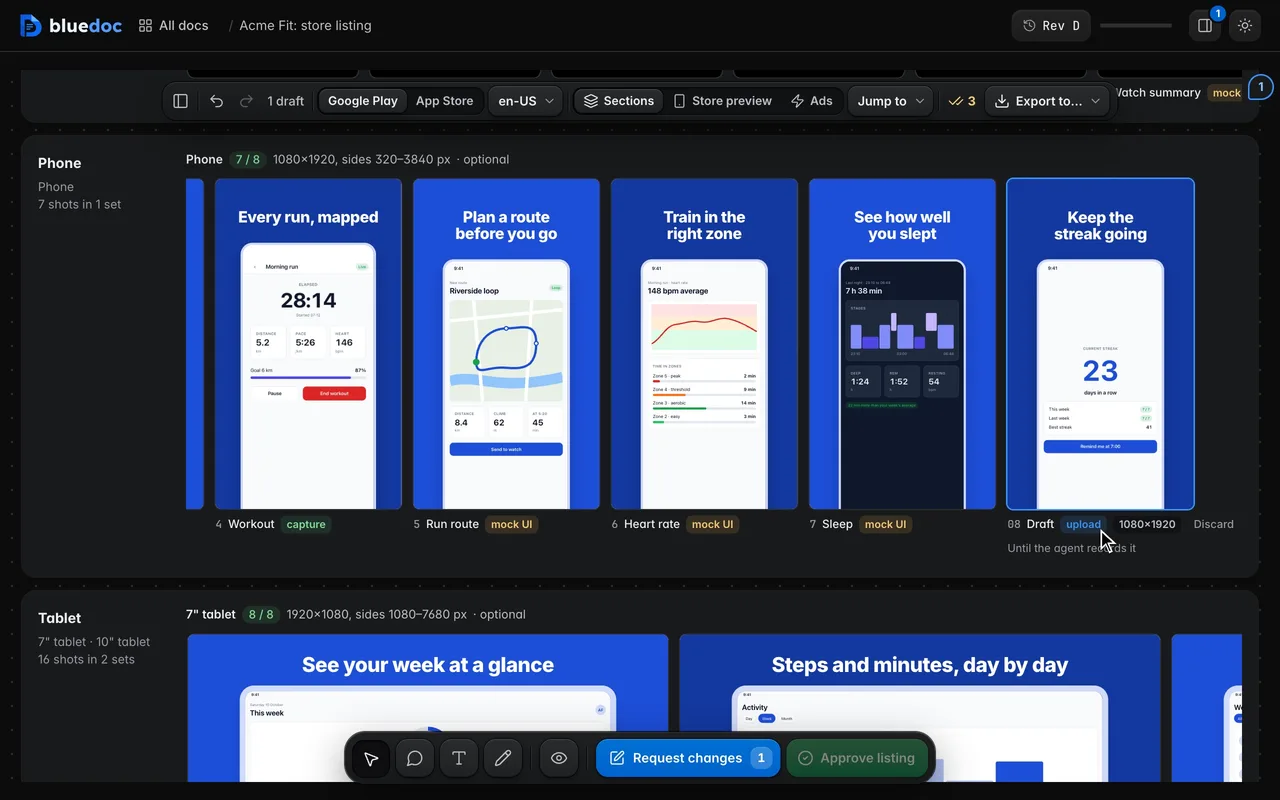
A set with room ends in a Drop PNG slot with its size. The page and the server check the PNG’s size and alpha; it stays a draft until the agent records it.
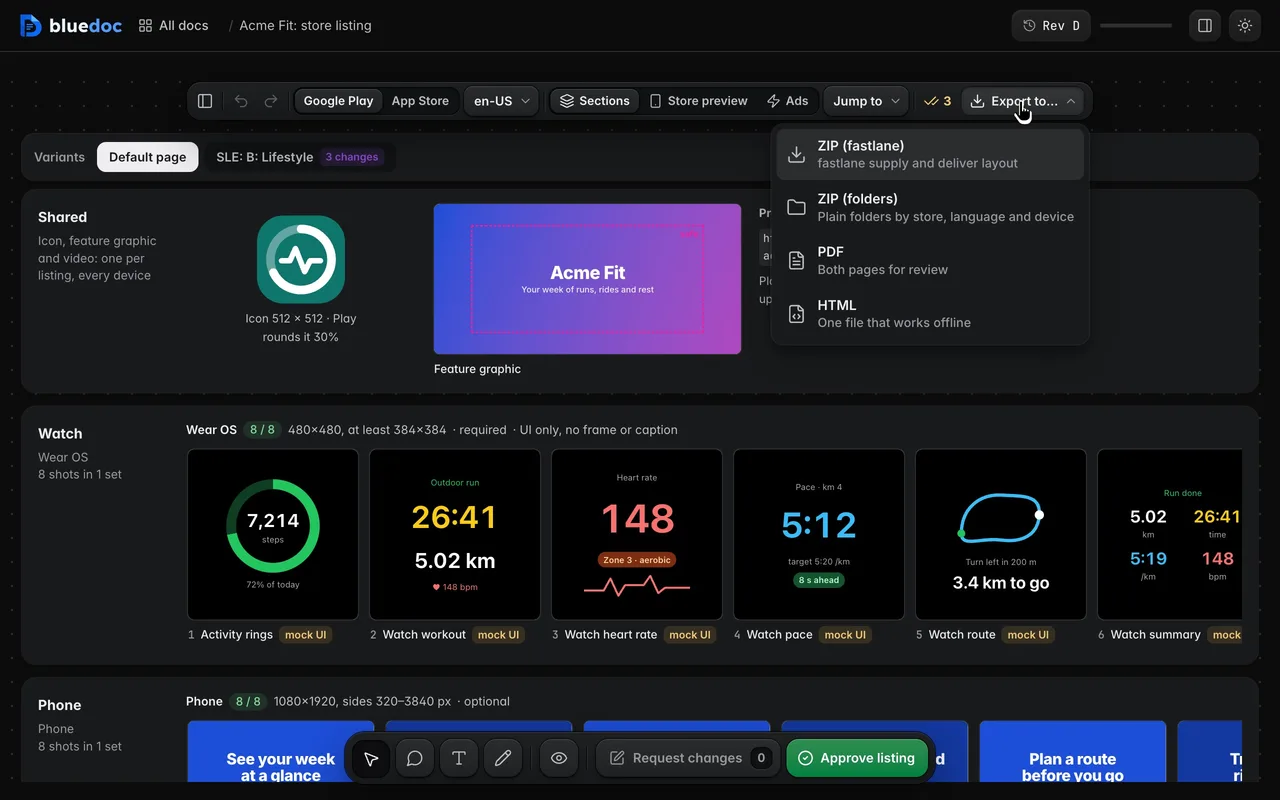
Export to… writes the fastlane ZIP, the same files in plain folders, a PDF or an HTML file. The key counts the files as it renders each PNG at its store size.
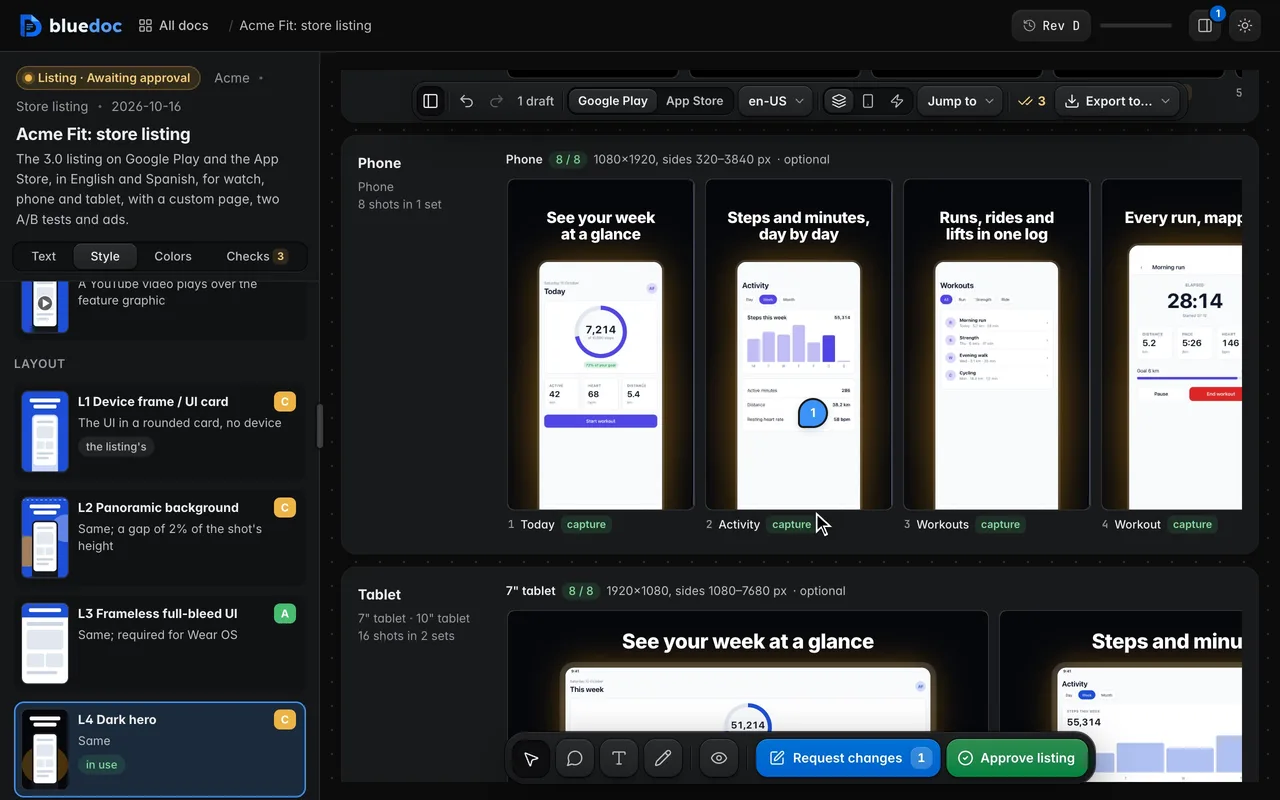
Every draft is a step of one undo history that a reload keeps: a Save of text, a style pick, a colour, an upload. Undo and Redo name the step.
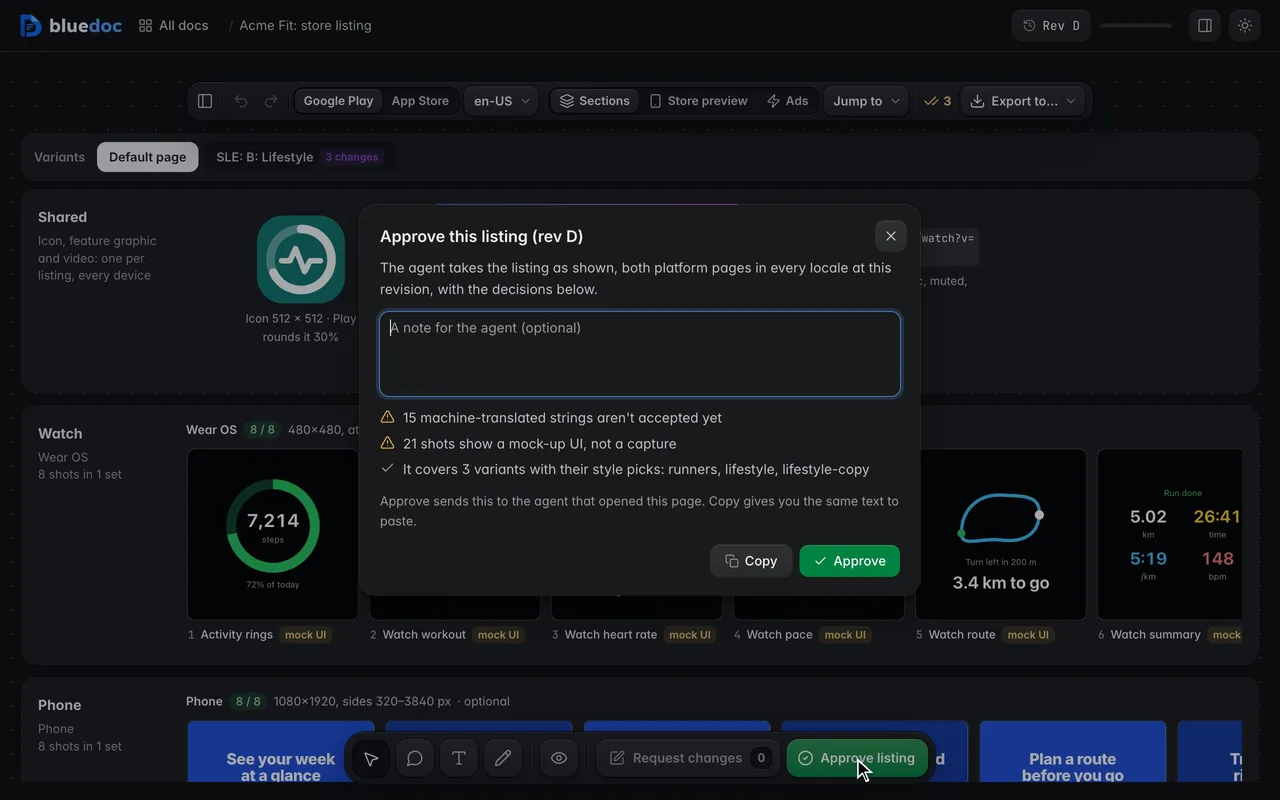
Approve listing counts the MT strings not yet accepted and the shots with mock-up UI, and names the variants it covers. The agent then exports the ZIP for you.
Works on every doc
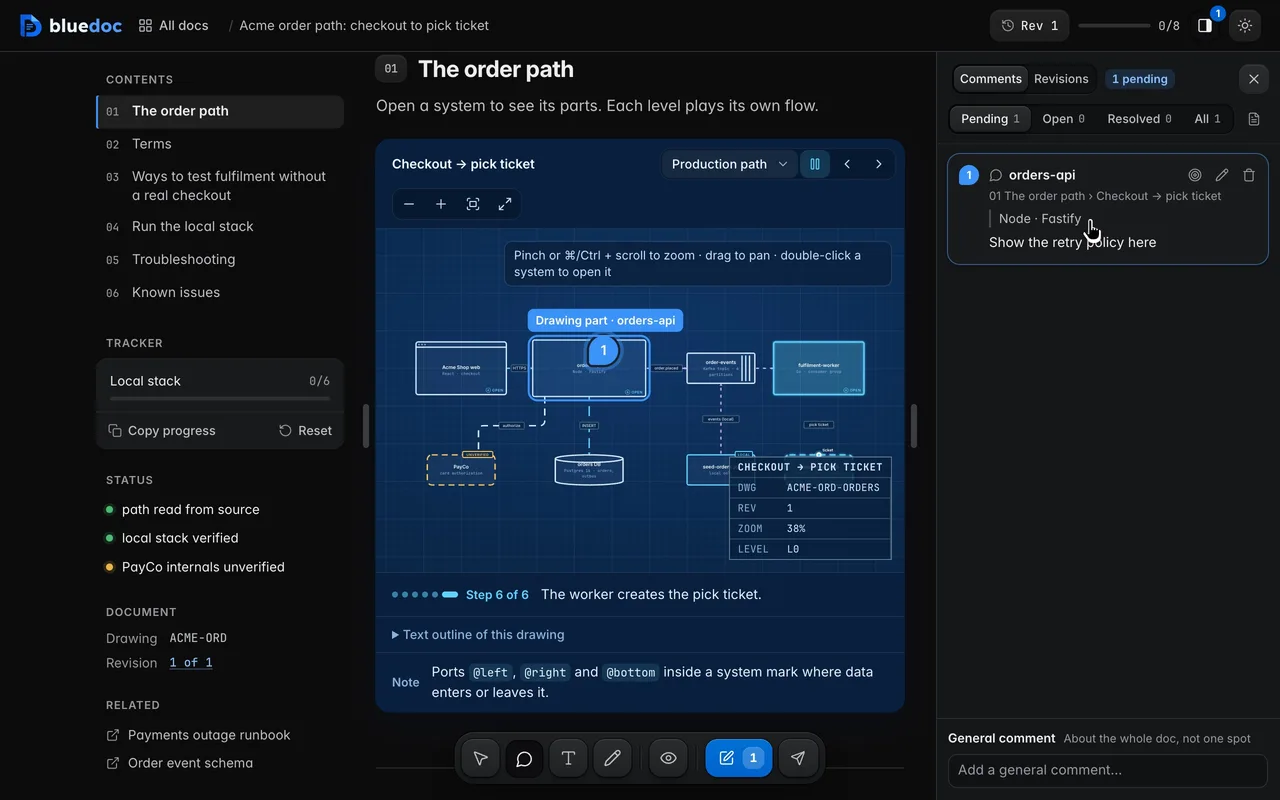
Point at a node, a row or a button and write a note. The pin stays on the element.
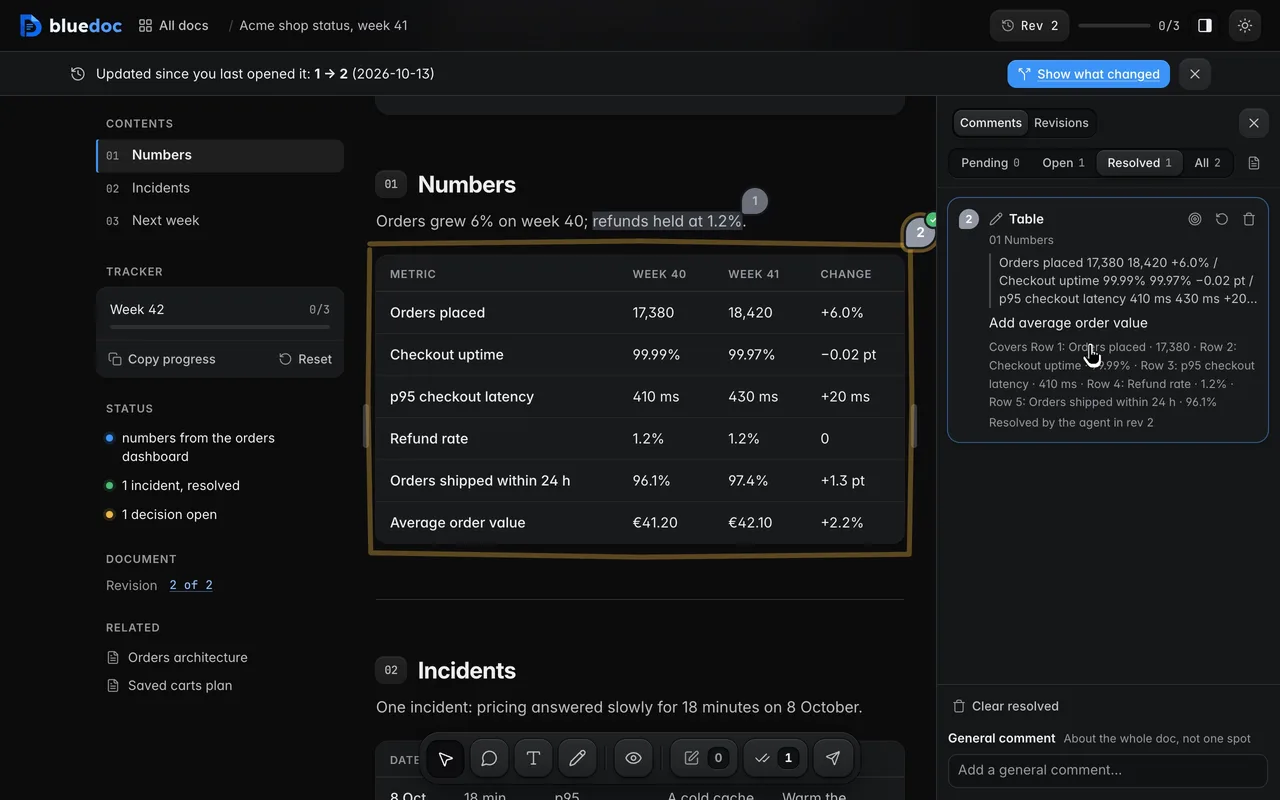
Notes go from Pending to Open when sent, and to Resolved when the agent’s revision says it dealt with them.
How the agent uses it
The agent writes one shot file per screenshot, the store text per platform and locale, and the captions as strings. It never types a size or limit: those live in assets/store-rules.json.
python3 <skill>/scripts/build.py new storelisting docs/store/acme-fit.bluedoc.json --title "Acme Fit: store listing"python3 <skill>/scripts/capture.py docs/store/acme-fit.bluedoc.json --dry-runpython3 <skill>/scripts/build.py docs/store/acme-fit.bluedoc.jsonpython3 <skill>/scripts/serve.py open docs/store/acme-fit.bluedoc.jsonpython3 <skill>/scripts/build.py docs/store/acme-fit.bluedoc.json --listing acme-fit.zip{ "id": "today", "title": "Today", "device": "shot", "fidelity": "hifi", "sets": ["play/phone", "play/tablet7", "play/tablet10", "appstore/iphone-69", "appstore/iphone", "appstore/ipad"], "recipe": { "targets": ["web"], "route": "today", "locales": ["en-US"] }}<main class="shot" data-bd="today"> <h1 class="shot-cap" data-bd="cap" data-l10n="today.title">See your week at a glance</h1> <div class="shot-frame" data-bd="frame"> <div class="shot-ui" data-bd="ui"> <main class="screen safe stack gap-4" data-bd="screen">…</main> </div> </div></main>The page renders the one file at every set’s frame. The caption is the string today.title in listing.strings, so each locale swaps it; the agent never uploads to a store.
Install
Each one installs the same skill from the GitHub repository.
claude plugin marketplace add andreiverdes/bluedocclaude plugin install bluedoc@bluedocInside a session the same commands are /plugin marketplace add andreiverdes/bluedoc and /plugin install bluedoc@bluedoc. Start a new session to load the skill.
codex plugin marketplace add andreiverdes/bluedoccodex plugin add bluedoc@bluedocRestart Codex. Mention the skill with $bluedoc or let Codex pick it from your request. Plan mode (/plan) opens the plan as a page; the README has the sandbox lines that skip the approval prompts.
pi install git:github.com/andreiverdes/bluedocRestart pi. /bluedoc-plan-mode turns on plan mode, and the plan opens as a page for your approval.
omp plugin marketplace add andreiverdes/bluedocomp plugin install bluedoc@bluedocRun /reload-plugins in an open session, or start a new one. omp’s plan reviews open as pages: Approve runs the plan, Request changes refines it.
copilot plugin install andreiverdes/bluedocStart a new session. When Copilot leaves plan mode, its plan opens as a page and waits for your approval.
git clone https://github.com/andreiverdes/bluedoc.gitagy plugin install bluedoc/antigravityRestart agy. In plan mode (agy --mode plan or /plan), the implementation plan opens as a page for your approval.
npx skills add andreiverdes/bluedocFor any other agent that reads skills. Or clone the repository and link skills/bluedoc into your agent’s skills folder.
Needs: Python 3.9 or later on PATH · git, for code reviews · gh, only to import GitHub review threads.
Other doc types

Architecture pages, walkthroughs, runbooks, setup guides and change proposals.

A plan you approve or send back before the agent writes code.

Review findings pinned to their lines from git, one decision per finding.

UI screens on a pan-and-zoom board, and app icons.

Slide decks with speaker notes, played in Present.

A site’s pages on a board, live from its dev server.

Status pages, incident reports, inventories, meeting notes and comparisons.