Doc type · "type": "review"
Review findings next to the code, one decision each.
A review page shows each finding under the lines it is about, in a diff the server reads from git. Each finding offers Fix in PR, Ticket or Decline with the agent’s pick starred; you choose, and send your answers back.
claude plugin marketplace add andreiverdes/bluedocclaude plugin install bluedoc@bluedocInside a session the same commands are /plugin marketplace add andreiverdes/bluedoc and /plugin install bluedoc@bluedoc. Start a new session to load the skill.
codex plugin marketplace add andreiverdes/bluedoccodex plugin add bluedoc@bluedocRestart Codex. Mention the skill with $bluedoc or let Codex pick it from your request. Plan mode (/plan) opens the plan as a page; the README has the sandbox lines that skip the approval prompts.
pi install git:github.com/andreiverdes/bluedocRestart pi. /bluedoc-plan-mode turns on plan mode, and the plan opens as a page for your approval.
omp plugin marketplace add andreiverdes/bluedocomp plugin install bluedoc@bluedocRun /reload-plugins in an open session, or start a new one. omp’s plan reviews open as pages: Approve runs the plan, Request changes refines it.
copilot plugin install andreiverdes/bluedocStart a new session. When Copilot leaves plan mode, its plan opens as a page and waits for your approval.
git clone https://github.com/andreiverdes/bluedoc.gitagy plugin install bluedoc/antigravityRestart agy. In plan mode (agy --mode plan or /plan), the implementation plan opens as a page for your approval.
npx skills add andreiverdes/bluedocFor any other agent that reads skills. Or clone the repository and link skills/bluedoc into your agent’s skills folder.
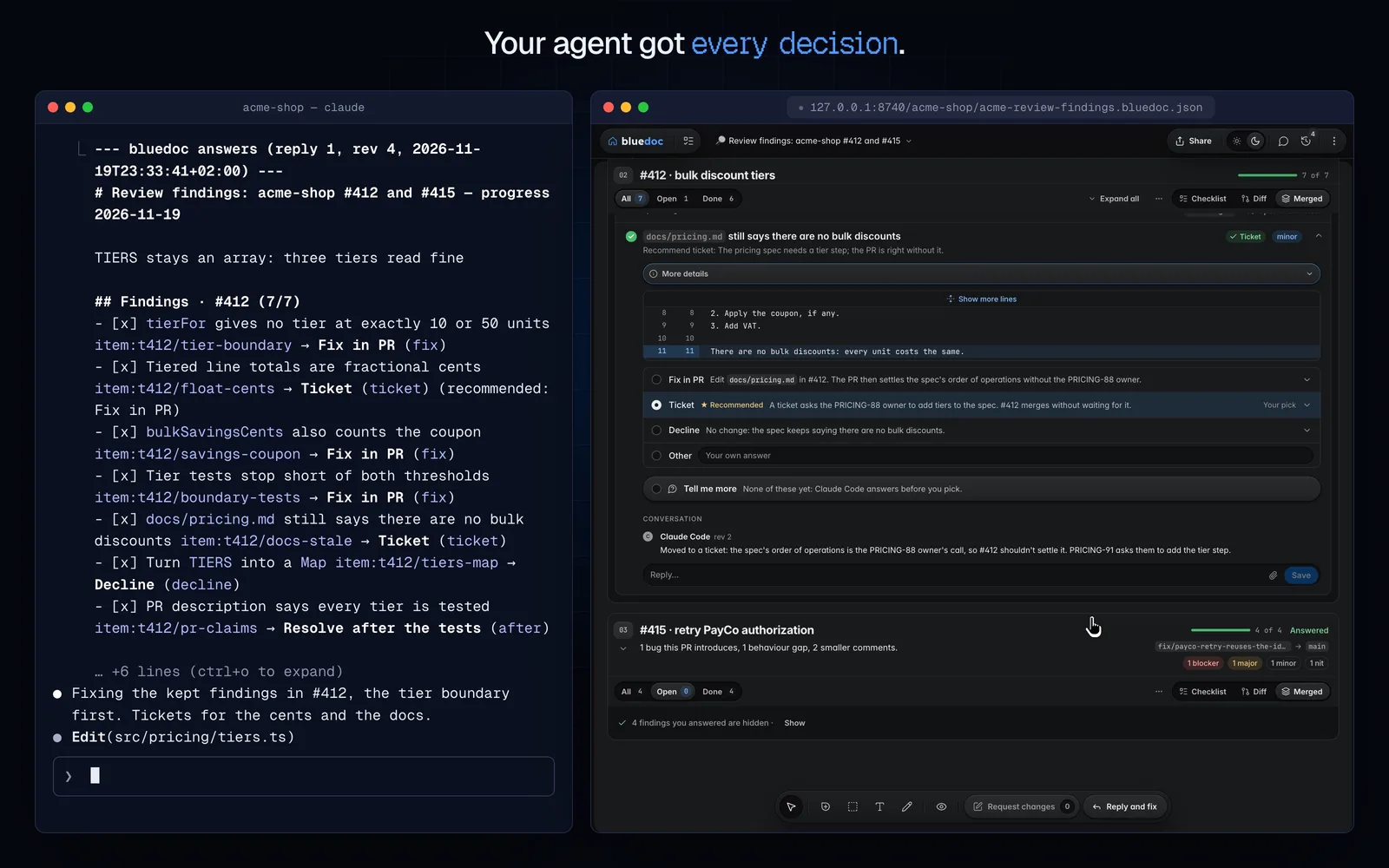
What it’s for
For any review that ends in decisions.
Peer reviews, an agent’s own review and open PR threads all become findings with options to pick.
- By pull request
One section per PR: its findings, then the diff of the files they are about.
- By area
Your own review grouped by area or concern, diffed from the last release you reviewed.
- GitHub threads
A PR’s open review threads, brought in as findings with their diff comments.
- Agent review
An agent’s findings, each with the evidence it read and the fix it proposes.
Features
What you can do on the page.
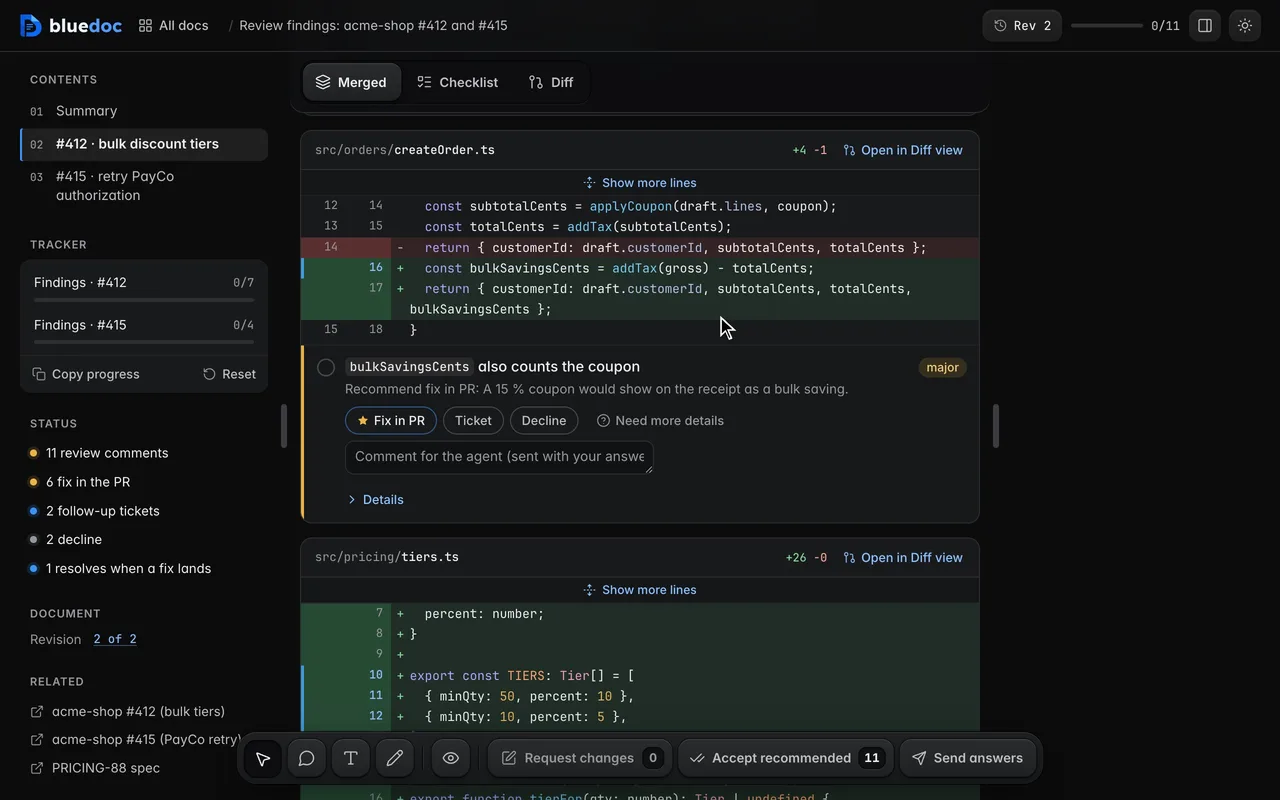
Read findings next to their code
The Merged view shows each commented range of the diff with its finding right under it, in code order. Show more lines widens the excerpt.
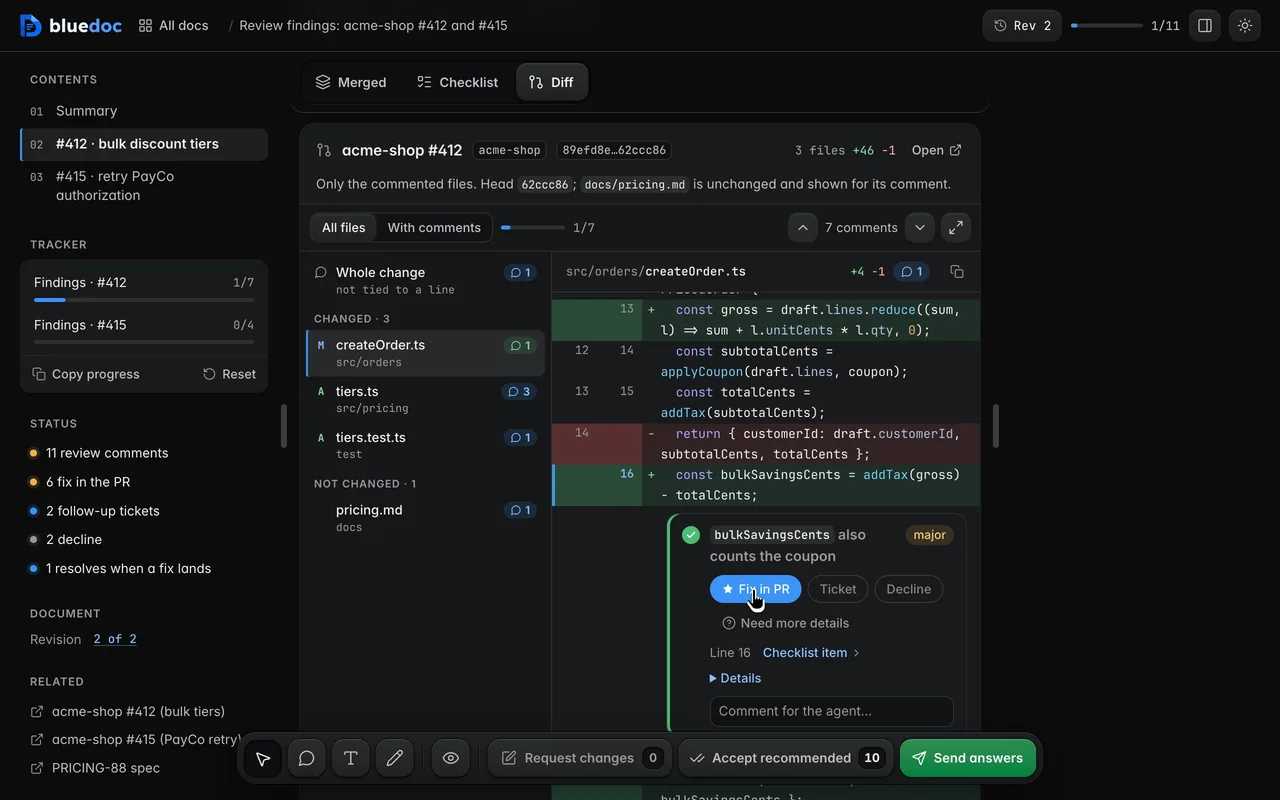
Switch between Merged, Checklist and Diff
The toolbar under each PR’s title picks Checklist, Diff or Merged, and filters All, Open or Done. A pick made in one view shows in the others.
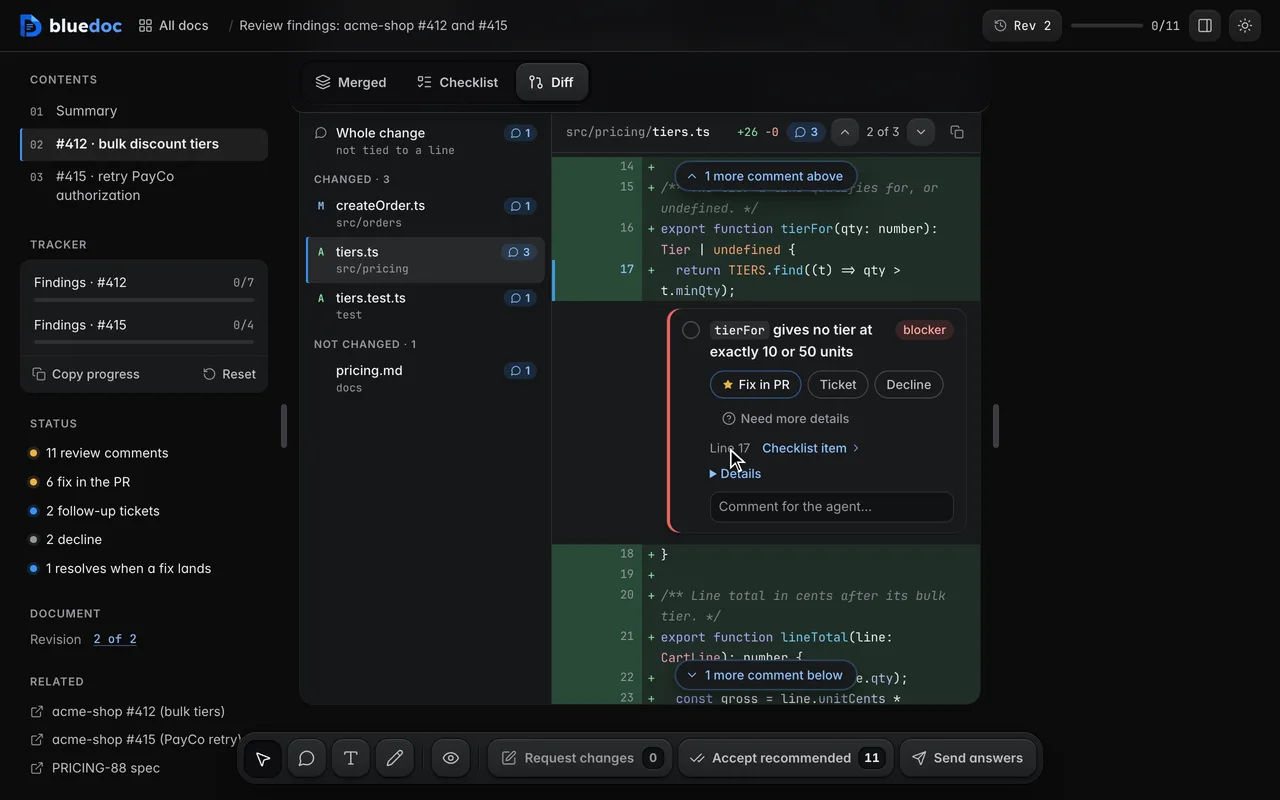
Step through findings in the diff
The Diff view shows the change file by file, each finding a card under its lines. A file with several counts them and steps between them.
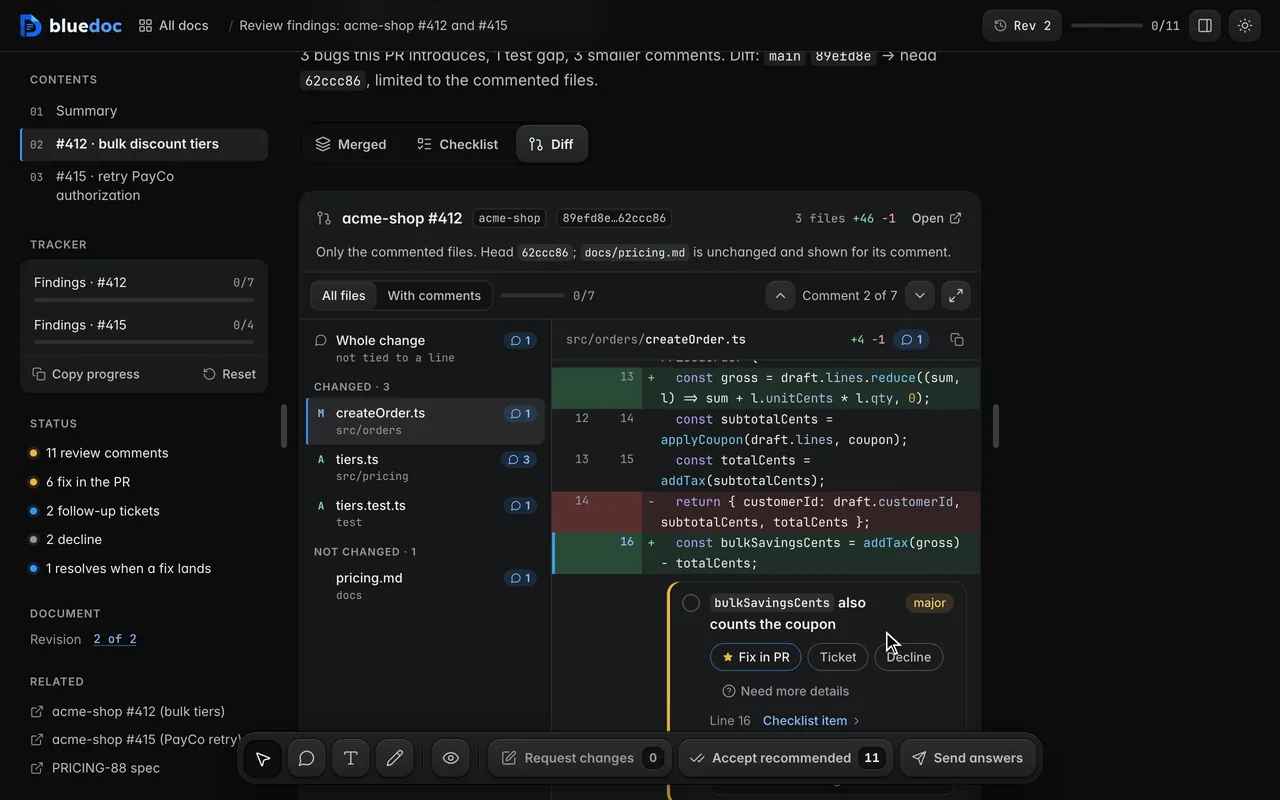
Open a finding’s code excerpt
In Checklist, a finding’s More details opens its detail, then its file and the lines around the comment, with Open in Diff view to jump there.
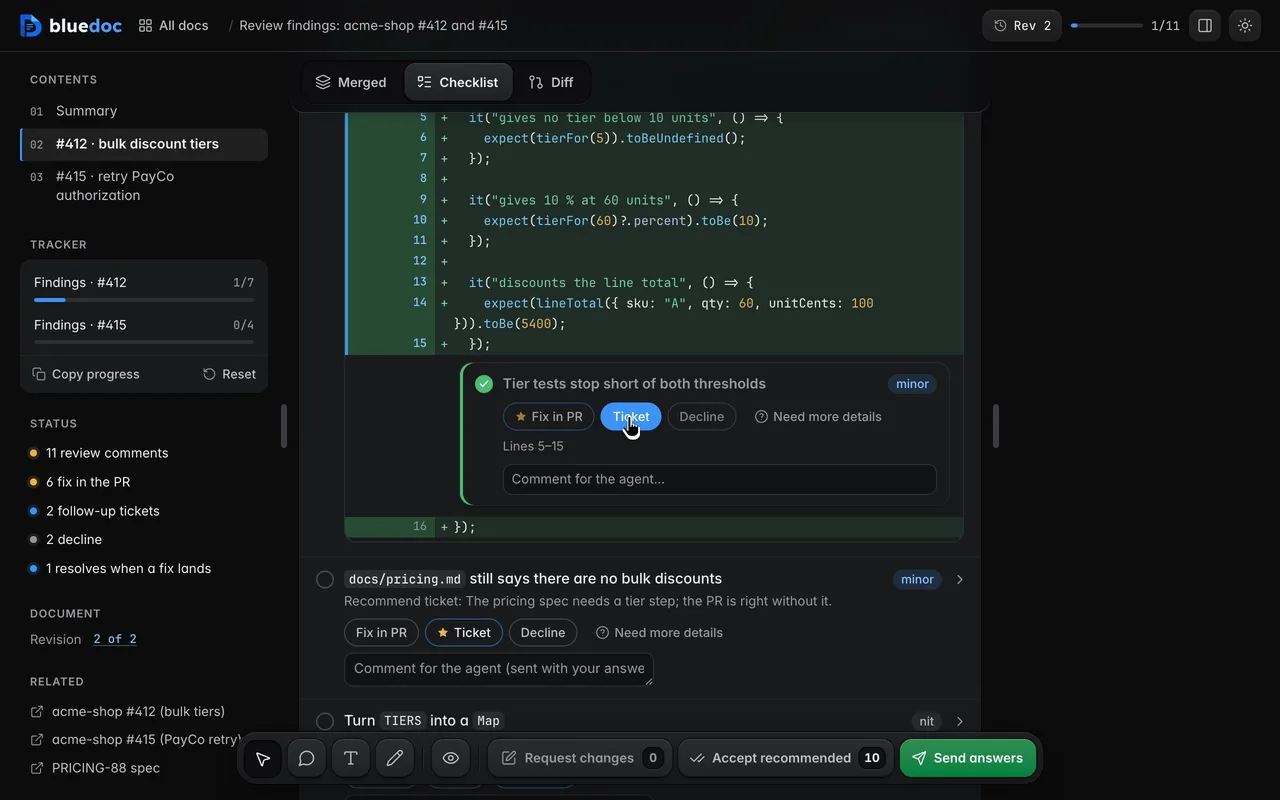
Decide each finding
Each finding has a size, from blocker to nit, and its options: Fix in PR, Ticket, Decline, or the real alternatives. Its head shows your pick, and the toolbar counts what’s done.
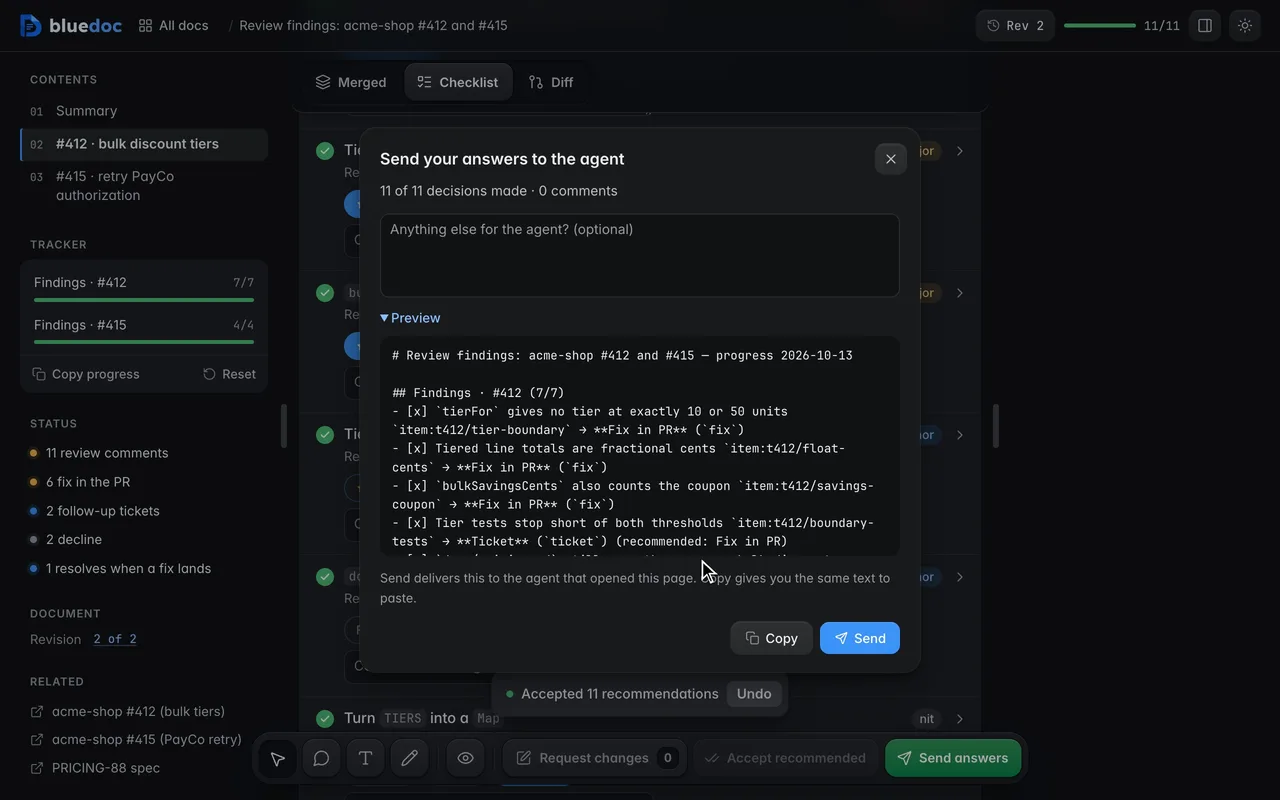
Send picks that differ from the recommendation
Accept recommended in the findings toolbar takes every starred answer; change the ones you disagree with. Reply and fix’s dialog marks each pick that differs from the agent’s.
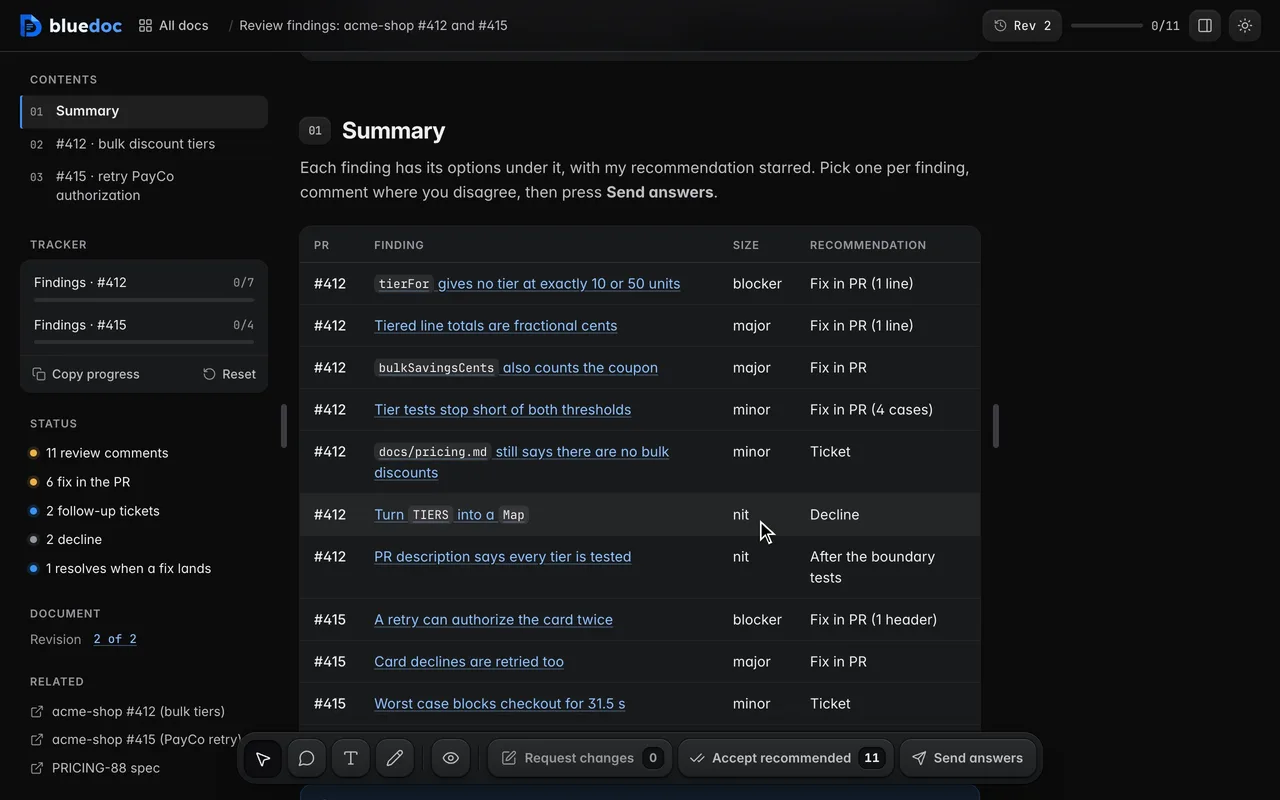
Jump from the summary table to a finding
The summary lists every finding with its size and recommendation. Click one to scroll to it.
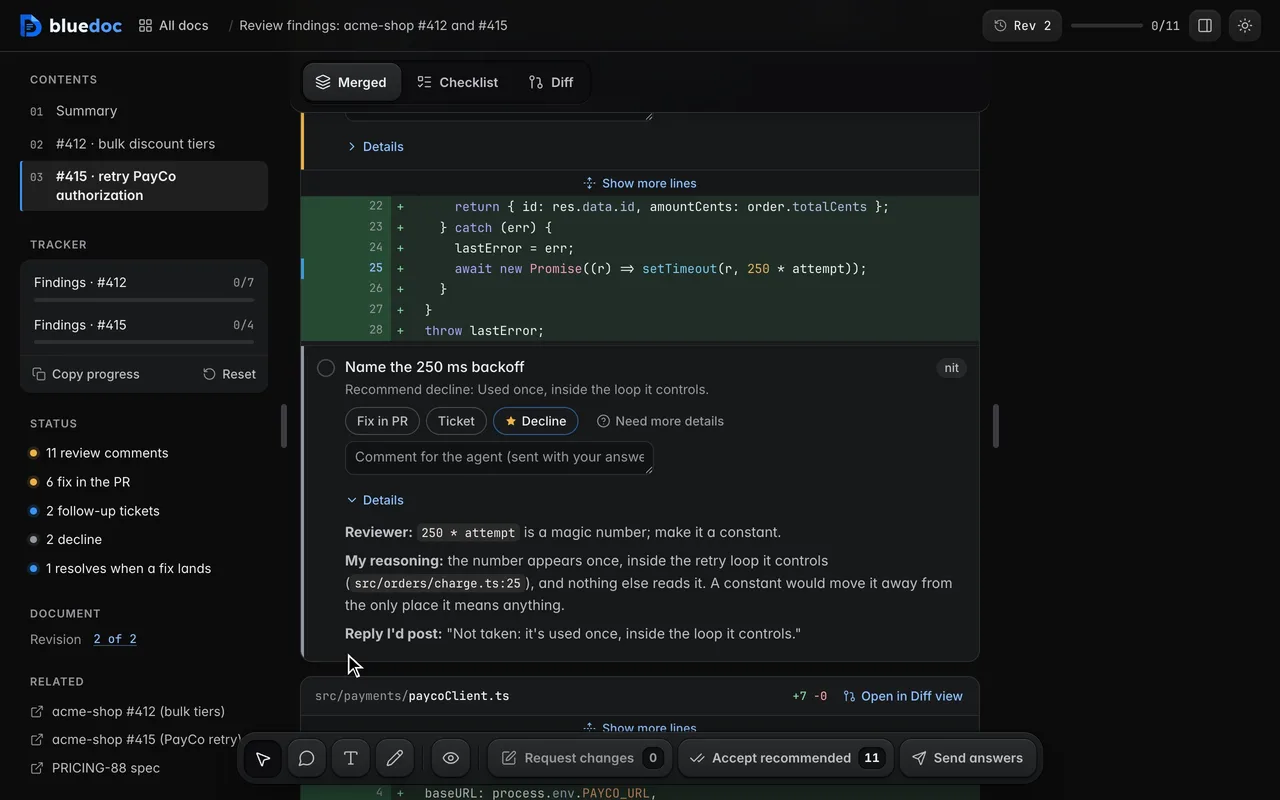
Bring in GitHub review threads
ghthreads.py turns a PR’s open review threads into findings, each with the reviewer’s point, the agent’s reasoning and the reply it would post.
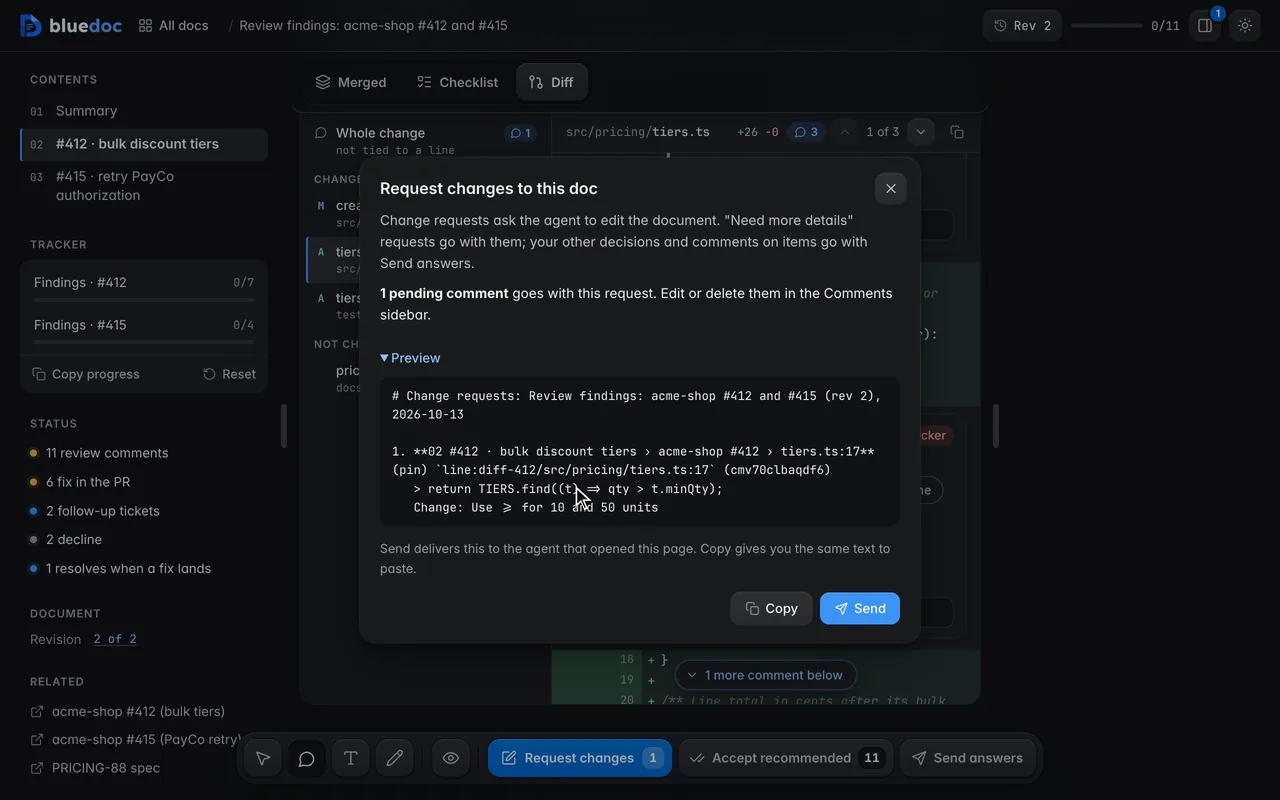
Comment on a diff line
Pin a comment with Element on any line of the diff. The comment names the diff, the file and the line, so the agent knows exactly where.
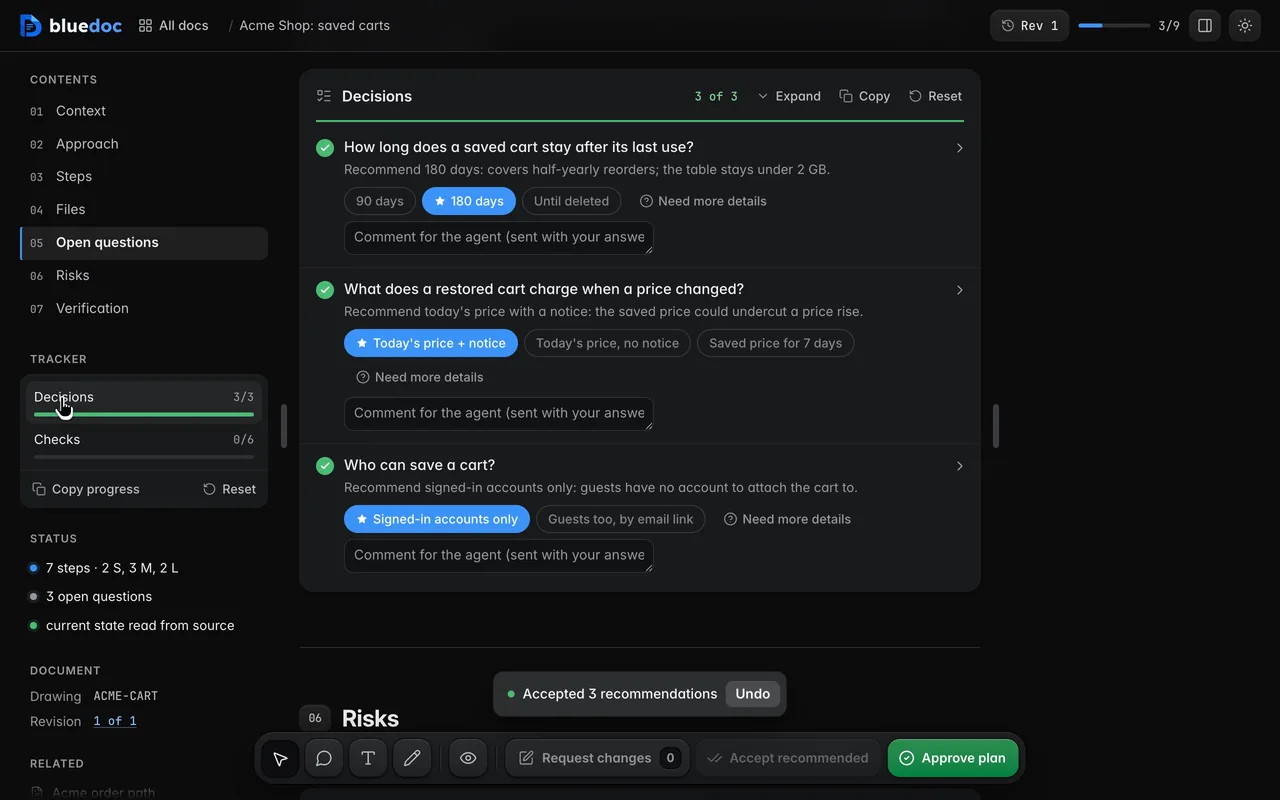
Accept every recommendation at once
Each decision list and findings section has Accept recommended in its toolbar: it picks every starred answer in one go. Change the ones you disagree with afterwards.
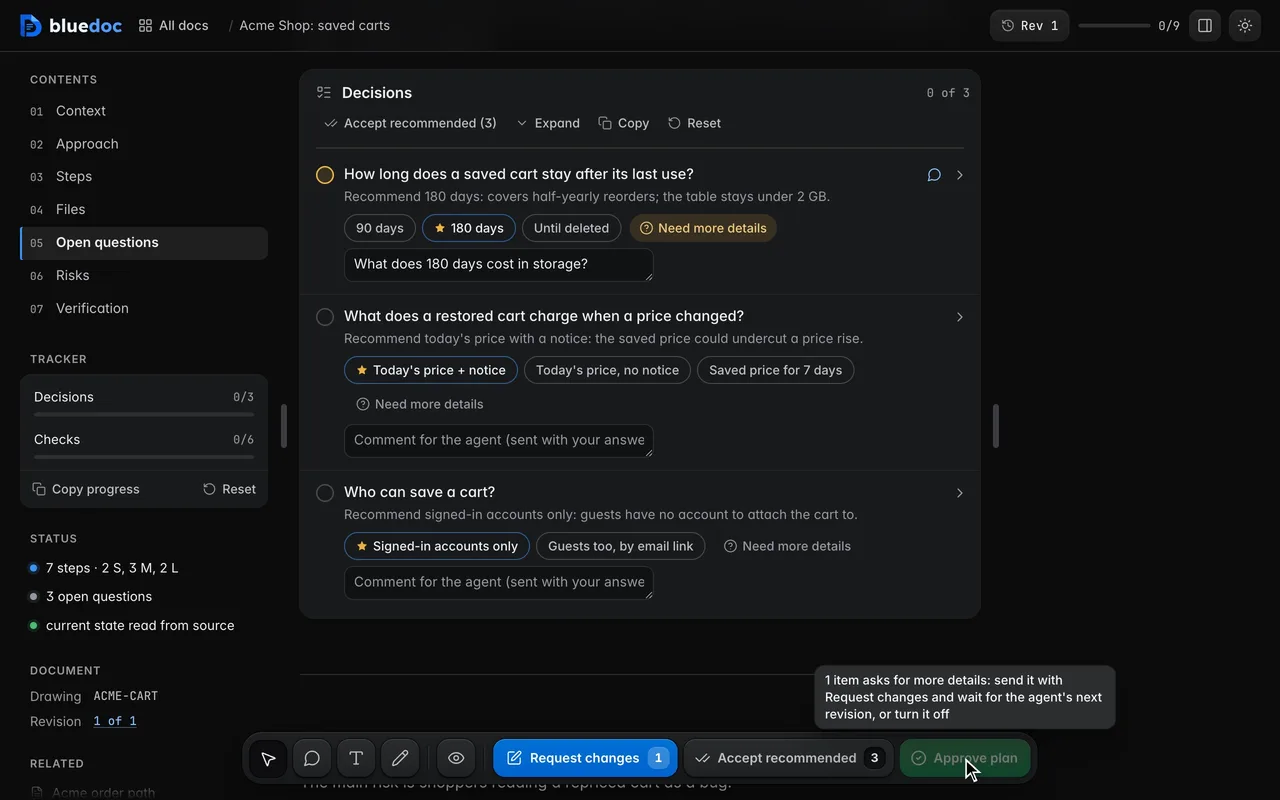
Ask the agent to tell you more
Tell me more, the pill under the answers, asks the agent what is missing before you pick, and moves you to the reply field to say what you need to know.
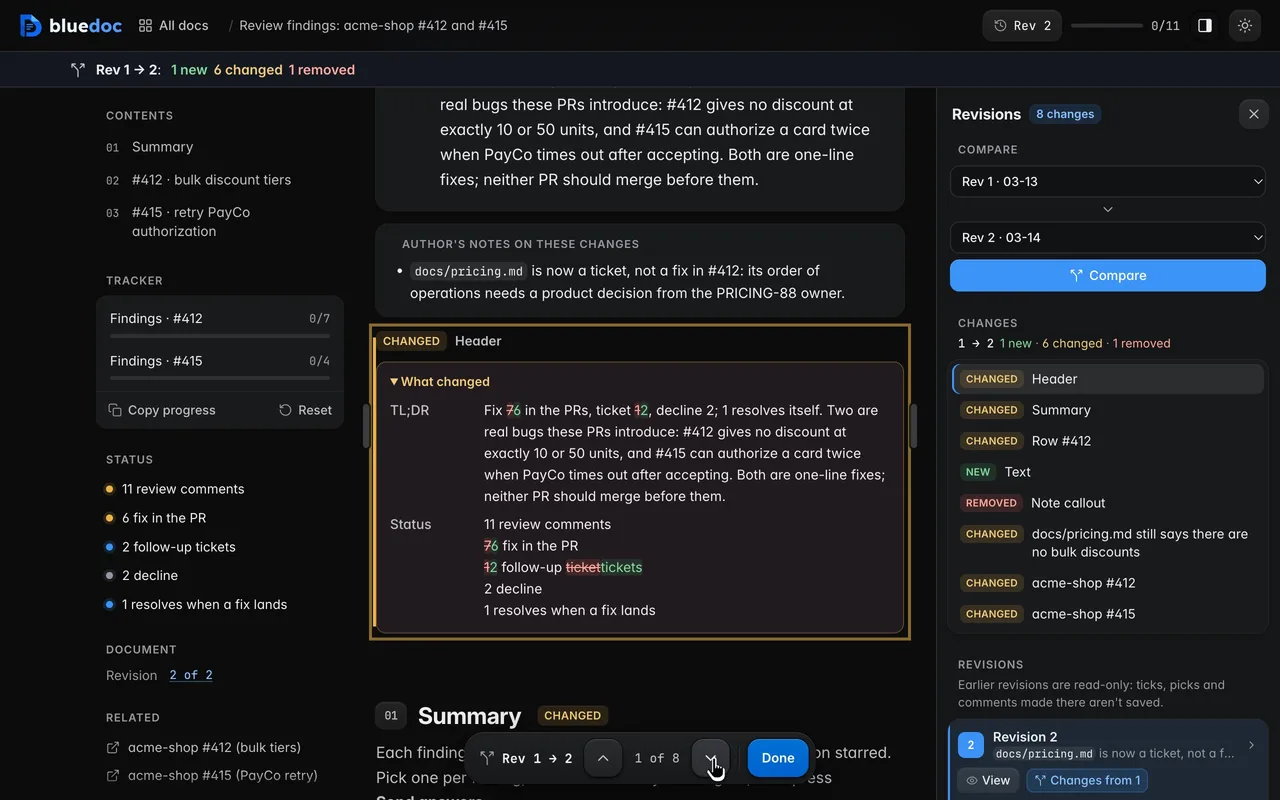
Compare two revisions word by word
New, changed and removed parts are marked in place, with words struck and added.
How the agent uses it
The agent writes JSON. The server draws the page.
The agent writes each finding as a decision item, then gitdiff.py adds a diff block of the files they are about, one comment per finding. The doc stores only the repo and the commits; the server reads the diff from git.
python3 <skill>/scripts/build.py new review docs/reviews/pr-412.bluedoc.json --title "Review: #412"python3 <skill>/scripts/gitdiff.py --repo . --base 89efd8e --head 62ccc86 --id diff-412 --title "acme-shop #412" --paths src/pricing/tiers.ts --comments /tmp/c412.json --into docs/reviews/pr-412.bluedoc.json --section pr-412 --after-block 0python3 <skill>/scripts/build.py docs/reviews/pr-412.bluedoc.jsonpython3 <skill>/scripts/serve.py open docs/reviews/pr-412.bluedoc.json{ "id": "tier-boundary", "text": "`tierFor` gives no tier at exactly 10 or 50 units", "sub": "Recommend fix in PR: `>` drops both thresholds. One character.", "state": "blocker", "stateKind": "risk", "choices": [ { "id": "fix", "label": "Fix in PR" }, { "id": "ticket", "label": "Ticket" }, { "id": "decline", "label": "Decline" } ], "recommend": "fix"}{ "type": "diff", "id": "diff-412", "title": "acme-shop #412", "repo": "acme-shop", "base": "89efd8e", "head": "62ccc86", "paths": ["src/pricing/tiers.ts", "test/tiers.test.ts"], "comments": [ { "at": "src/pricing/tiers.ts:17", "item": "t412/tier-boundary" } ]}ghthreads.py --repo acme/acme-shop --pr 415 --checklist t415 turns a PR’s open review threads into findings and diff comments the same way.
Other doc types
Seven more kinds of page.
- DocsArchitecture pages, walkthroughs, runbooks, setup guides and change proposals.
- PlansA plan you approve or send back before the agent writes code.
- DesignsUI screens on a pan-and-zoom board, and app icons.
- PresentationsSlide decks with speaker notes, played in Present.
- WebsitesA site’s pages on a board, live from its dev server.
- Store listingsAn app’s Google Play and App Store listing, checked against the stores’ rules.
- OtherStatus pages, incident reports, inventories, meeting notes and comparisons.
Answer your agent
on a page.
Pick your agent. Each one installs the same skill from the GitHub repository.
claude plugin marketplace add andreiverdes/bluedocclaude plugin install bluedoc@bluedocInside a session the same commands are /plugin marketplace add andreiverdes/bluedoc and /plugin install bluedoc@bluedoc. Start a new session to load the skill.
codex plugin marketplace add andreiverdes/bluedoccodex plugin add bluedoc@bluedocRestart Codex. Mention the skill with $bluedoc or let Codex pick it from your request. Plan mode (/plan) opens the plan as a page; the README has the sandbox lines that skip the approval prompts.
pi install git:github.com/andreiverdes/bluedocRestart pi. /bluedoc-plan-mode turns on plan mode, and the plan opens as a page for your approval.
omp plugin marketplace add andreiverdes/bluedocomp plugin install bluedoc@bluedocRun /reload-plugins in an open session, or start a new one. omp’s plan reviews open as pages: Approve runs the plan, Request changes refines it.
copilot plugin install andreiverdes/bluedocStart a new session. When Copilot leaves plan mode, its plan opens as a page and waits for your approval.
git clone https://github.com/andreiverdes/bluedoc.gitagy plugin install bluedoc/antigravityRestart agy. In plan mode (agy --mode plan or /plan), the implementation plan opens as a page for your approval.
npx skills add andreiverdes/bluedocFor any other agent that reads skills. Or clone the repository and link skills/bluedoc into your agent’s skills folder.
- Python 3.9 or later on PATH
- git, for code reviews
- gh, only for GitHub review threads and Share