Feature · Home and Settings
Every doc,
on one home page.
The local server lists every doc with its type, status and revision, across your projects. Pin a project, hide one, give it a name and an icon. The gear opens Settings.
claude plugin marketplace add andreiverdes/bluedocclaude plugin install bluedoc@bluedocInside a session the same commands are /plugin marketplace add andreiverdes/bluedoc and /plugin install bluedoc@bluedoc. Start a new session to load the skill.
codex plugin marketplace add andreiverdes/bluedoccodex plugin add bluedoc@bluedocRestart Codex. Mention the skill with $bluedoc or let Codex pick it from your request. Plan mode (/plan) opens the plan as a page; the README has the sandbox lines that skip the approval prompts.
pi install git:github.com/andreiverdes/bluedocRestart pi. /bluedoc-plan-mode turns on plan mode, and the plan opens as a page for your approval.
omp plugin marketplace add andreiverdes/bluedocomp plugin install bluedoc@bluedocRun /reload-plugins in an open session, or start a new one. omp’s plan reviews open as pages: Approve runs the plan, Request changes refines it.
copilot plugin install andreiverdes/bluedocStart a new session. When Copilot leaves plan mode, its plan opens as a page and waits for your approval.
git clone https://github.com/andreiverdes/bluedoc.gitagy plugin install bluedoc/antigravityRestart agy. In plan mode (agy --mode plan or /plan), the implementation plan opens as a page for your approval.
npx skills add andreiverdes/bluedocFor any other agent that reads skills. Or clone the repository and link skills/bluedoc into your agent’s skills folder.
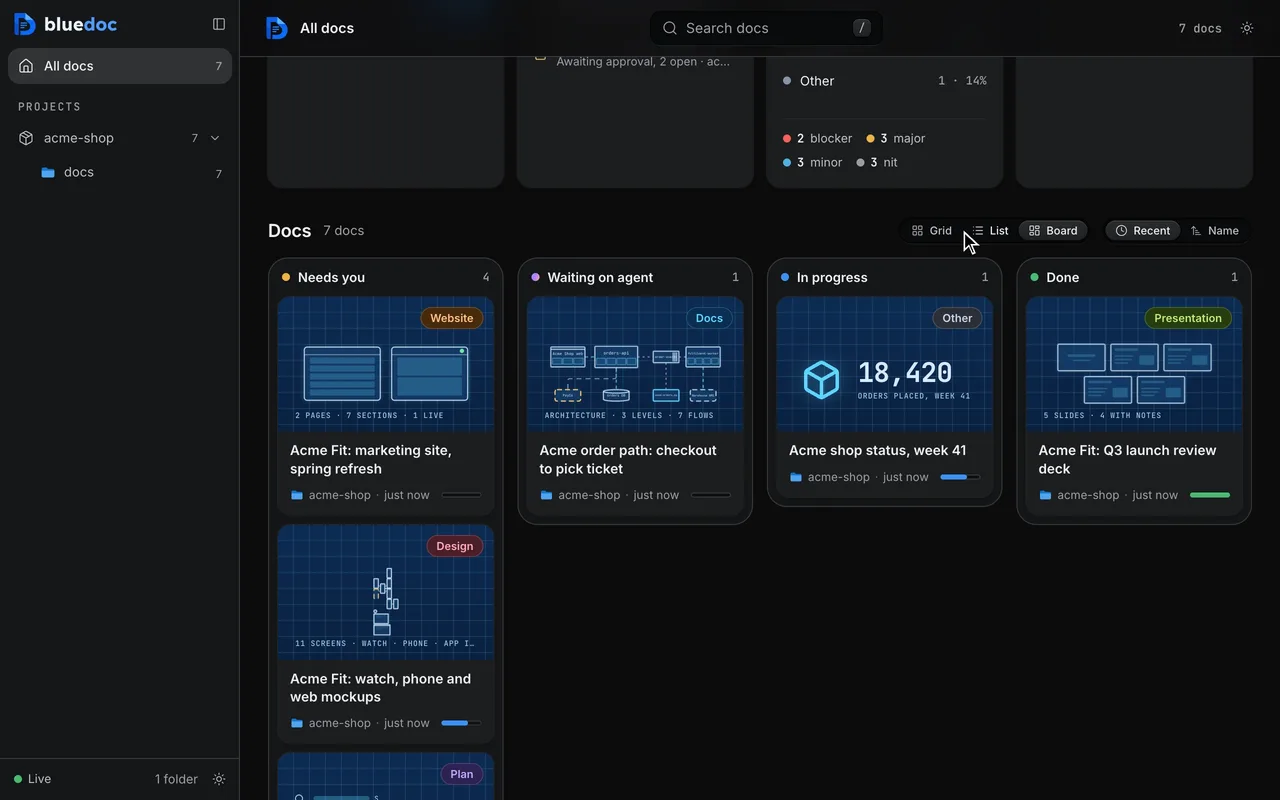
Find a doc
Search it, filter it, archive it.
One search covers every doc’s text. The menus narrow the list, the sidebar lists your projects with the pinned ones first, and a finished doc goes to Archived.
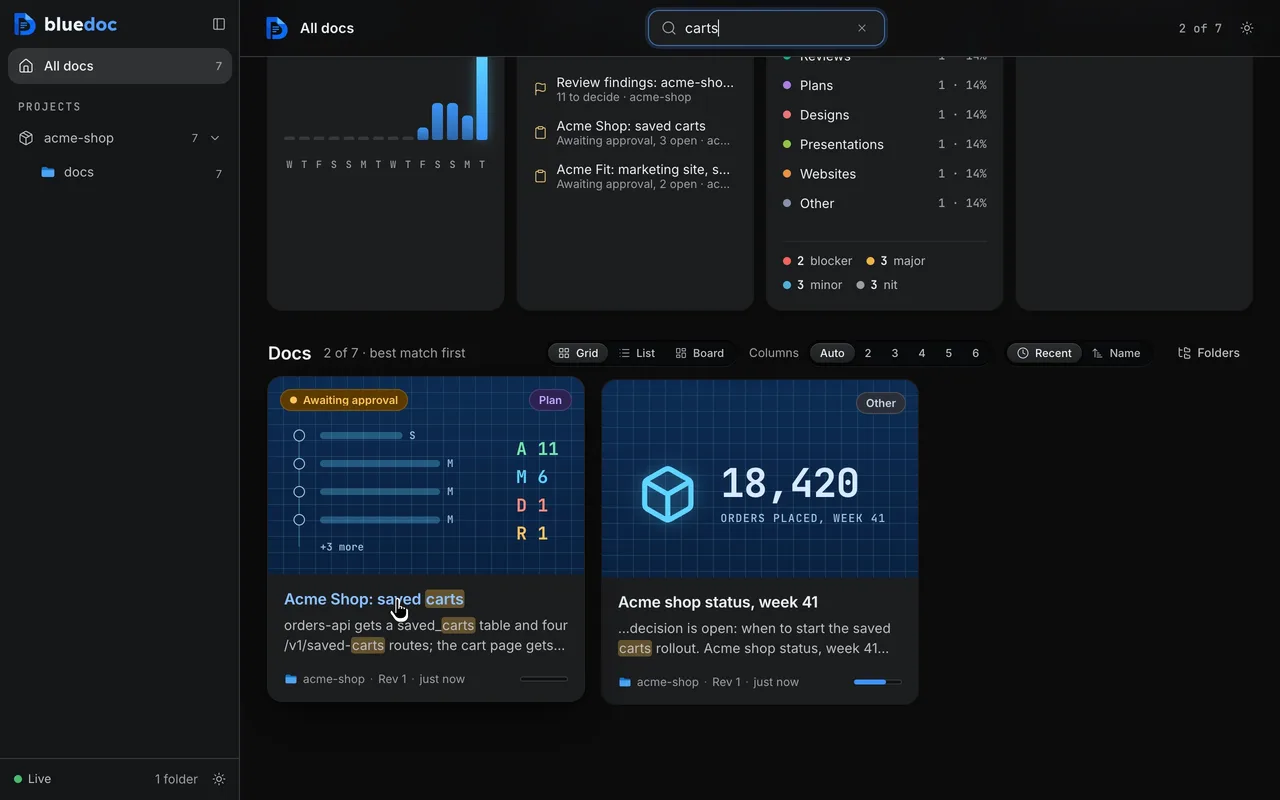
Search every doc from the home page
One search covers every doc’s titles, sections, findings and paths, best match first.
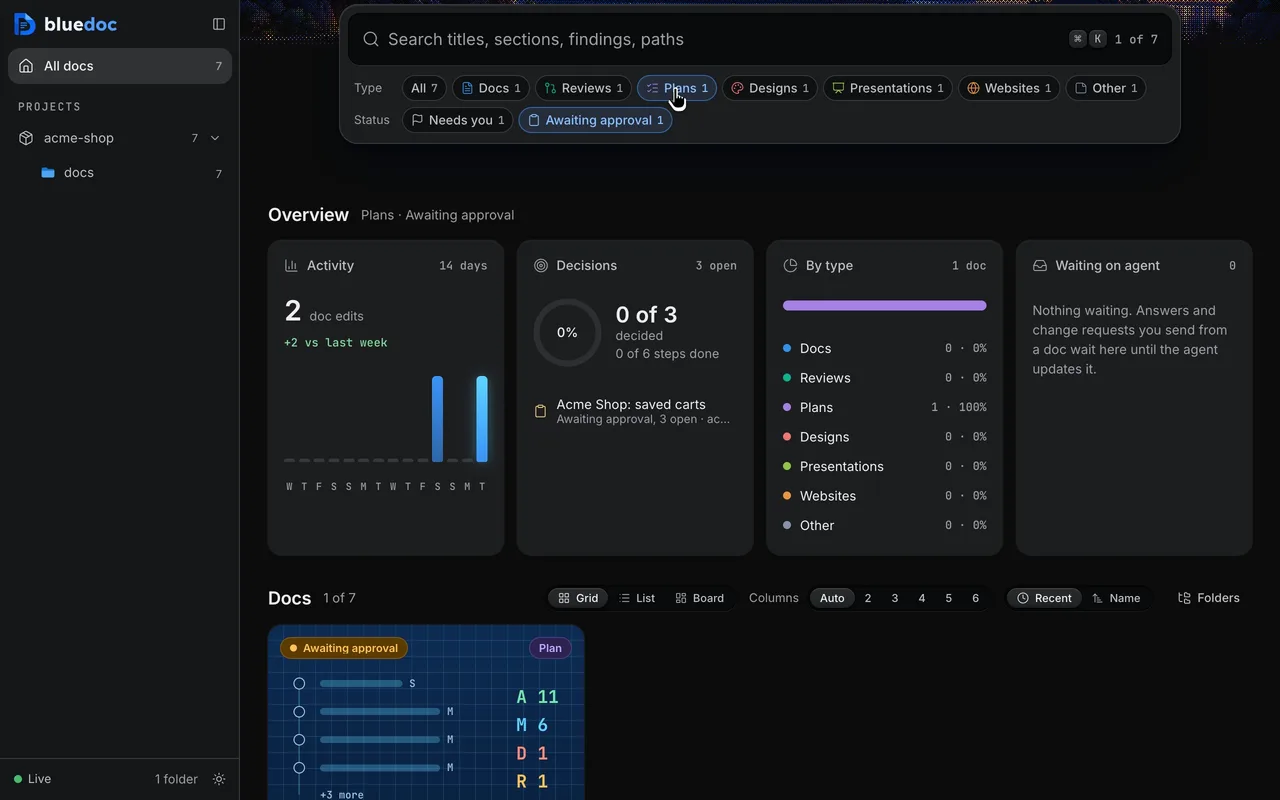
Filter by type, status and project
Type, Status and Project menus show their counts and narrow the docs. The sidebar finds a project and lists them All, Active, Pinned or Hidden.
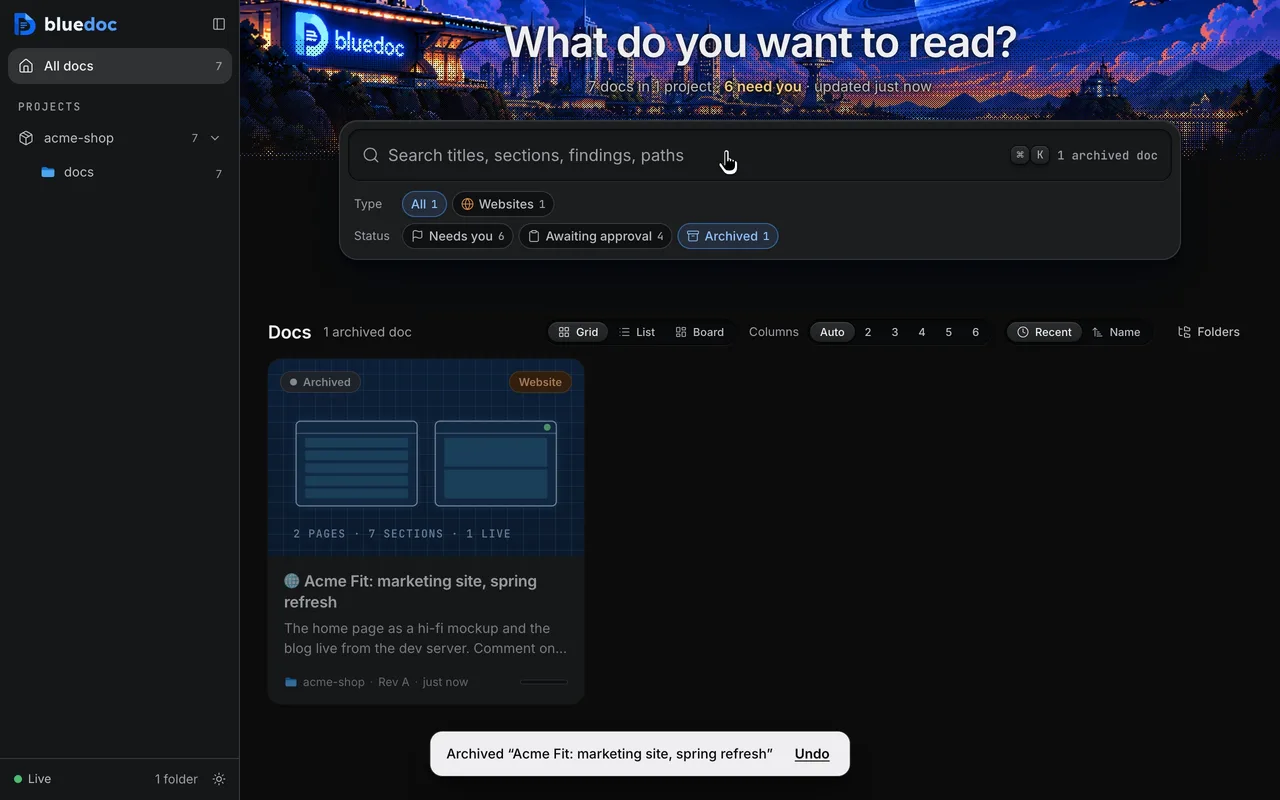
Archive a doc that’s done
Archive it from its row or card on the home page, or from its page once everything is done. It leaves the views and counts, with Undo; the Status menu’s Archived finds it again.
Statistics
What waits on you, and on the agent.
Statistics counts edits and decisions by project and type. A status page’s hero stat shows on its card.
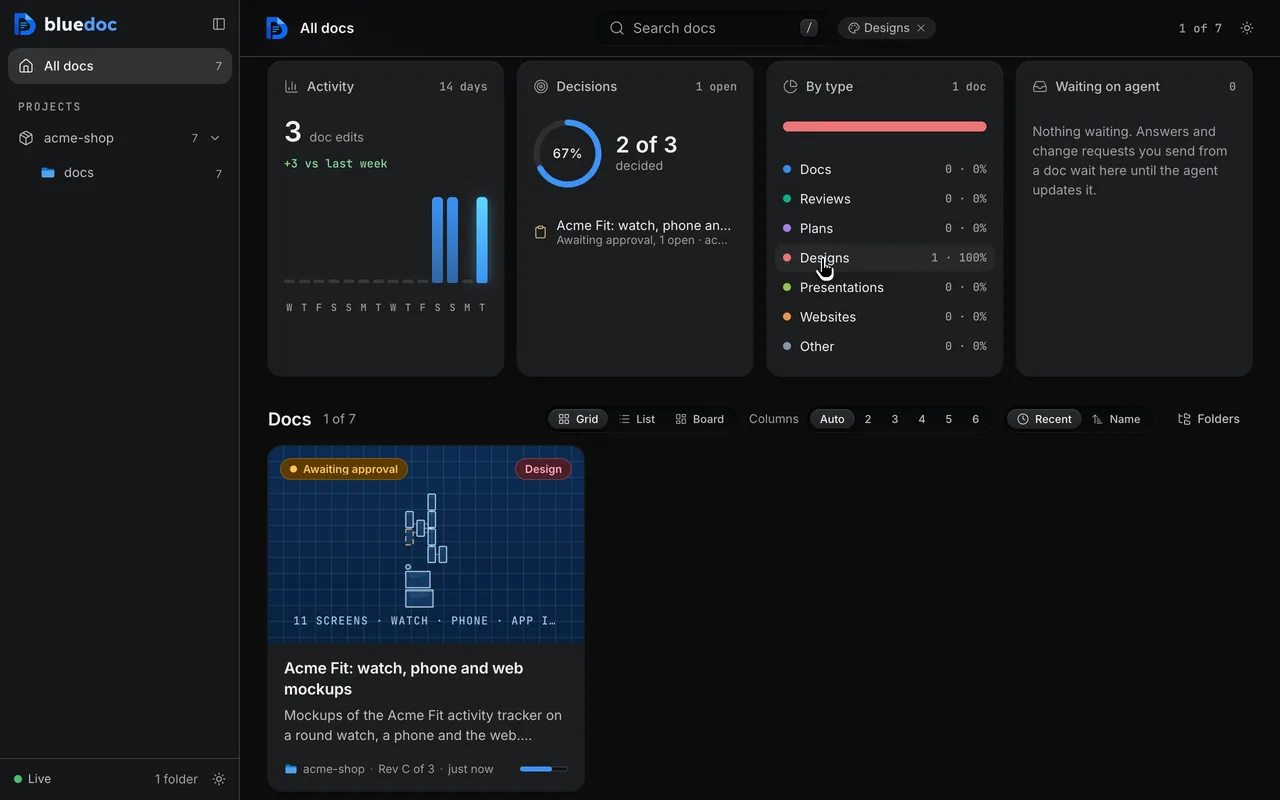
Read the statistics
Statistics shows activity, decisions, docs by type, what waits on the agent, edits by project and the oldest open decisions, for one project or all, over 7, 14, 30 or 90 days.
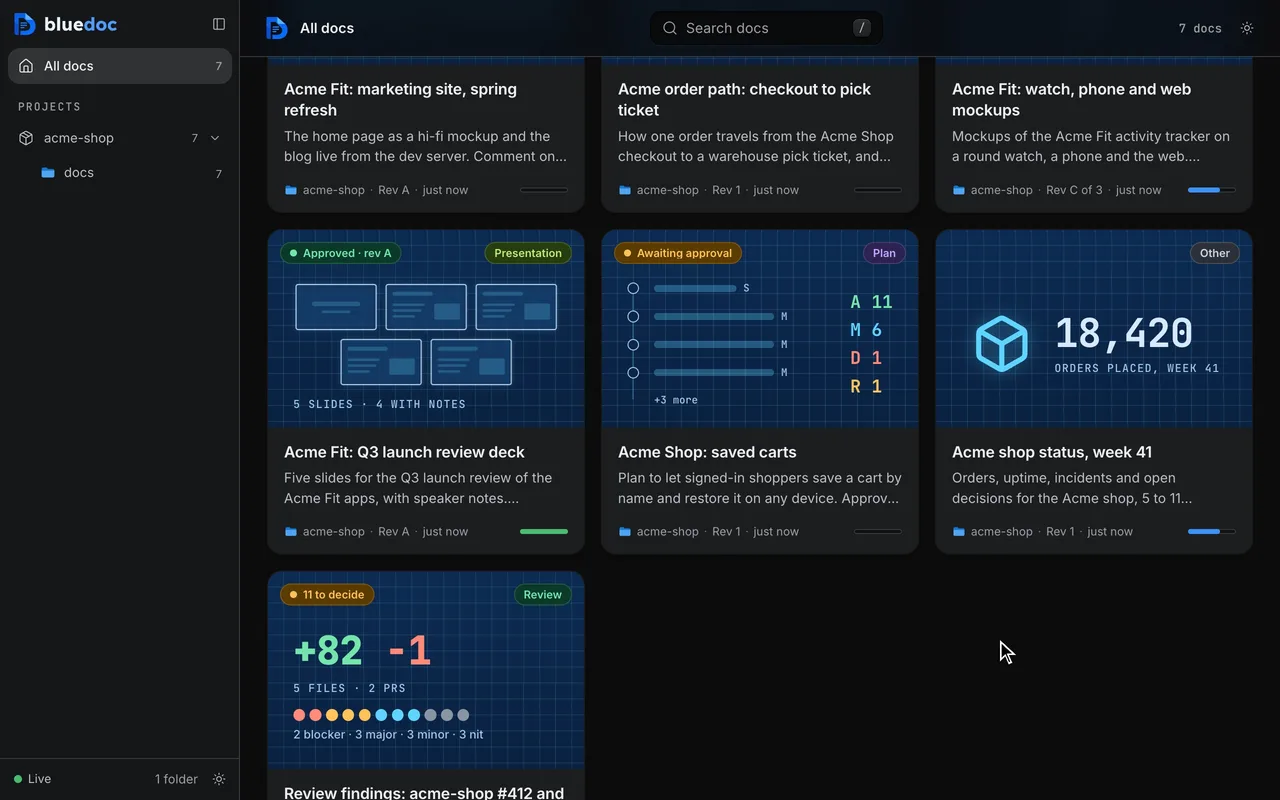
Spot the hero stat on the home card
One number sums the page up, with an icon and a label. The home page shows it on the doc’s card.
Settings and theme
One Settings page, one theme switch.
Settings holds the folders, code links, the plan-mode hook’s switch and the GitHub account each project shares as. The ☀/☾ switch carries from the home page to every doc.
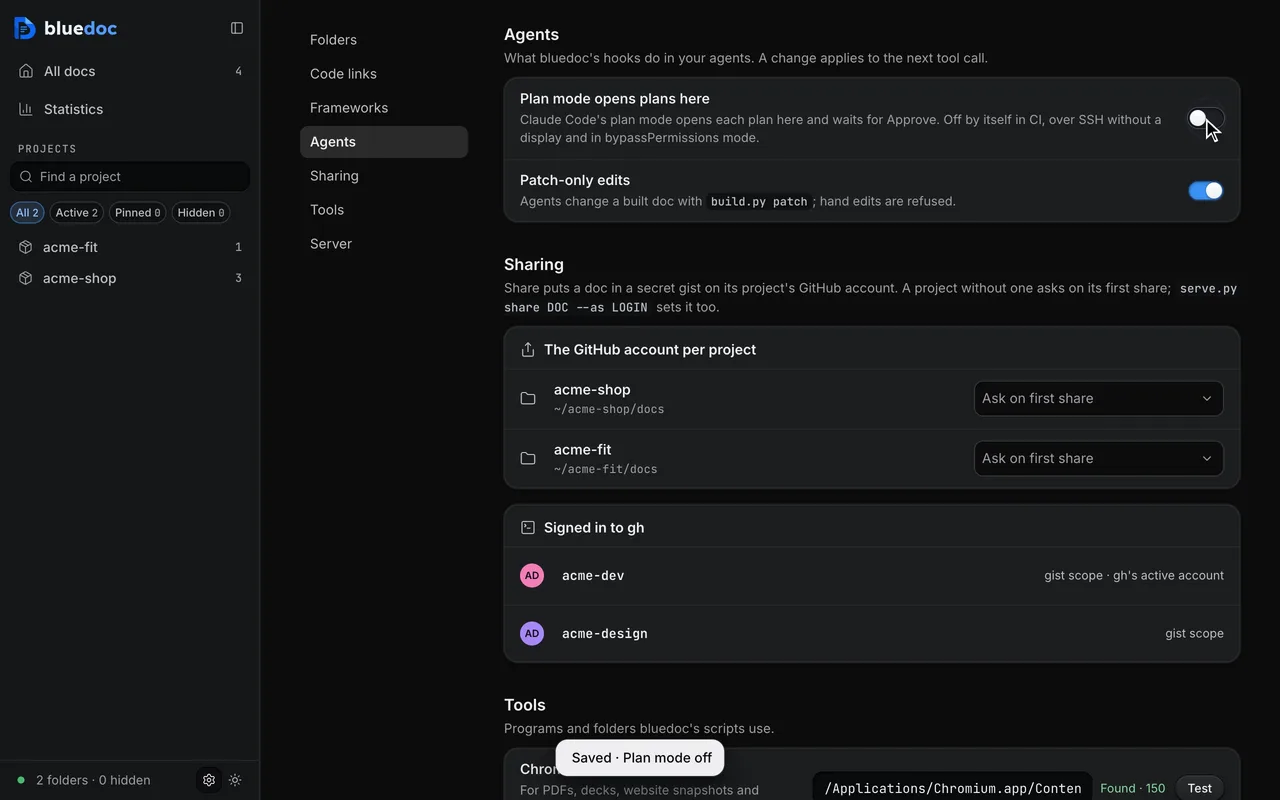
One Settings page
The gear at the foot of the home sidebar opens Settings: the folders the home page lists, code links, the plan-mode hook’s switch and the GitHub account each project shares as. Changes save at once.
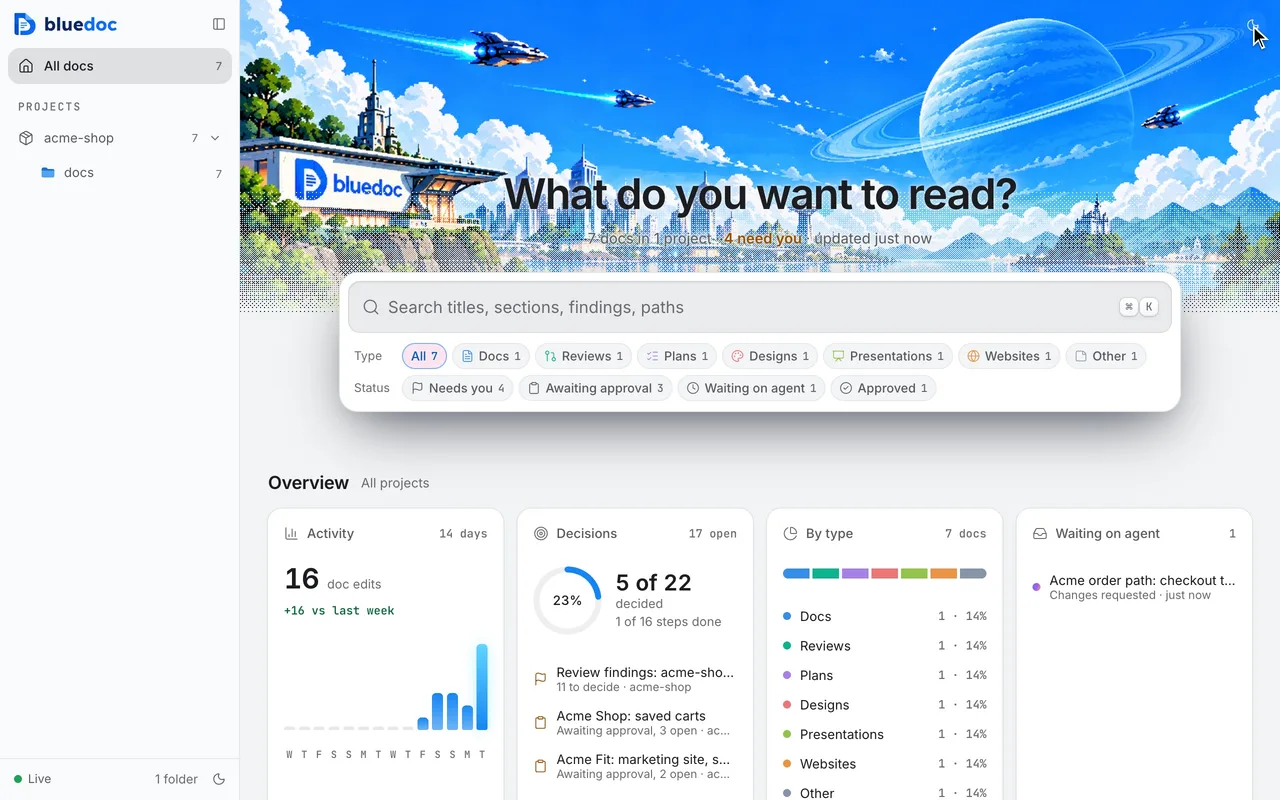
Switch between light and dark
The ☀/☾ switch flips the home page and every doc. The pick carries from one page to the next.
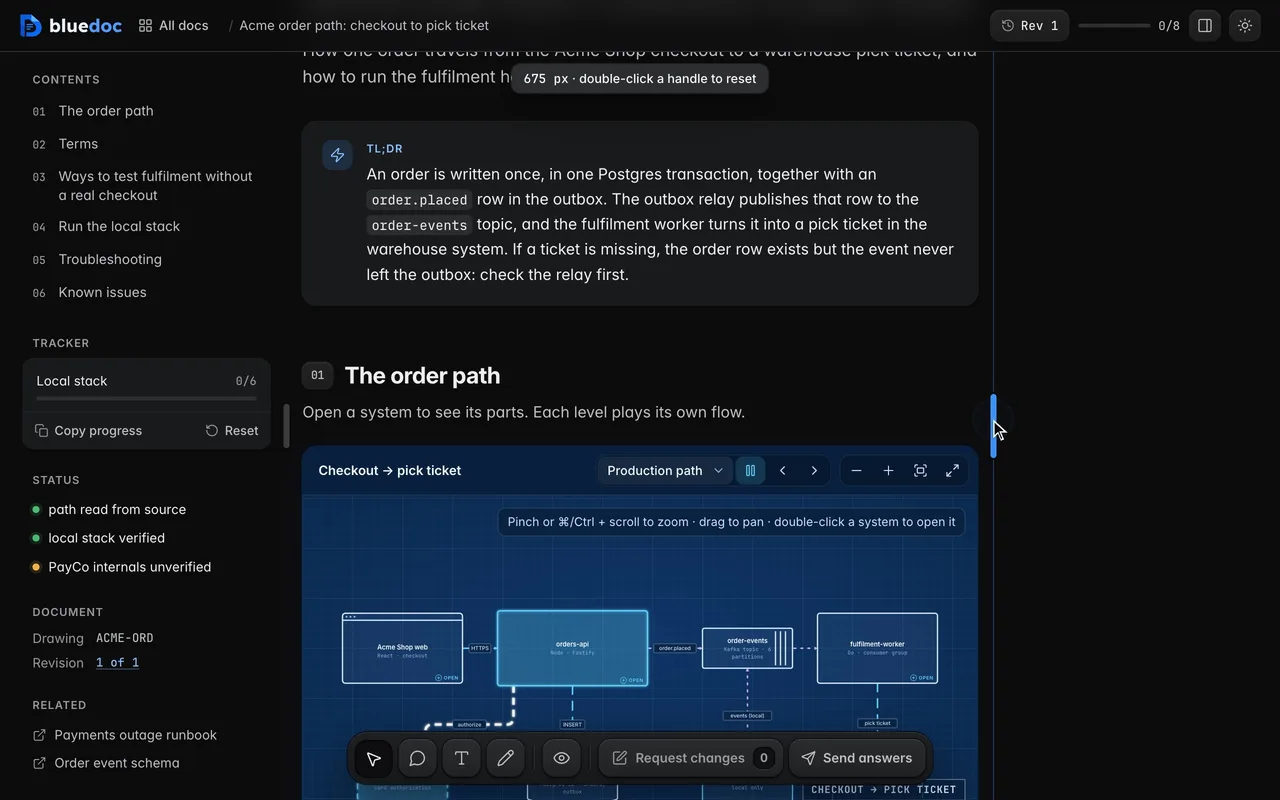
Size the panes; the page fills the rest
Drag the edge between a docked pane and the page: the pane widens or narrows and the page reflows to fill the rest. A double-click resets it.
Other features
Six more features, a page each.
- CommentsPin, box, select or draw a comment on any part of the page.
- QuestionsPick the starred answer, write your own, or ask for more.
- Send and approveApprove a revision, or send it back with your notes.
- RevisionsEvery revision kept, any two compared side by side.
- Share and exportA view-only bluedoc.ai link, or an HTML, PDF or Markdown file.
- ChartsStat cards, lines, bars and a donut, drawn in the page.
Answer your agent
on a page.
Pick your agent. Each one installs the same skill from the GitHub repository.
claude plugin marketplace add andreiverdes/bluedocclaude plugin install bluedoc@bluedocInside a session the same commands are /plugin marketplace add andreiverdes/bluedoc and /plugin install bluedoc@bluedoc. Start a new session to load the skill.
codex plugin marketplace add andreiverdes/bluedoccodex plugin add bluedoc@bluedocRestart Codex. Mention the skill with $bluedoc or let Codex pick it from your request. Plan mode (/plan) opens the plan as a page; the README has the sandbox lines that skip the approval prompts.
pi install git:github.com/andreiverdes/bluedocRestart pi. /bluedoc-plan-mode turns on plan mode, and the plan opens as a page for your approval.
omp plugin marketplace add andreiverdes/bluedocomp plugin install bluedoc@bluedocRun /reload-plugins in an open session, or start a new one. omp’s plan reviews open as pages: Approve runs the plan, Request changes refines it.
copilot plugin install andreiverdes/bluedocStart a new session. When Copilot leaves plan mode, its plan opens as a page and waits for your approval.
git clone https://github.com/andreiverdes/bluedoc.gitagy plugin install bluedoc/antigravityRestart agy. In plan mode (agy --mode plan or /plan), the implementation plan opens as a page for your approval.
npx skills add andreiverdes/bluedocFor any other agent that reads skills. Or clone the repository and link skills/bluedoc into your agent’s skills folder.
- Python 3.9 or later on PATH
- git, for code reviews
- gh, only for GitHub review threads and Share