01
Spot the hero stat on the home card
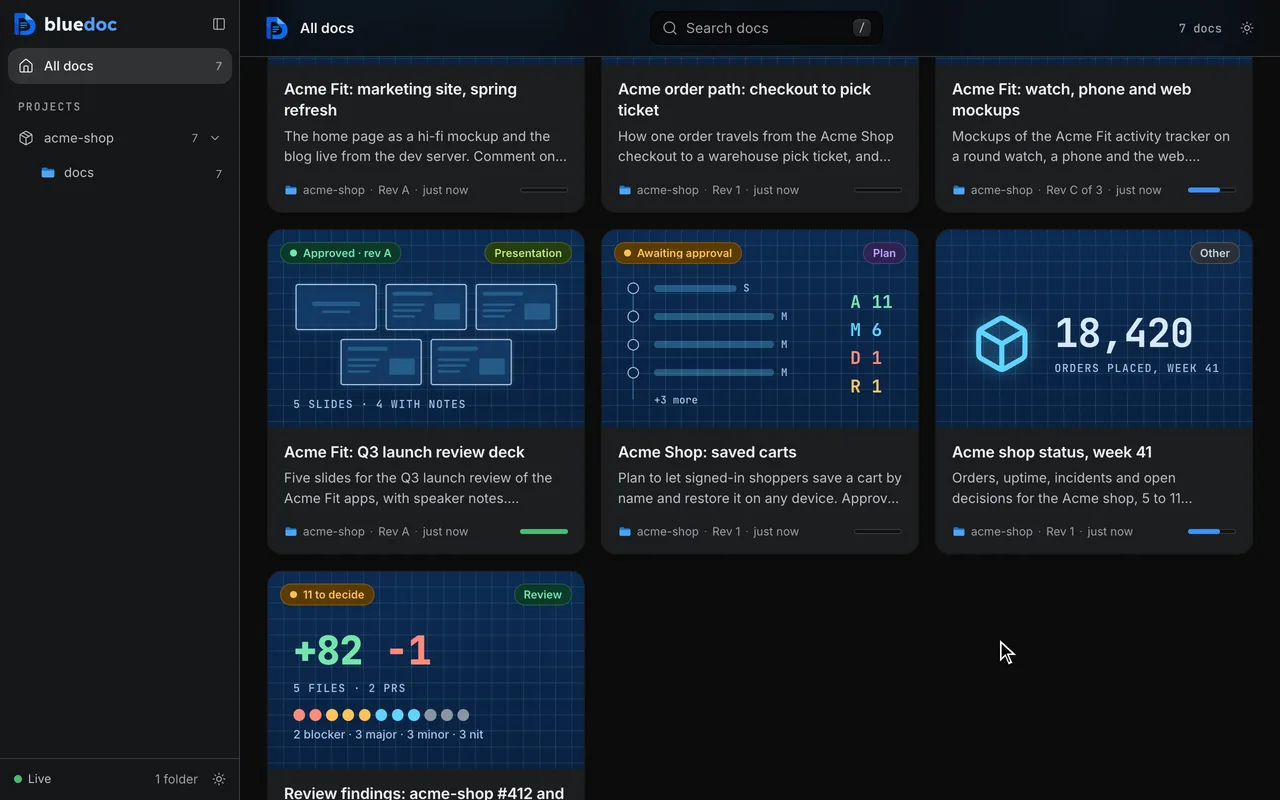
One number sums the page up, with an icon and a label. The home page shows it on the doc’s card.
Doc type"type": "other"
Status pages and reports, with the number up top.
Any page that isn’t a system doc, a plan, a review or a design: a status page, an incident report, an inventory. It opens with a TL;DR and one stat that sums it up; ticks, picks and comments work as on every type.
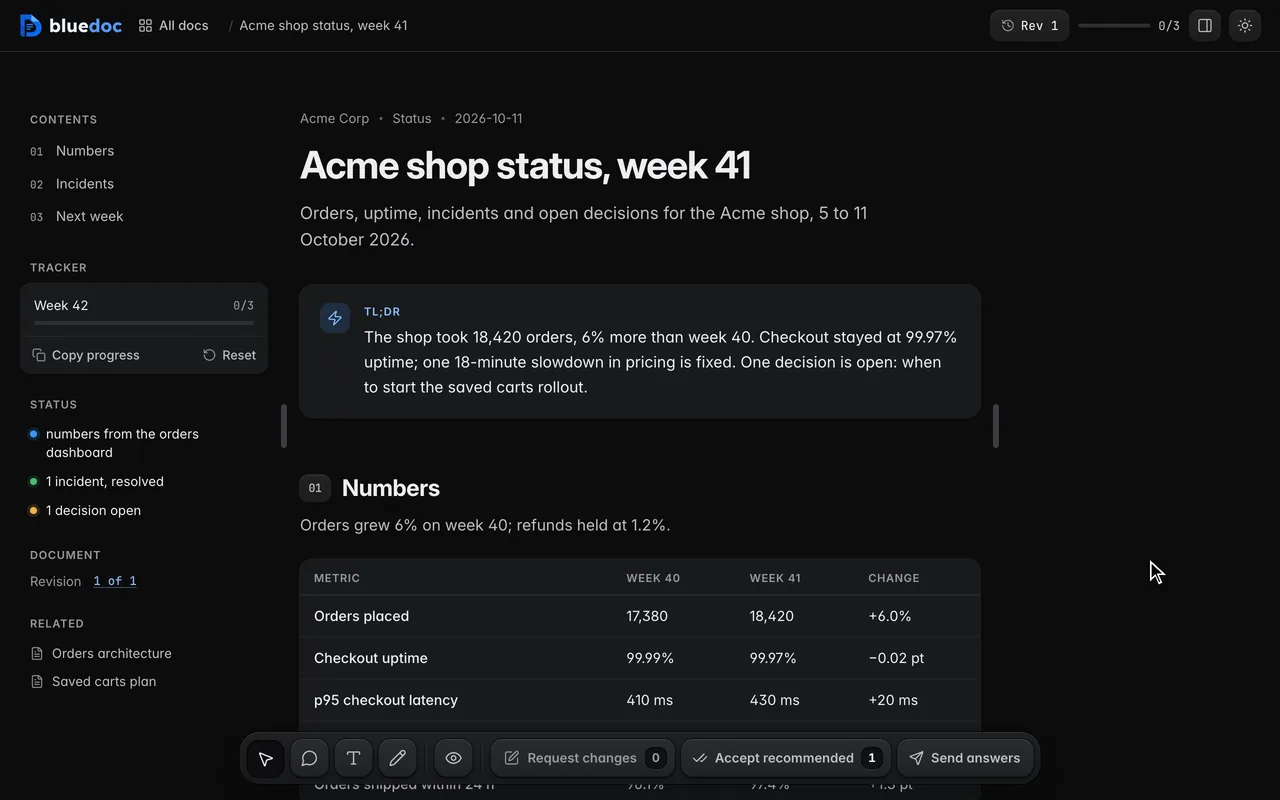
Read a weekly status page. The TL;DR states the answer, then one section per question the reader brings: the numbers, the incident, next week’s tasks.
What it’s for
The agent names the kind of page; the label shows above the title and on the home card.
The week’s numbers, what broke and what is next.
What happened, when, the cause and the fix.
Everything of one kind, one row each, with what to do about it.
Decisions taken, open questions and the tasks that came out.
Options side by side as cards, with a pick to make.
Features
01
One number sums the page up, with an icon and a label. The home page shows it on the doc’s card.
02
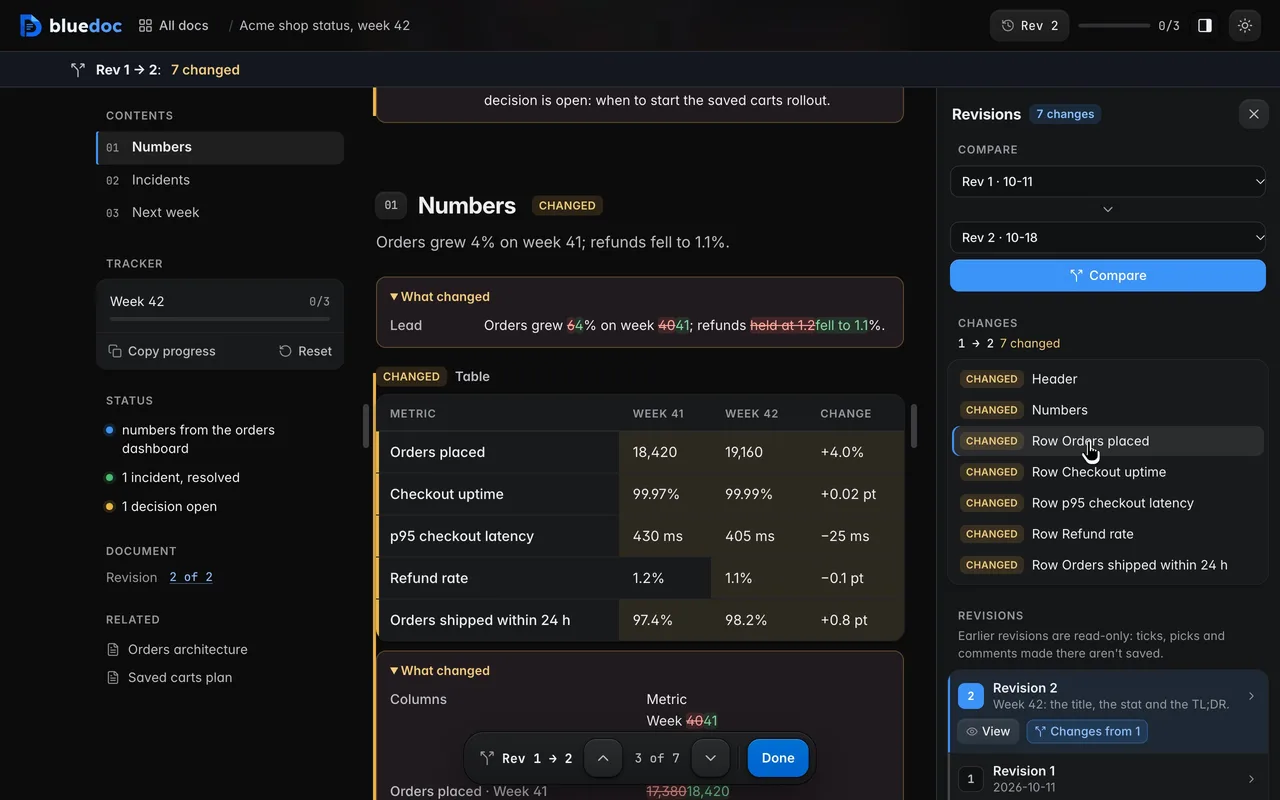
Next week’s update is a new revision of the same page. Compare the two and the title, the TL;DR and the table cells that moved are marked word by word.
Works on every doc
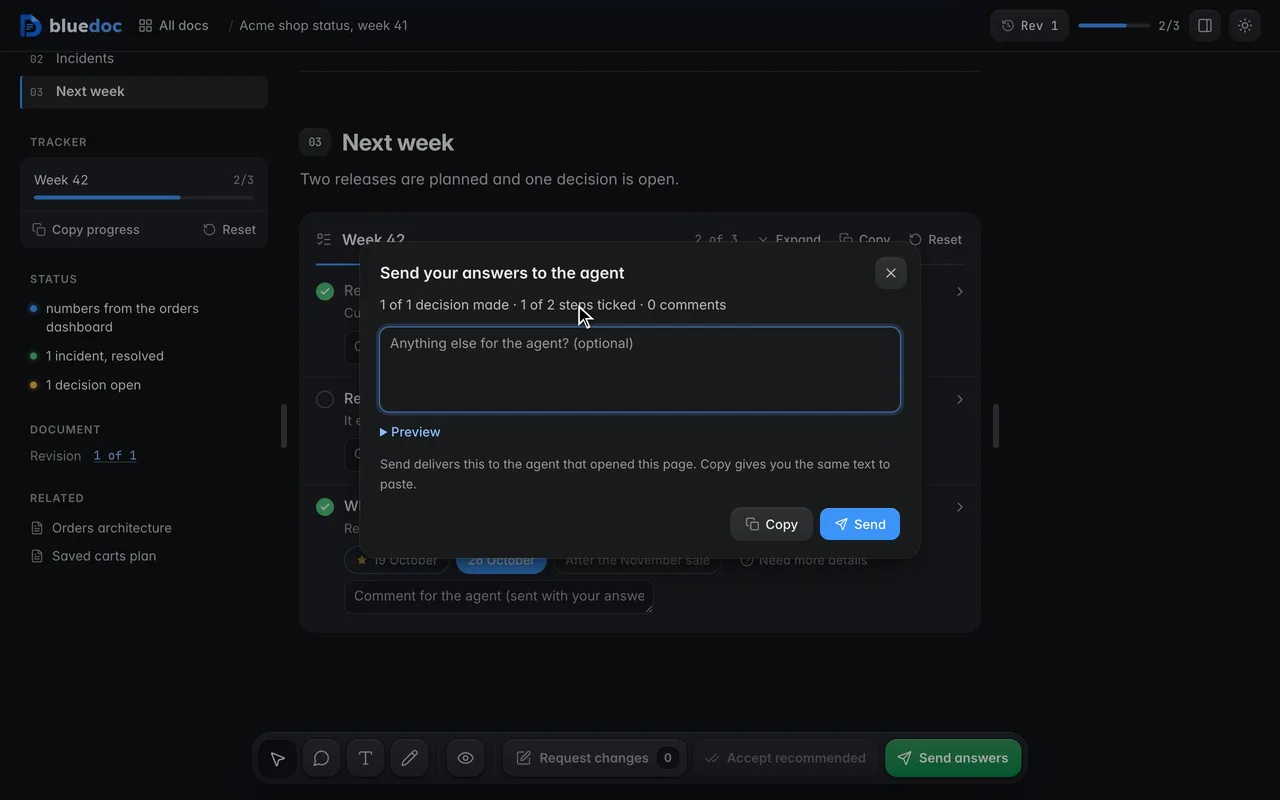
Pages with no approval step, such as a status report or a review, send your ticks, picks and comments with Send answers.
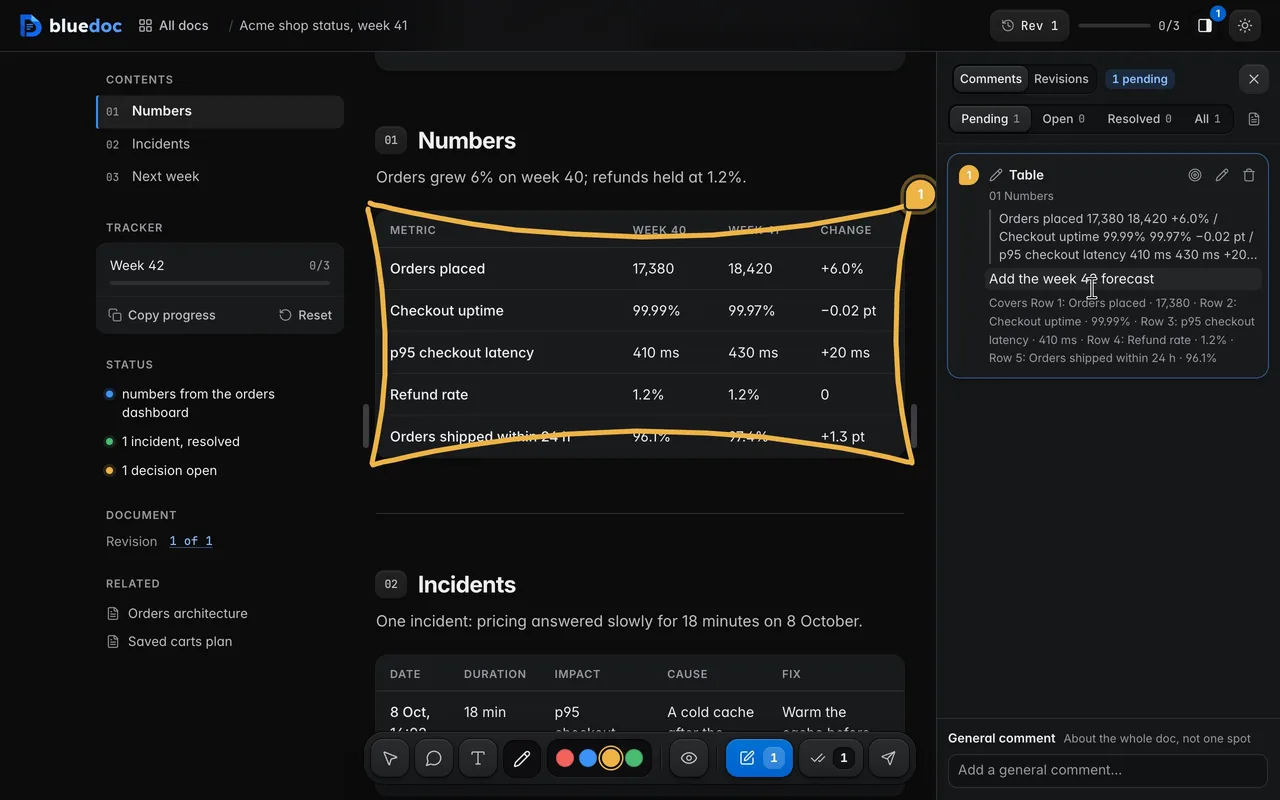
Draw mode takes a pen colour and a freehand stroke. Box a table or a group of rows, and the note covers each part inside.
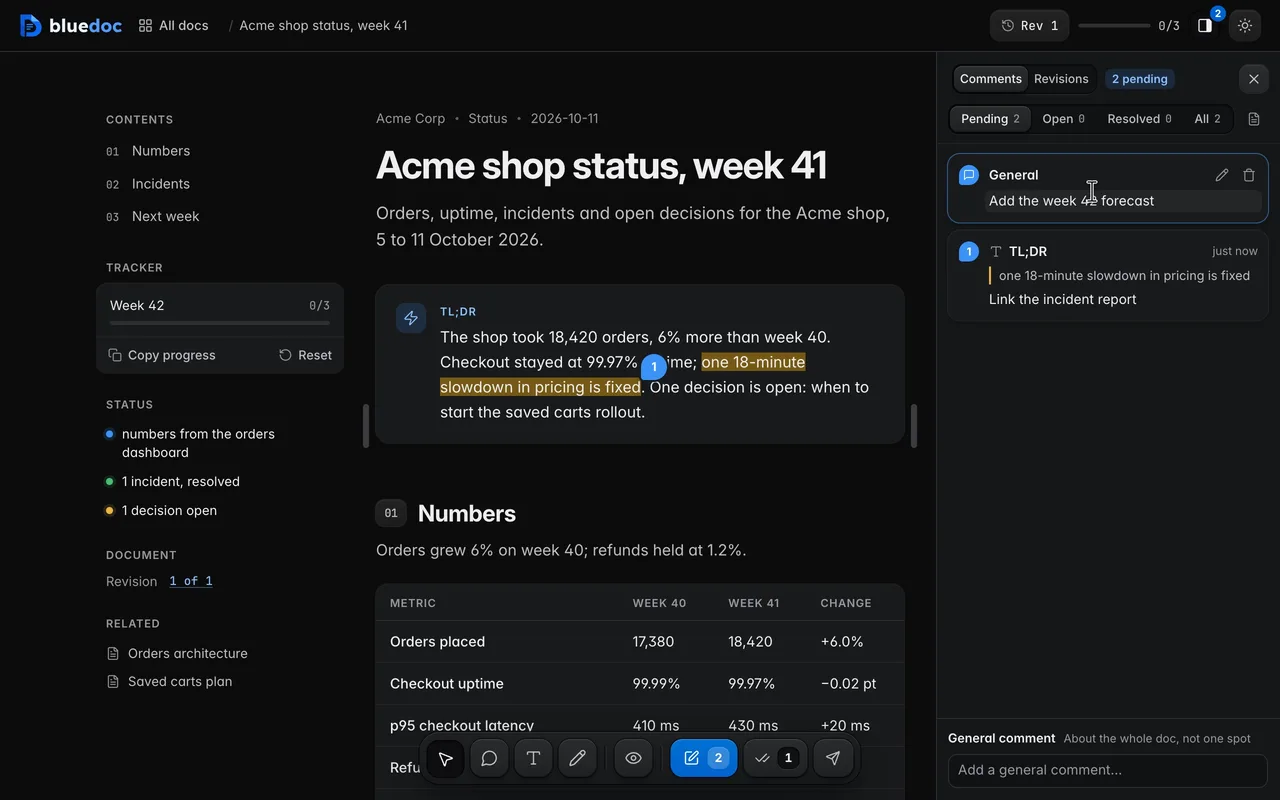
A note about the whole doc rather than one spot goes in the field at the foot of the Comments panel. It lists first.
How the agent uses it
The agent fills the skeleton, including the hero stat: one number, an icon and a label. The tldr states the answer and agrees with it.
python3 <skill>/scripts/build.py new other docs/status/week-41.bluedoc.json --title "Acme shop status, week 41" --kind Statuspython3 <skill>/scripts/build.py docs/status/week-41.bluedoc.jsonpython3 <skill>/scripts/serve.py open docs/status/week-41.bluedoc.json{ "id": "acme-status", "title": "Acme shop status, week 41", "meta": { "org": "Acme Corp", "kind": "Status", "type": "other", "rev": "1" }, "hero": { "icon": "box", "value": "18,420", "label": "orders placed, week 41" }, "tldr": "The shop took 18,420 orders, 6% more than week 40. One decision is open: when to start the saved carts rollout."}meta.kind is a free label: "Status", "Report", "Inventory". Without a hero the home card shows the section count.
Install
Each one installs the same skill from the GitHub repository.
claude plugin marketplace add andreiverdes/bluedocclaude plugin install bluedoc@bluedocInside a session the same commands are /plugin marketplace add andreiverdes/bluedoc and /plugin install bluedoc@bluedoc. Start a new session to load the skill.
codex plugin marketplace add andreiverdes/bluedoccodex plugin add bluedoc@bluedocRestart Codex. Mention the skill with $bluedoc or let Codex pick it from your request. Plan mode (/plan) opens the plan as a page; the README has the sandbox lines that skip the approval prompts.
pi install git:github.com/andreiverdes/bluedocRestart pi. /bluedoc-plan-mode turns on plan mode, and the plan opens as a page for your approval.
omp plugin marketplace add andreiverdes/bluedocomp plugin install bluedoc@bluedocRun /reload-plugins in an open session, or start a new one. omp’s plan reviews open as pages: Approve runs the plan, Request changes refines it.
copilot plugin install andreiverdes/bluedocStart a new session. When Copilot leaves plan mode, its plan opens as a page and waits for your approval.
git clone https://github.com/andreiverdes/bluedoc.gitagy plugin install bluedoc/antigravityRestart agy. In plan mode (agy --mode plan or /plan), the implementation plan opens as a page for your approval.
npx skills add andreiverdes/bluedocFor any other agent that reads skills. Or clone the repository and link skills/bluedoc into your agent’s skills folder.
Other doc types

Architecture pages, walkthroughs, runbooks, setup guides and change proposals.

A plan you approve or send back before the agent writes code.

Review findings pinned to their lines from git, one decision per finding.

UI screens on a pan-and-zoom board, and app icons.

Slide decks with speaker notes, played in Present.

A site’s pages on a board, live from its dev server.

An app’s Google Play and App Store listing, checked against the stores’ rules.