Feature · Comments
Comment on any part.
The agent knows which.
Element, Region, Text and Pen sit in the dock at the foot of every page. Each comment is filed under the part it is about, so the agent knows what to edit.
claude plugin marketplace add andreiverdes/bluedocclaude plugin install bluedoc@bluedocInside a session the same commands are /plugin marketplace add andreiverdes/bluedoc and /plugin install bluedoc@bluedoc. Start a new session to load the skill.
codex plugin marketplace add andreiverdes/bluedoccodex plugin add bluedoc@bluedocRestart Codex. Mention the skill with $bluedoc or let Codex pick it from your request. Plan mode (/plan) opens the plan as a page; the README has the sandbox lines that skip the approval prompts.
pi install git:github.com/andreiverdes/bluedocRestart pi. /bluedoc-plan-mode turns on plan mode, and the plan opens as a page for your approval.
omp plugin marketplace add andreiverdes/bluedocomp plugin install bluedoc@bluedocRun /reload-plugins in an open session, or start a new one. omp’s plan reviews open as pages: Approve runs the plan, Request changes refines it.
copilot plugin install andreiverdes/bluedocStart a new session. When Copilot leaves plan mode, its plan opens as a page and waits for your approval.
git clone https://github.com/andreiverdes/bluedoc.gitagy plugin install bluedoc/antigravityRestart agy. In plan mode (agy --mode plan or /plan), the implementation plan opens as a page for your approval.
npx skills add andreiverdes/bluedocFor any other agent that reads skills. Or clone the repository and link skills/bluedoc into your agent’s skills folder.
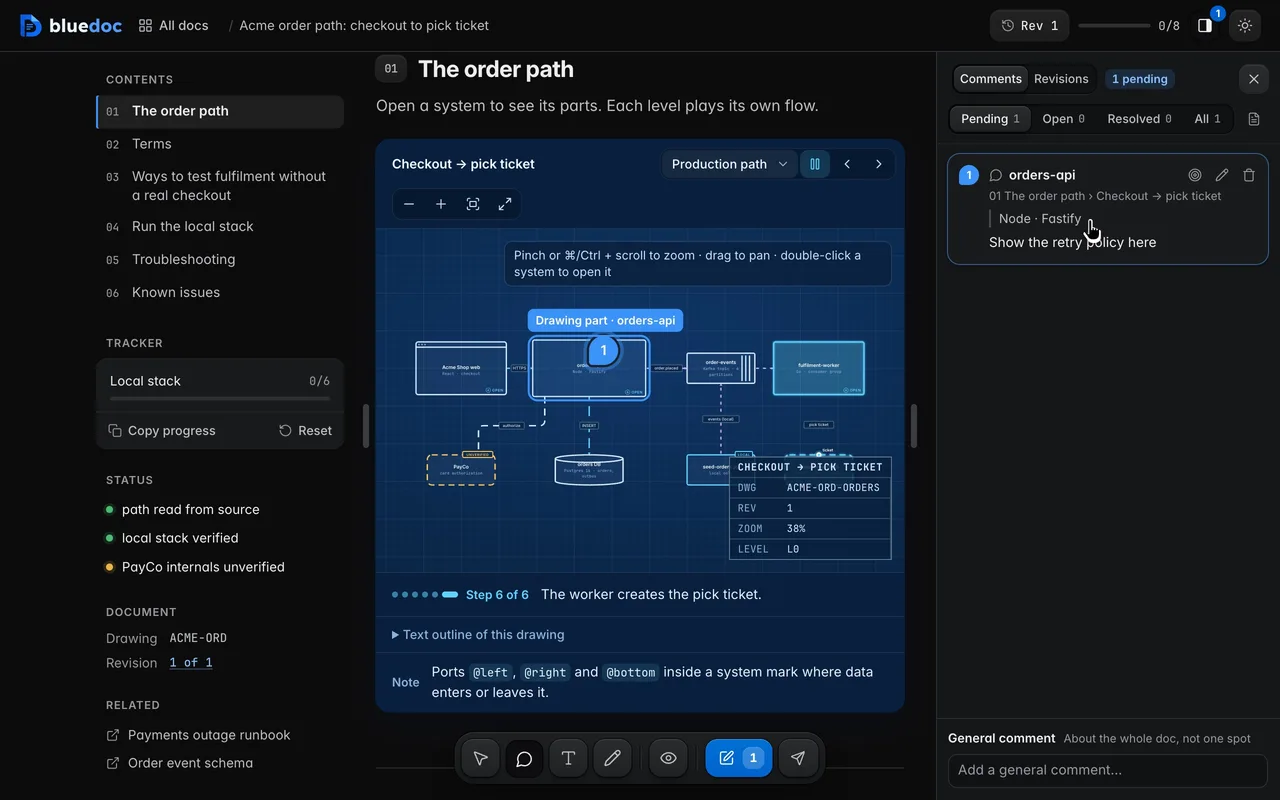
Four tools
Pin it, box it, select it or draw it.
Element (C) pins, Region (M) boxes, Text (T) selects and Pen (D) draws. A note about the whole doc goes at the foot of the Comments panel.
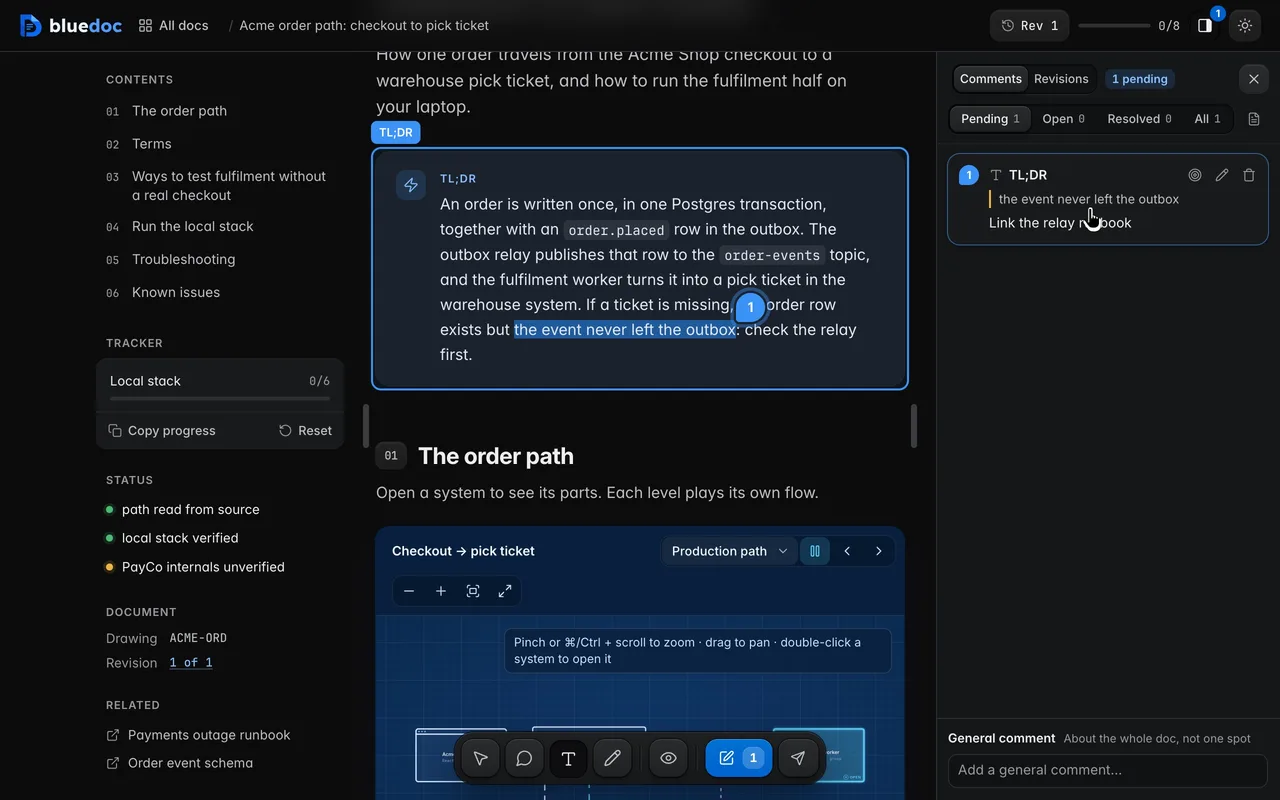
Comment on a passage
Text (T): select a sentence and say what should change.
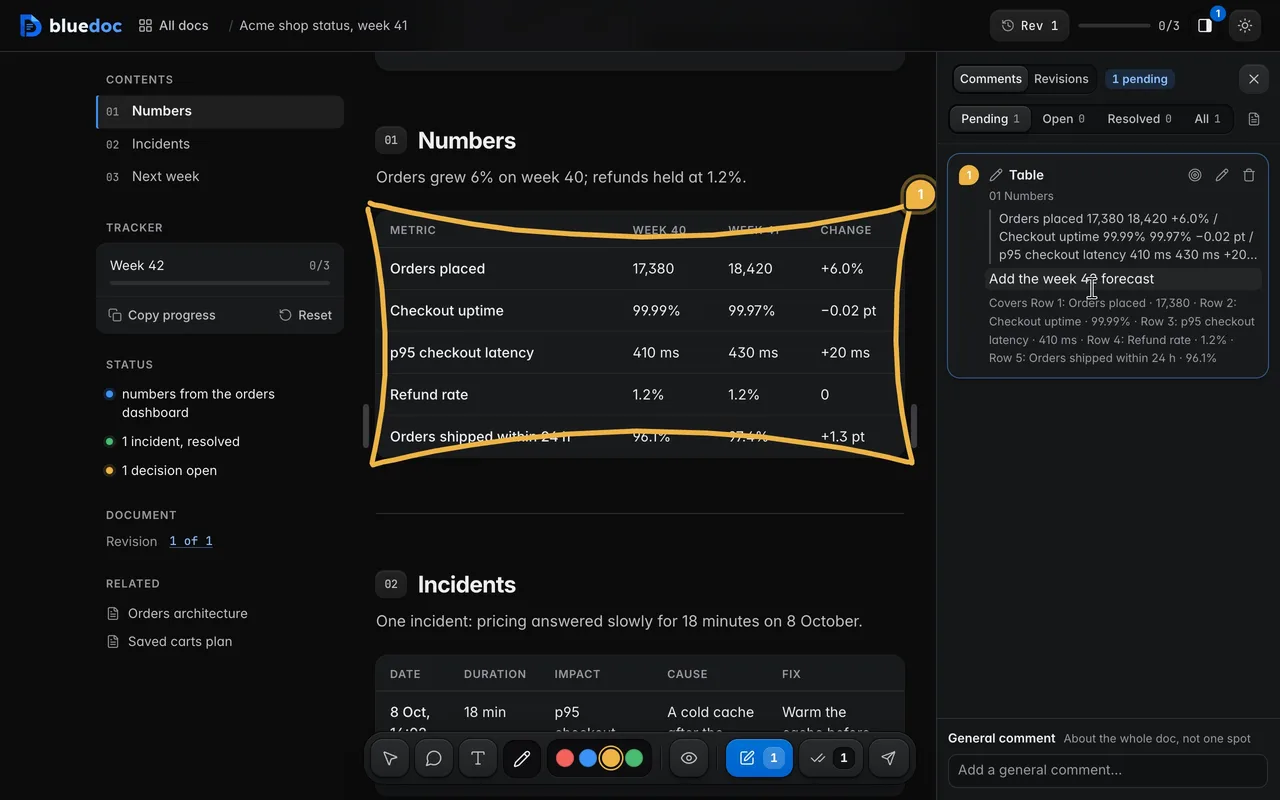
Draw around a part and comment on it
Pen (D) draws freehand in a colour from the pill above the dock; Region (M) drags a box. Box a table or a group of rows, and the note covers each part inside.
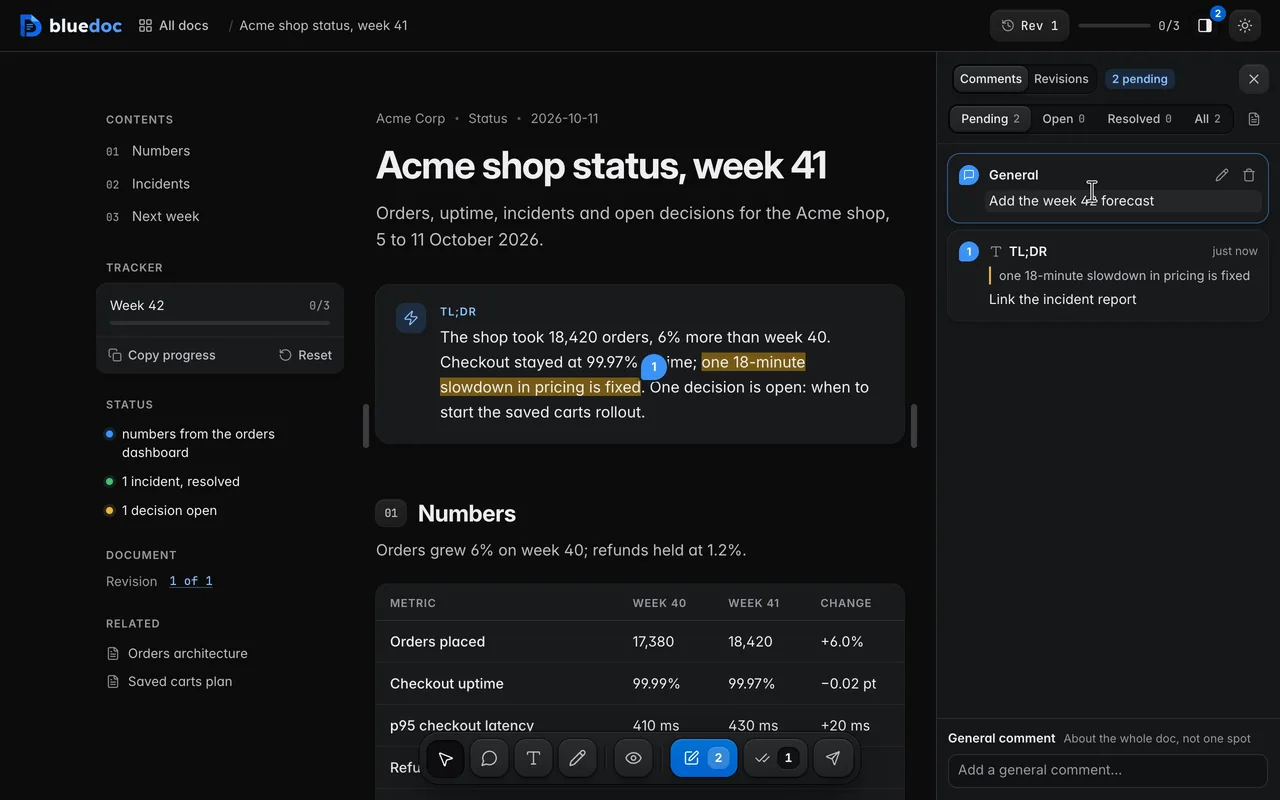
Write a general comment
A note about the whole doc rather than one spot goes in the field at the foot of the Comments panel. It lists first.
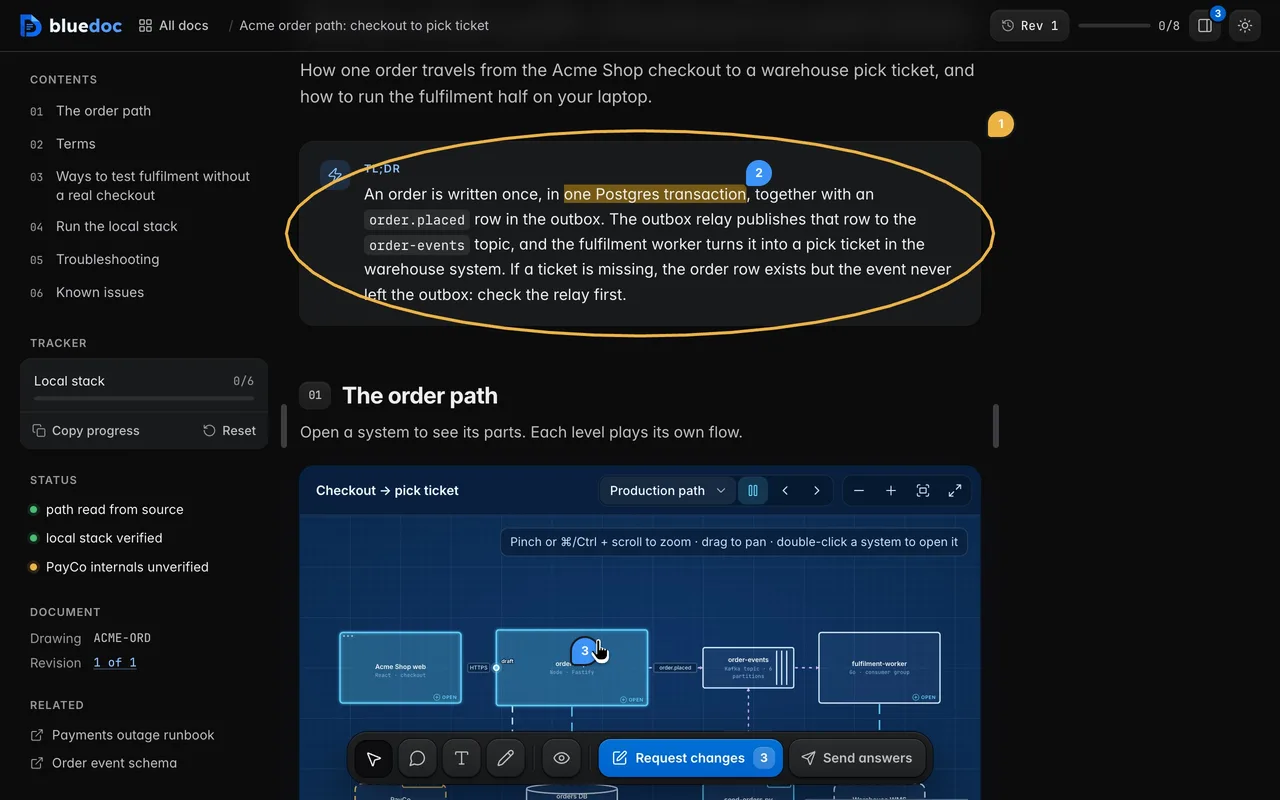
Hide and show comment marks
The eye key fades pins, marked passages and region boxes out, so you can read the page clean, and brings them back.
On every doc type
The comment names what it is about.
On a diff it names the file and the line; on a screen, a slide or a live page, the element. The agent knows exactly where to edit.
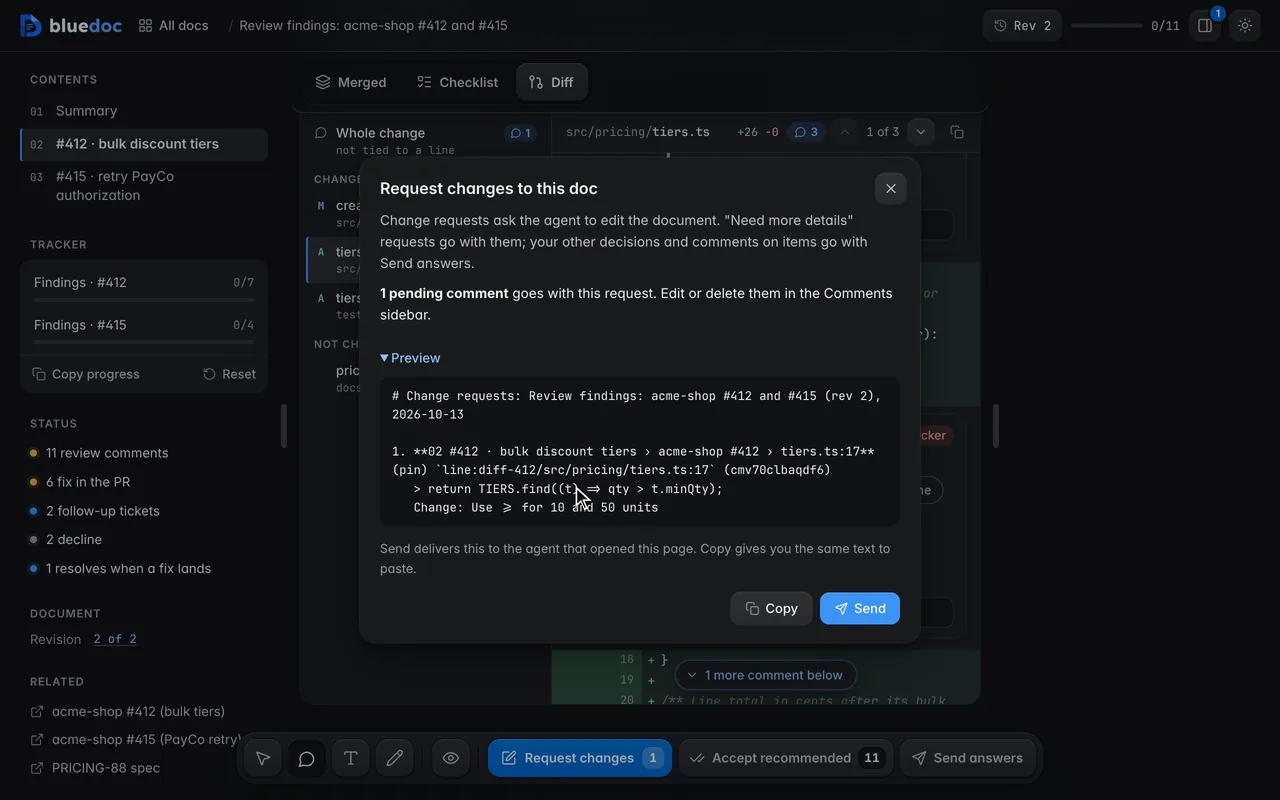
Comment on a diff line
Pin a comment with Element on any line of the diff. The comment names the diff, the file and the line, so the agent knows exactly where.
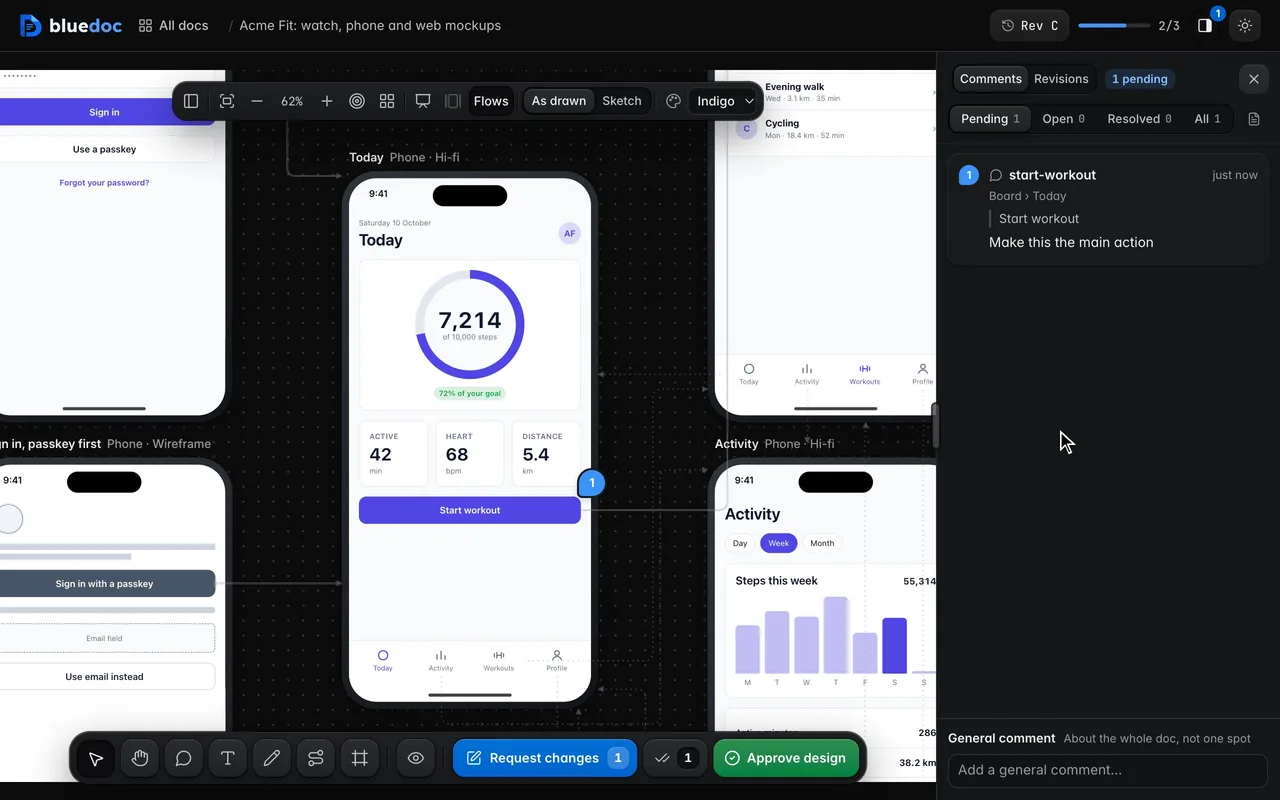
Comment on a button inside a screen
Element (C) picks an element in a screen. The comment’s key names the screen and the element, so the agent edits that element in that file.
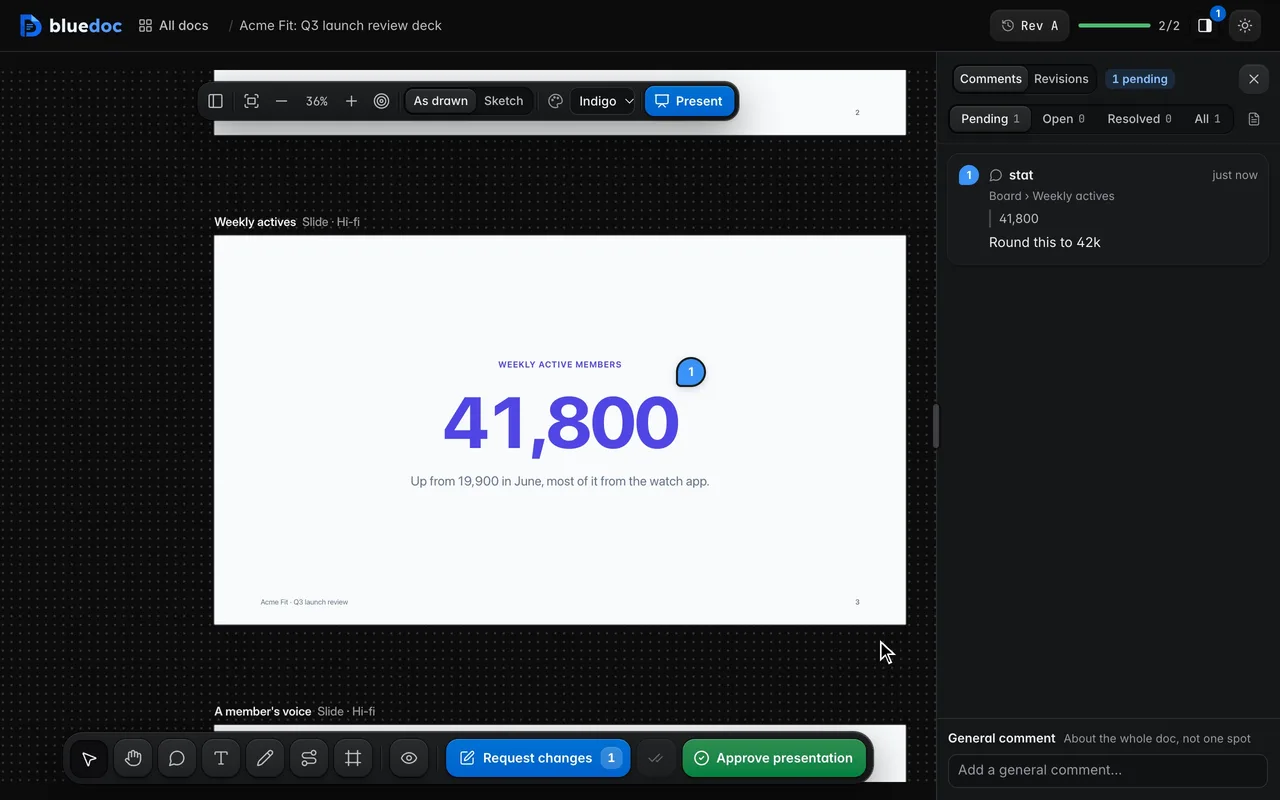
Comment on a number on a slide
Element (C) picks an element on a slide. The comment’s key names the slide and the element, so the agent edits that element in that file.
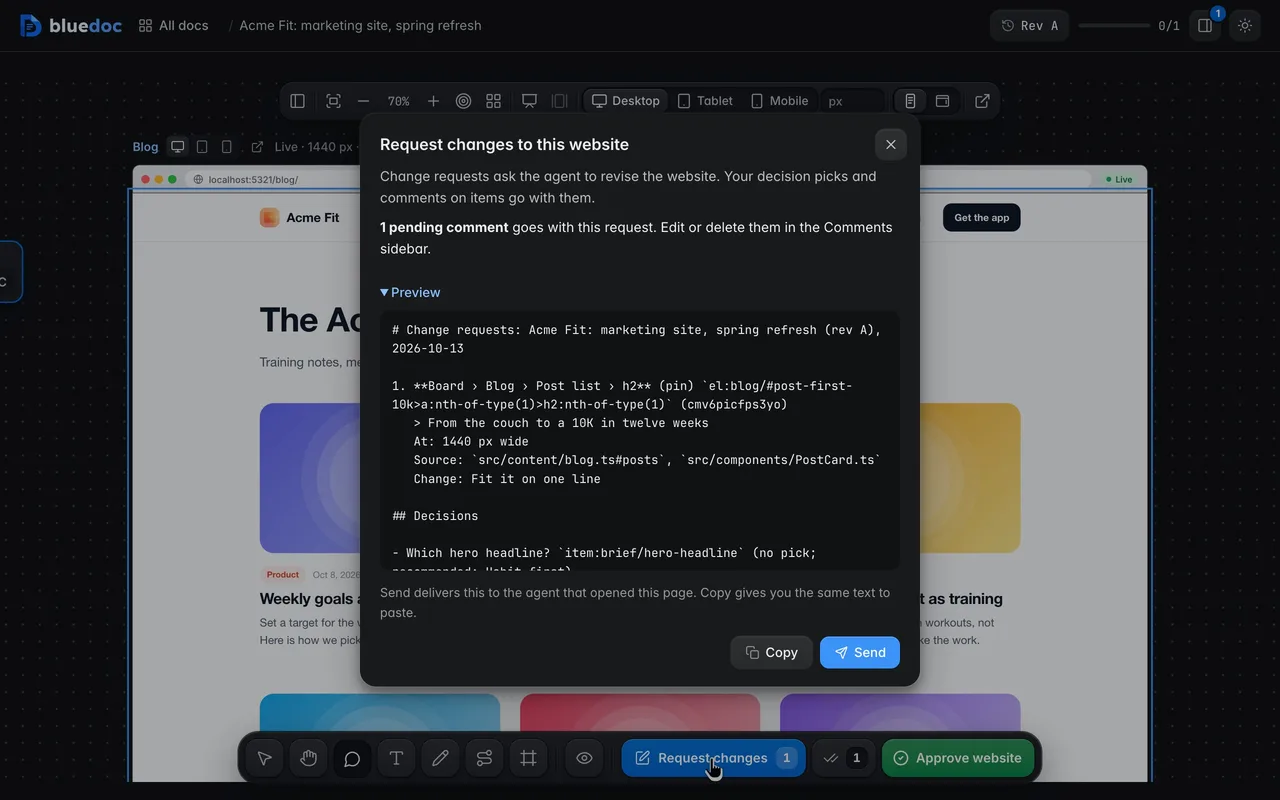
Comment on an element of a live page
With Element (C), click anything on a page. The comment names its page section and element, so the agent knows what to edit.
Conversations
Talk it through, then see it resolved.
Each comment is a conversation with the agent. Request changes sends them in one go, and the agent’s next revision says which ones it dealt with.
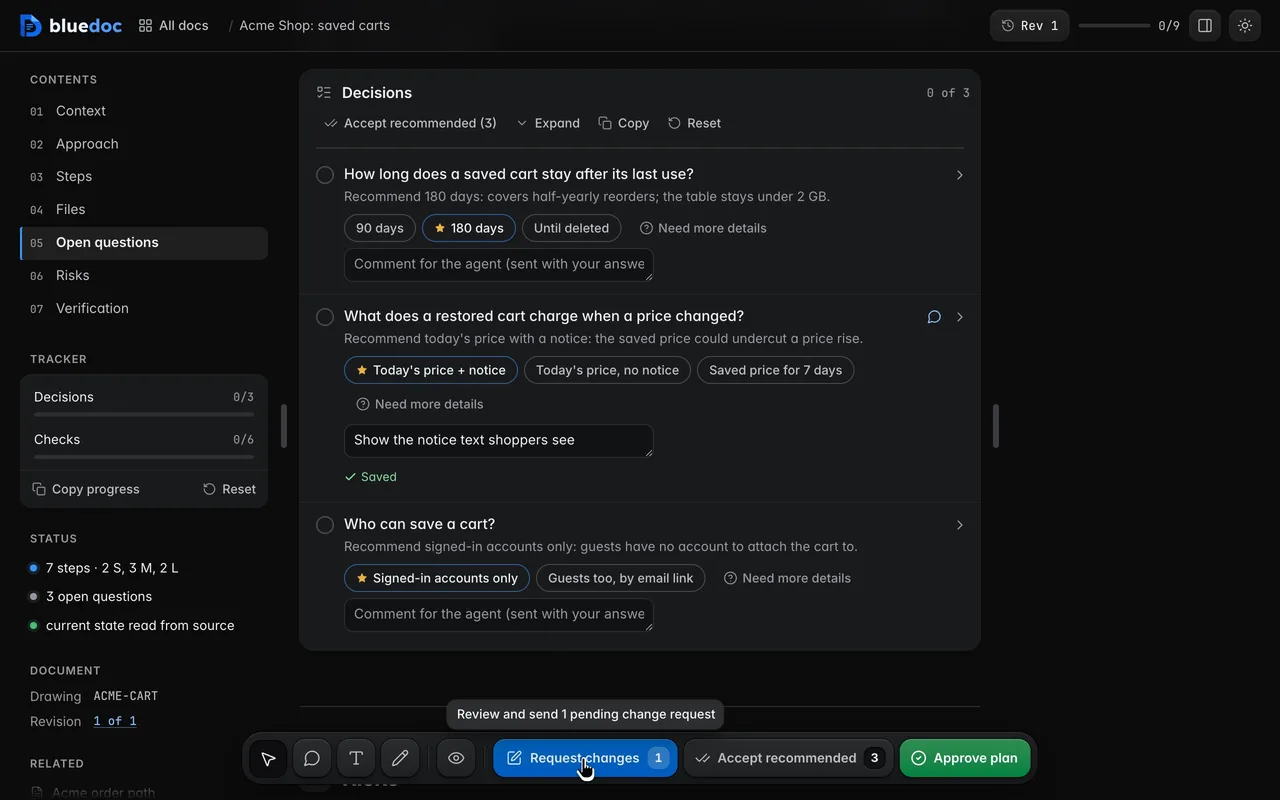
Comment on one item
Each opened answer has a one-line comment field, and each question and step a reply field. Enter or Save keeps the comment: it shows once in the conversation, not sent yet, and Request changes counts it.
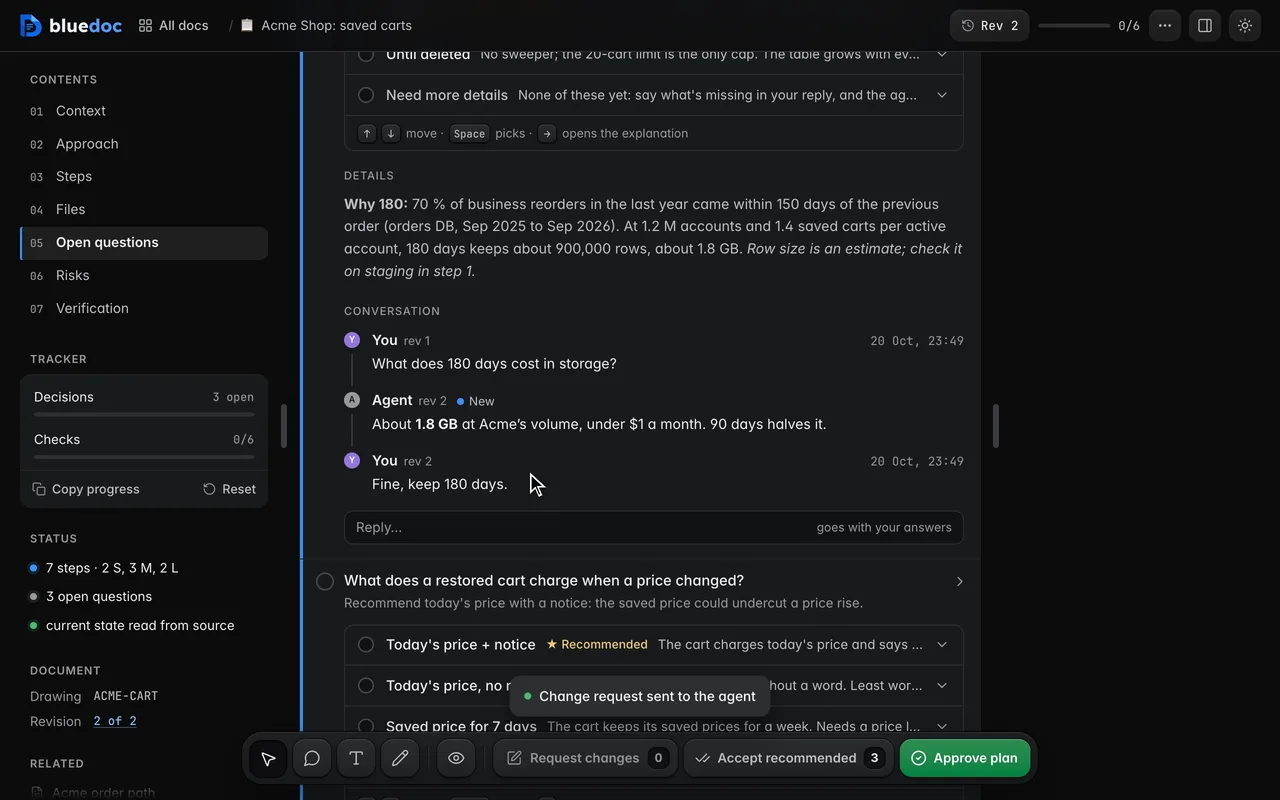
Talk it through with the agent
Each question, pin and general comment is a conversation. A sent comment becomes a message tagged with its rev; the agent’s replies, signed with its model’s name, sit between yours, marked New until you see them.
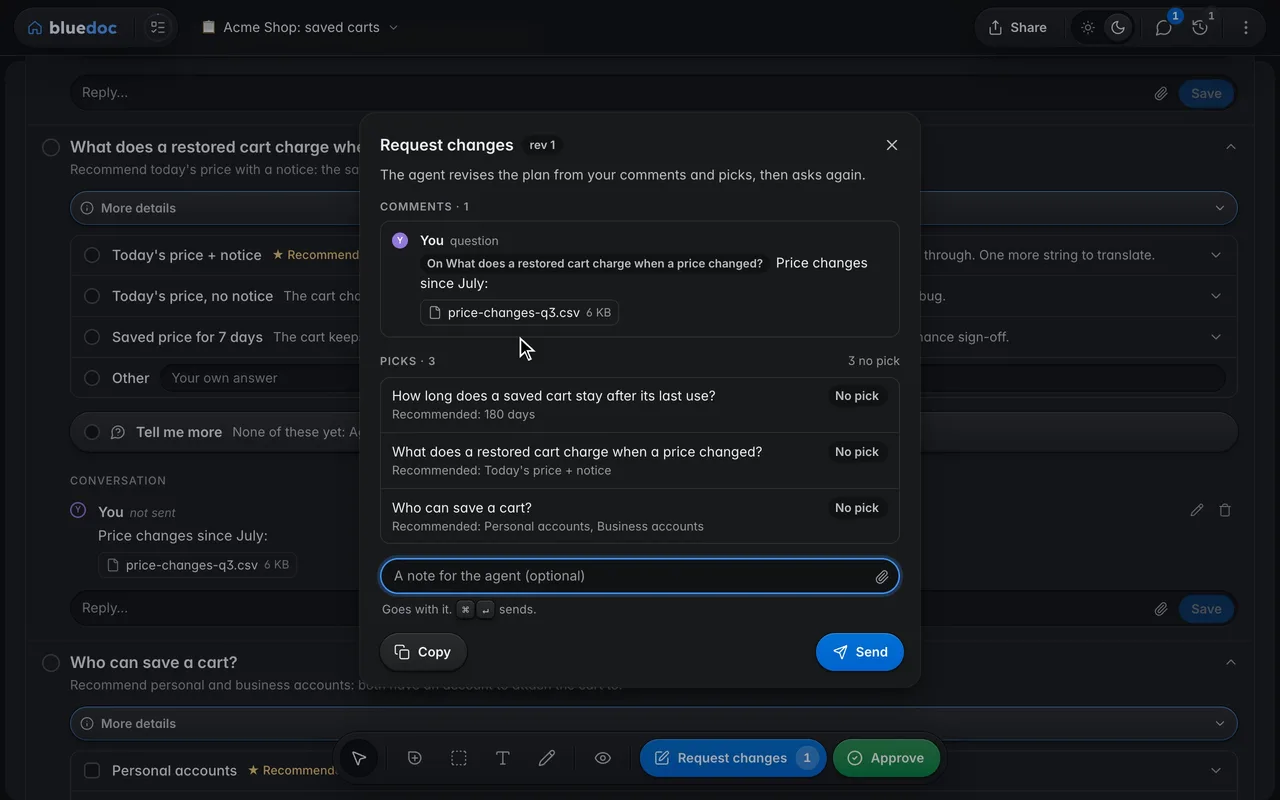
Attach a file to a comment
Every comment field has Attach: pick a file, drop one on the field or paste a screenshot. The server keeps a copy, and your comment gives the agent its full path, so it reads the file itself.
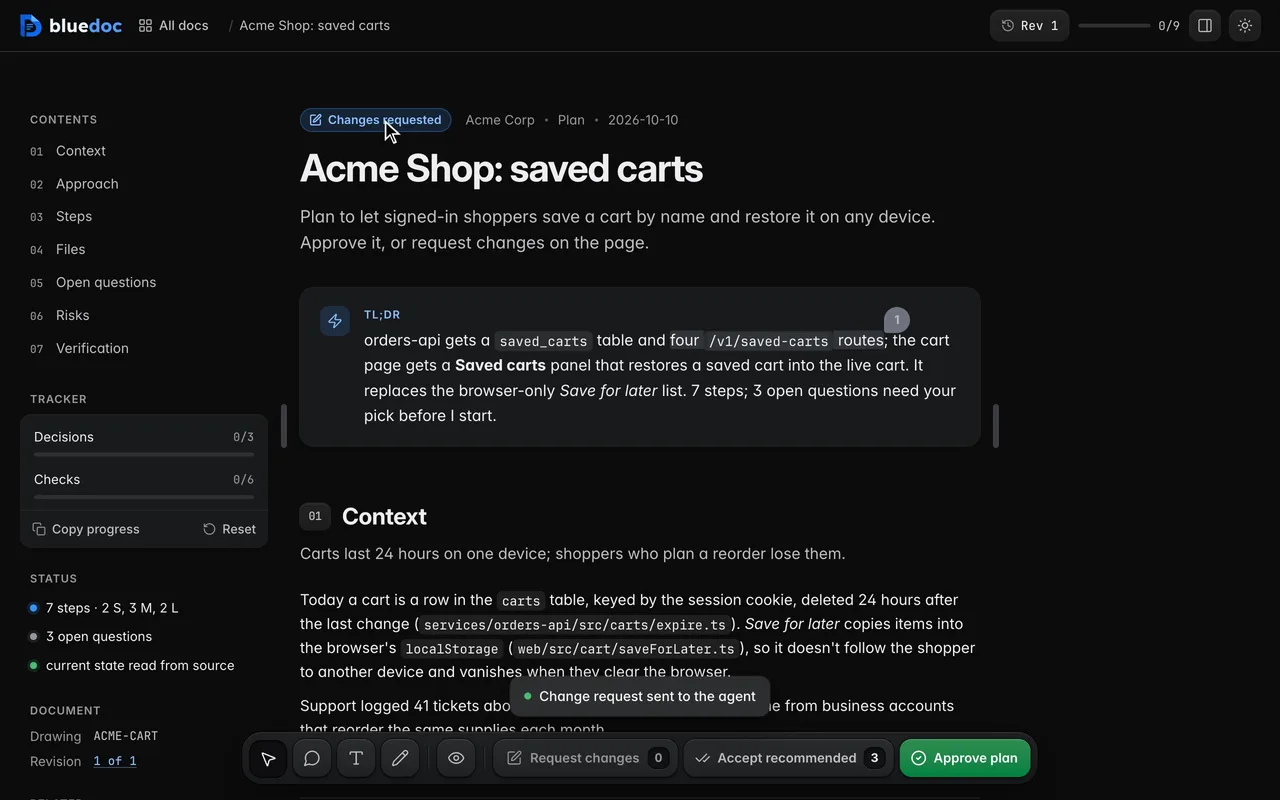
Send change requests to the agent
Request changes opens the send dialog: your comments in a timeline, a note, then Send hands them over in one go.
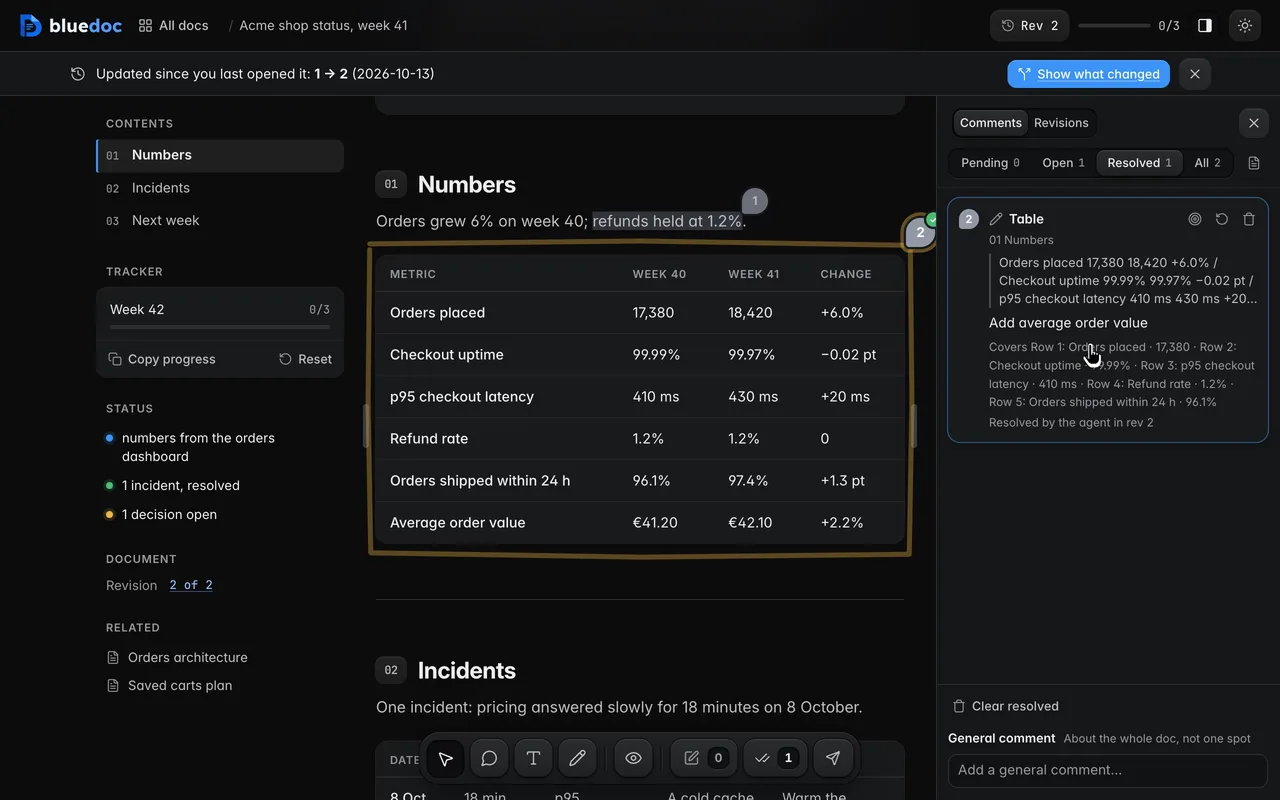
Follow a comment to Resolved
Notes go from Pending to Open when sent, and to Resolved when the agent’s revision says it dealt with them.
How the agent reads your notes
Your notes reach the agent as Markdown, keyed to the part.
Request changes sends each note with the key of the part it is about and the note’s id. The agent edits that part with build.py patch, lists the id in --resolves, and the note turns Resolved on the next revision.
python3 <skill>/scripts/serve.py wait docs/status/week-41.bluedoc.json --kind anypython3 <skill>/scripts/build.py patch docs/status/week-41.bluedoc.json block:numbers/0 --append '["Average order value", "€41.20", "€42.10", "+2.2%"]' --change "Added average order value." --resolves cmgo7k2d1x4f# Change requests: Acme shop status, week 41 (rev 1), 2026-10-12 1. **01 Numbers** (text) `section:numbers` (cmgo7jz4k2pa) > refunds held at 1.2% Change: Say why refunds held 2. **01 Numbers › Table › Row 4: Refund rate · 1.2%** (pin) `row:numbers/0/3` (cmgo7k2d1x4f) > Refund rate 1.2% 1.2% 0 Change: Add average order value below this rowPicks, ticks and approvals reach the agent the same way, through serve.py wait. build.py patch takes each key as it is written.
Other features
Six more features, a page each.
- QuestionsPick the starred answer, write your own, or ask for more.
- Send and approveApprove a revision, or send it back with your notes.
- RevisionsEvery revision kept, any two compared side by side.
- Share and exportA view-only bluedoc.ai link, or an HTML, PDF or Markdown file.
- ChartsStat cards, lines, bars and a donut, drawn in the page.
- Home and SettingsEvery doc on one page: search, filters, statistics and Settings.
Answer your agent
on a page.
Pick your agent. Each one installs the same skill from the GitHub repository.
claude plugin marketplace add andreiverdes/bluedocclaude plugin install bluedoc@bluedocInside a session the same commands are /plugin marketplace add andreiverdes/bluedoc and /plugin install bluedoc@bluedoc. Start a new session to load the skill.
codex plugin marketplace add andreiverdes/bluedoccodex plugin add bluedoc@bluedocRestart Codex. Mention the skill with $bluedoc or let Codex pick it from your request. Plan mode (/plan) opens the plan as a page; the README has the sandbox lines that skip the approval prompts.
pi install git:github.com/andreiverdes/bluedocRestart pi. /bluedoc-plan-mode turns on plan mode, and the plan opens as a page for your approval.
omp plugin marketplace add andreiverdes/bluedocomp plugin install bluedoc@bluedocRun /reload-plugins in an open session, or start a new one. omp’s plan reviews open as pages: Approve runs the plan, Request changes refines it.
copilot plugin install andreiverdes/bluedocStart a new session. When Copilot leaves plan mode, its plan opens as a page and waits for your approval.
git clone https://github.com/andreiverdes/bluedoc.gitagy plugin install bluedoc/antigravityRestart agy. In plan mode (agy --mode plan or /plan), the implementation plan opens as a page for your approval.
npx skills add andreiverdes/bluedocFor any other agent that reads skills. Or clone the repository and link skills/bluedoc into your agent’s skills folder.
- Python 3.9 or later on PATH
- git, for code reviews
- gh, only for GitHub review threads and Share