01
Read a plan from top to bottom
One page holds it all: the goal, the proposed design, before and after, the mockup, the steps, the files and the risks.
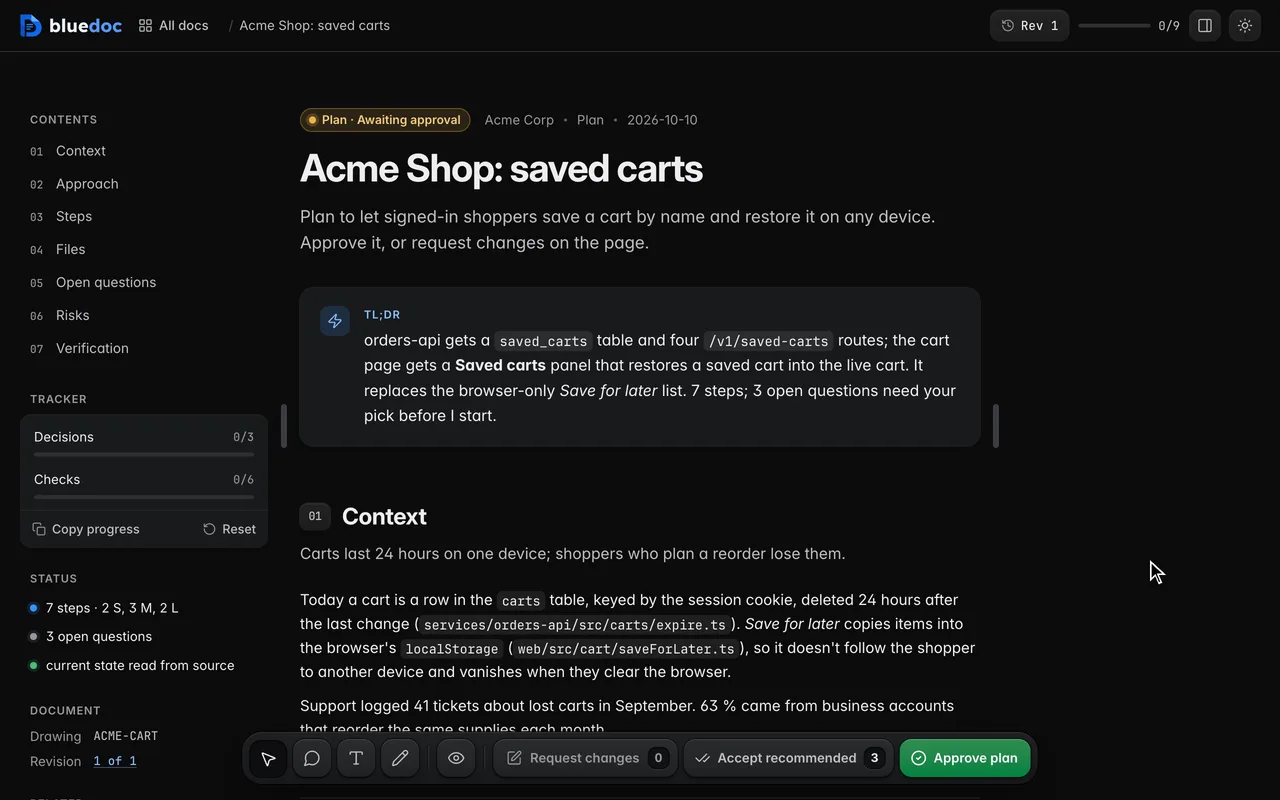
Doc type"type": "plan"
A plan you approve before any code is written.
The agent writes its plan as a page: the goal, the proposed design on a canvas, the steps and the files each one touches, then the open questions with its recommendation starred. Approve it, or send it back with your notes.
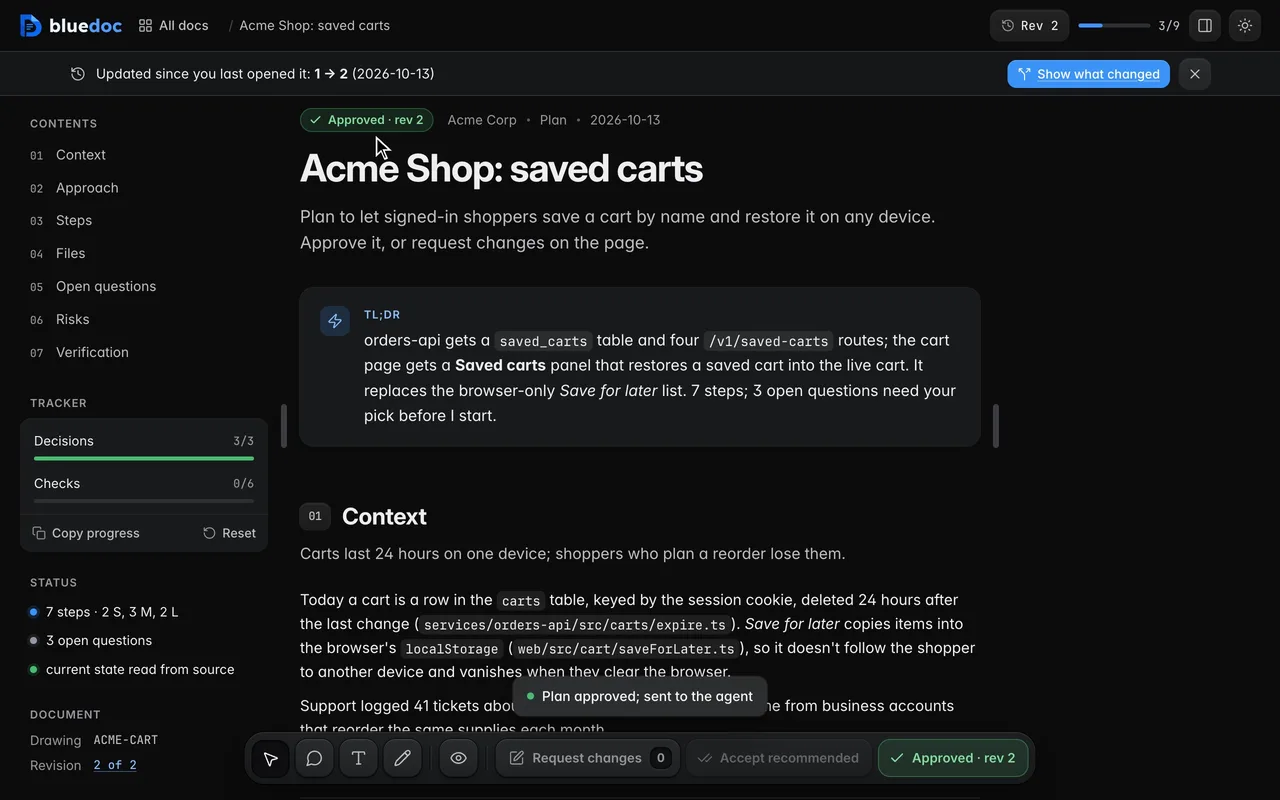
Watch the status chip follow the review. The chip at the top reads Awaiting approval, then Changes requested once you send notes, then Approved once you approve the agent’s next revision.
What it’s for
The agent starts from a skeleton and fills each part from the code it read, so plans read the same from one task to the next.
What ships, for whom, in how many steps, and how many questions need a pick.
The current state and why it has to change, with file and line anchors.
The proposal on a canvas, new parts marked proposed; before/after panes and mockups.
One reviewable change each, in order, with its effort and the files it touches.
Every path the plan adds, edits, deletes or moves, and why.
One per choice you make, the agent’s recommendation starred.
Likelihood, impact and mitigation, in a table.
The checks that show the plan worked, with their commands.
Features
01
One page holds it all: the goal, the proposed design, before and after, the mockup, the steps, the files and the risks.
02
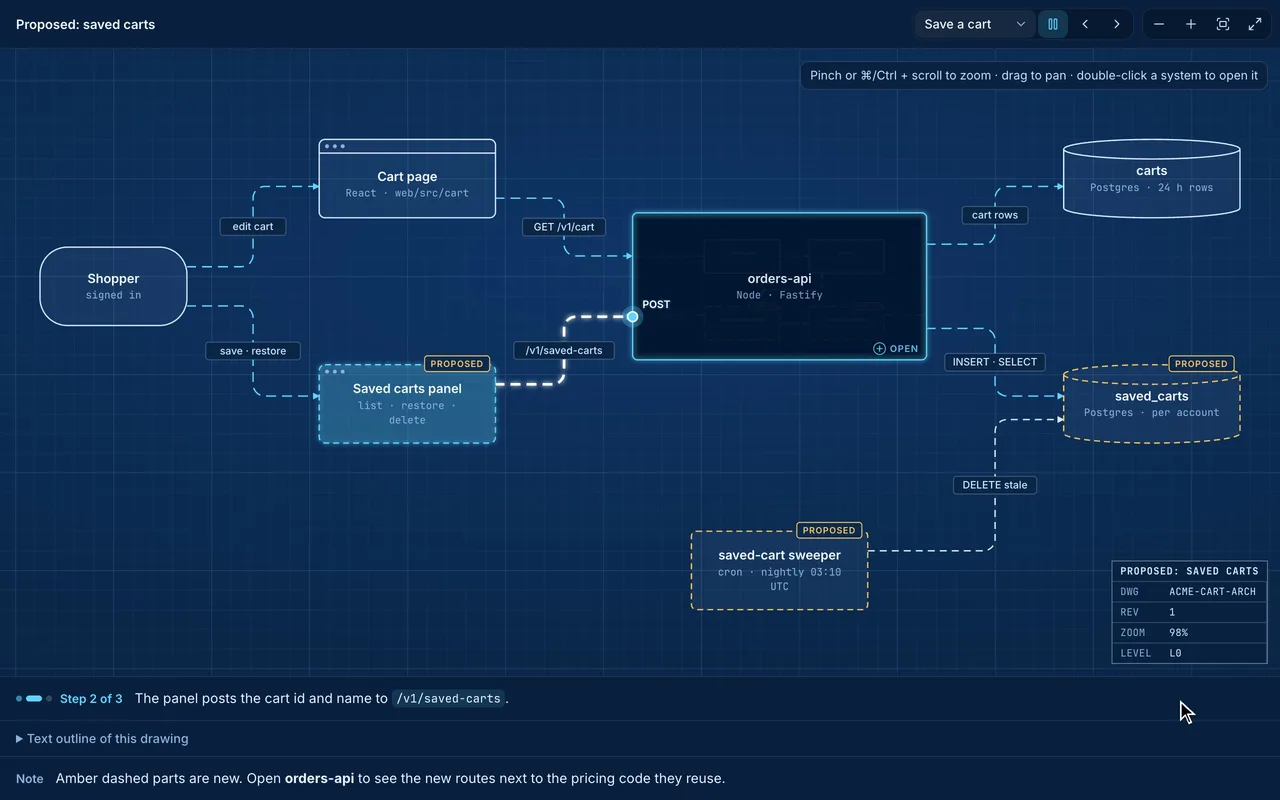
On the Approach canvas, parts the plan adds are drawn amber and dashed, apart from what runs today. A flow runs through them to show how they fit.
03
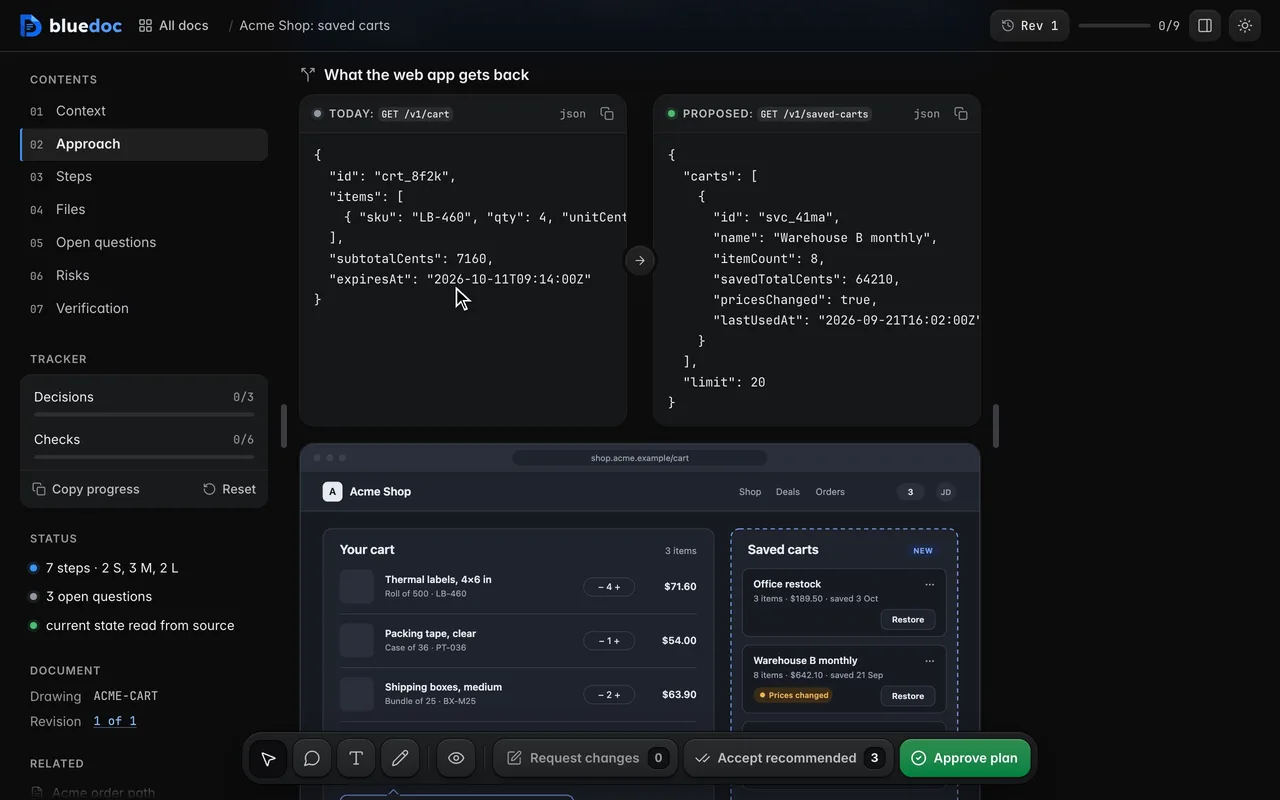
A compare block puts what changes side by side, here the API response. A mockup opens full size in a lightbox.
04
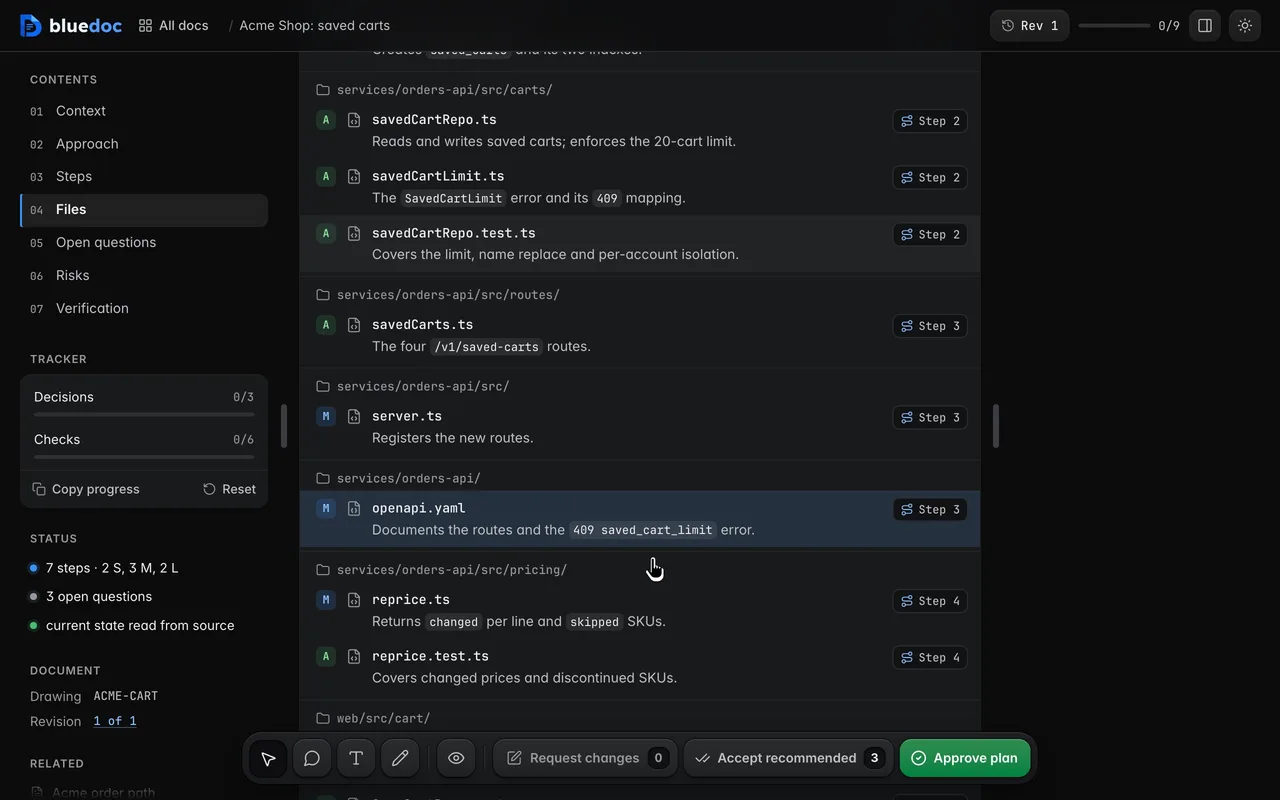
Each step lists its files. Click one and the files table flashes its row; the row’s step link jumps back.
05
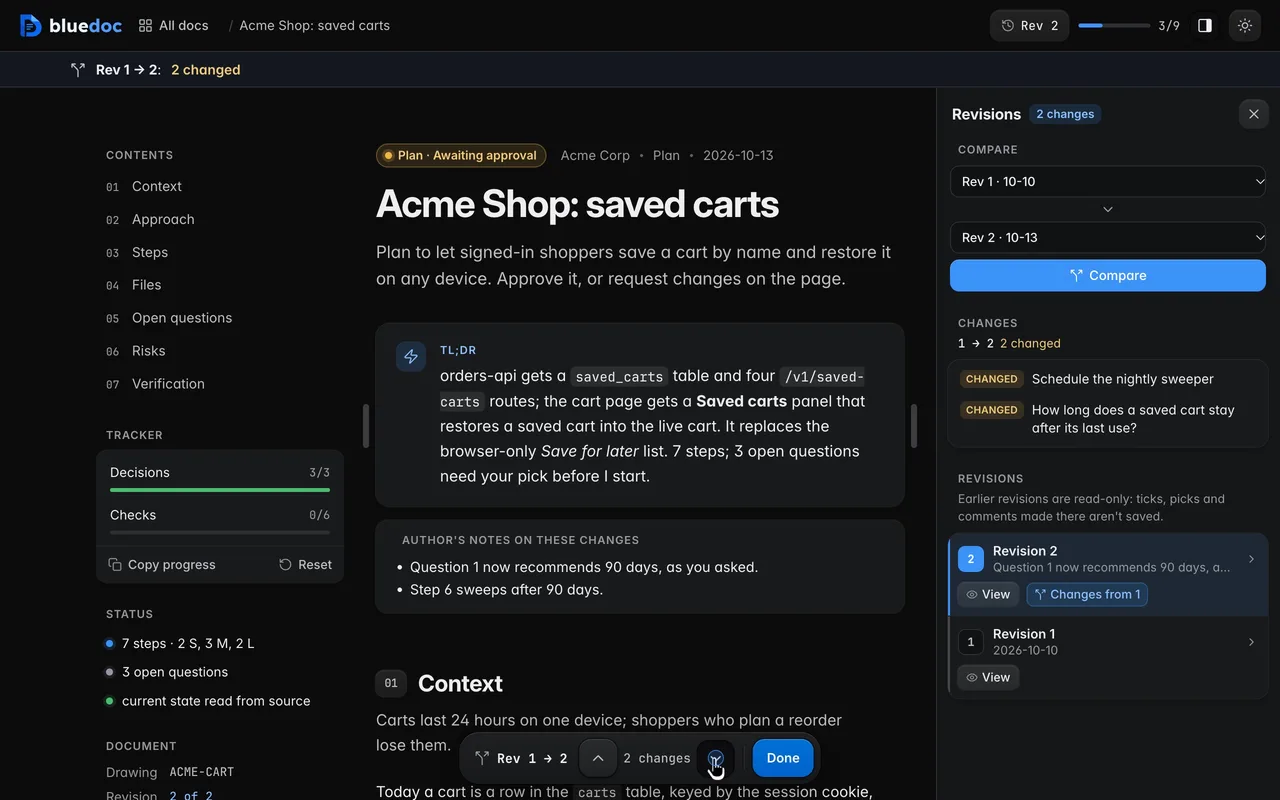
When the agent’s next revision lands, Show what changed marks it against the one you saw: its notes on the changes, the question it reworked, the step it rewrote.
Works on every doc
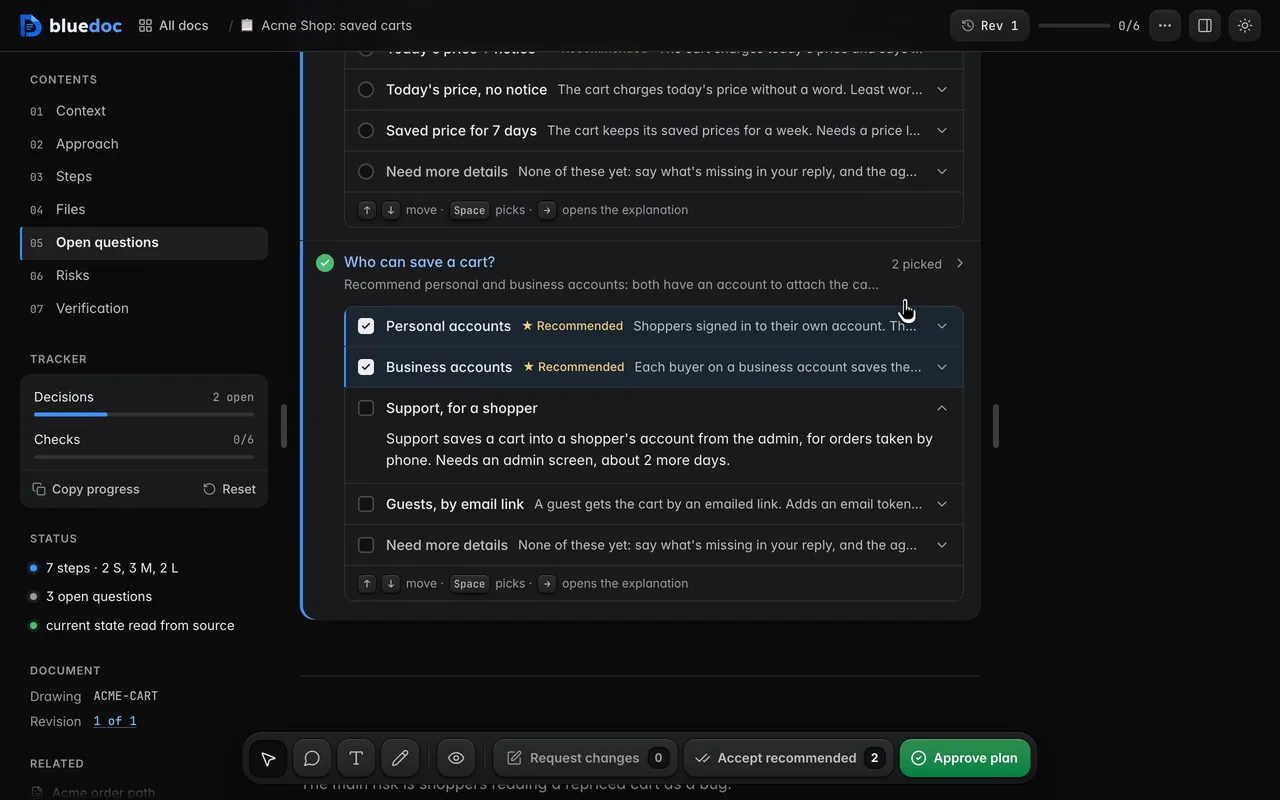
Each option is a row with a radio or checkbox, the label, ★ Recommended and one line that opens to the full explanation. A question can take several answers; Need more details is the last row.
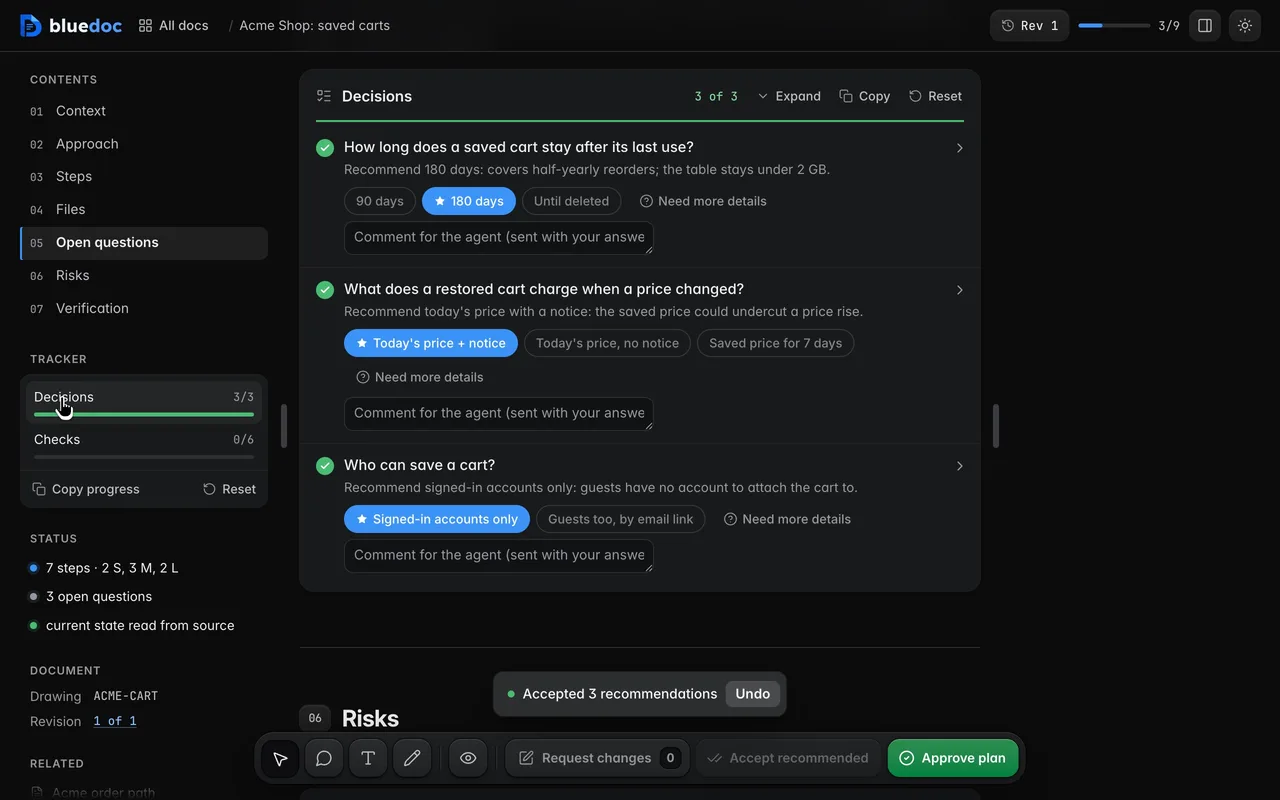
Accept recommended picks every starred option in one go. Change the ones you disagree with afterwards.
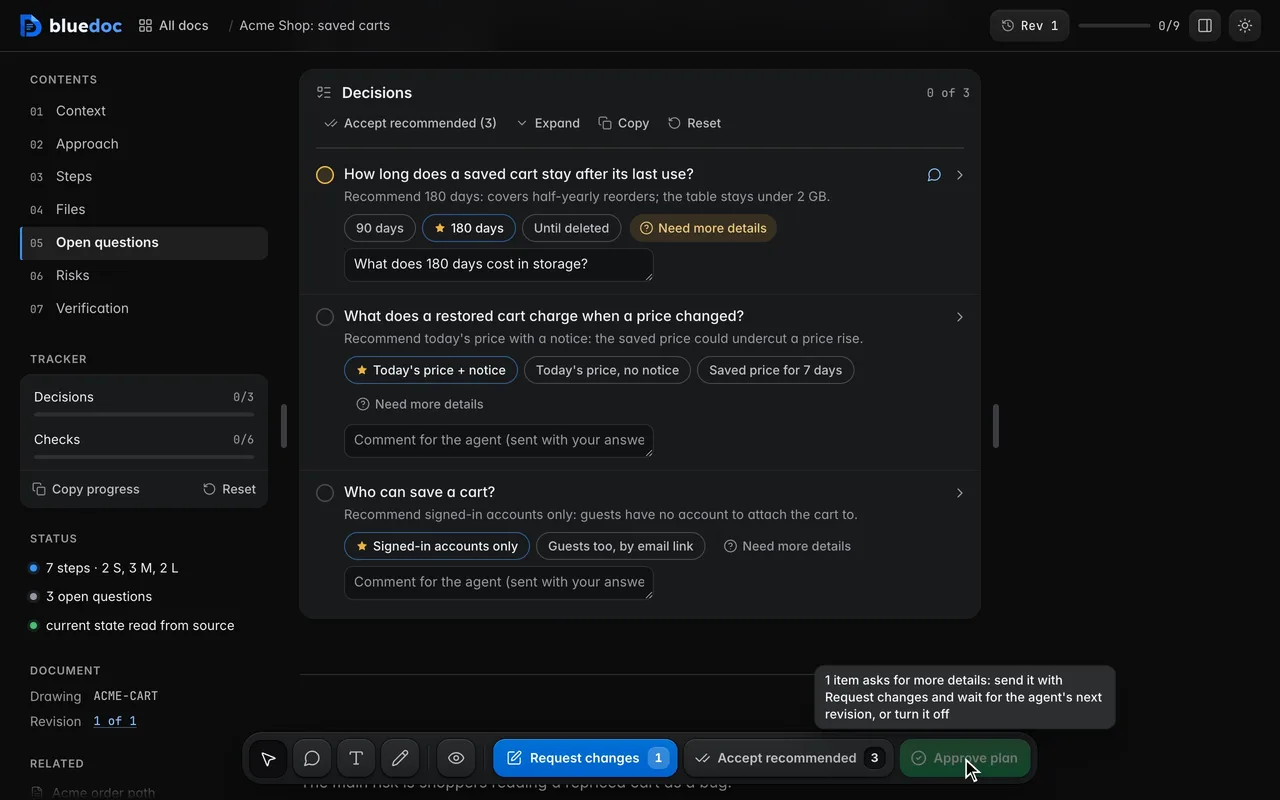
Need more details marks a question and asks the agent what is missing before you pick.
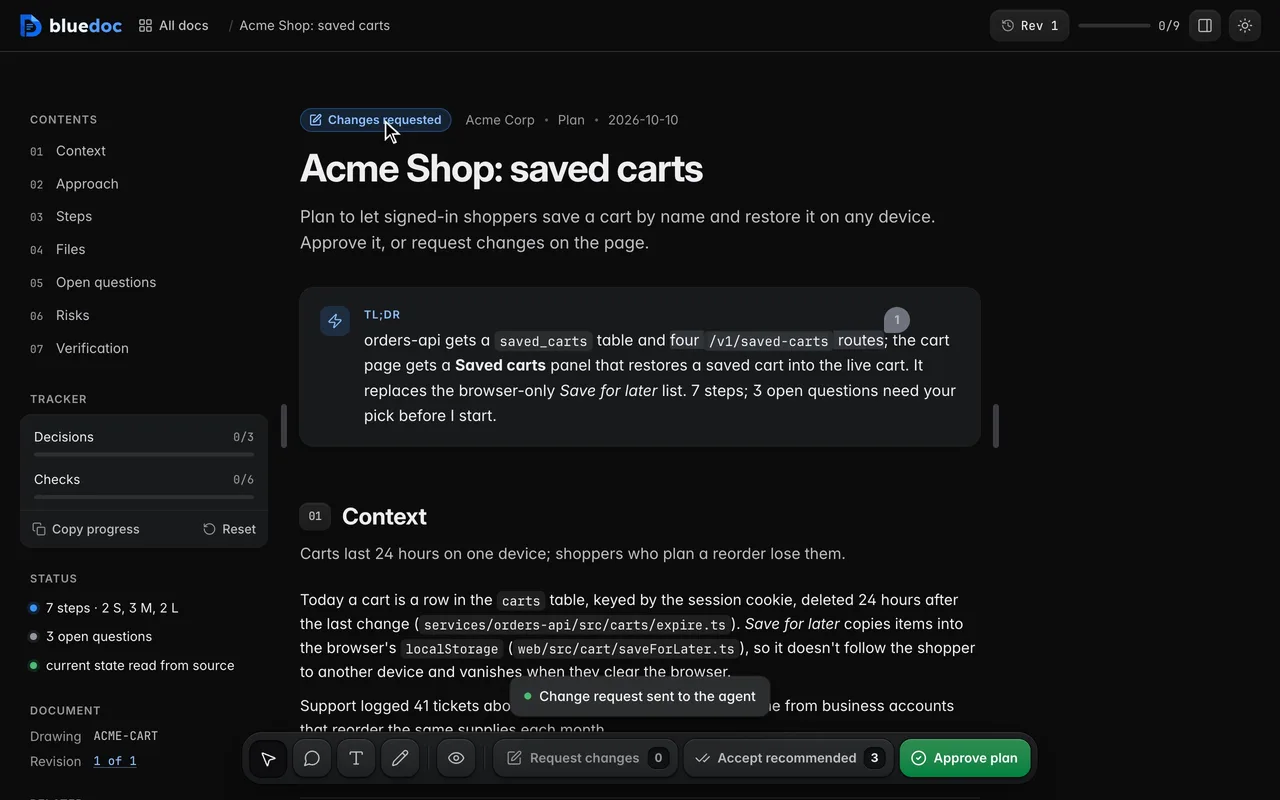
Request changes previews your notes as Markdown, then sends them in one go.
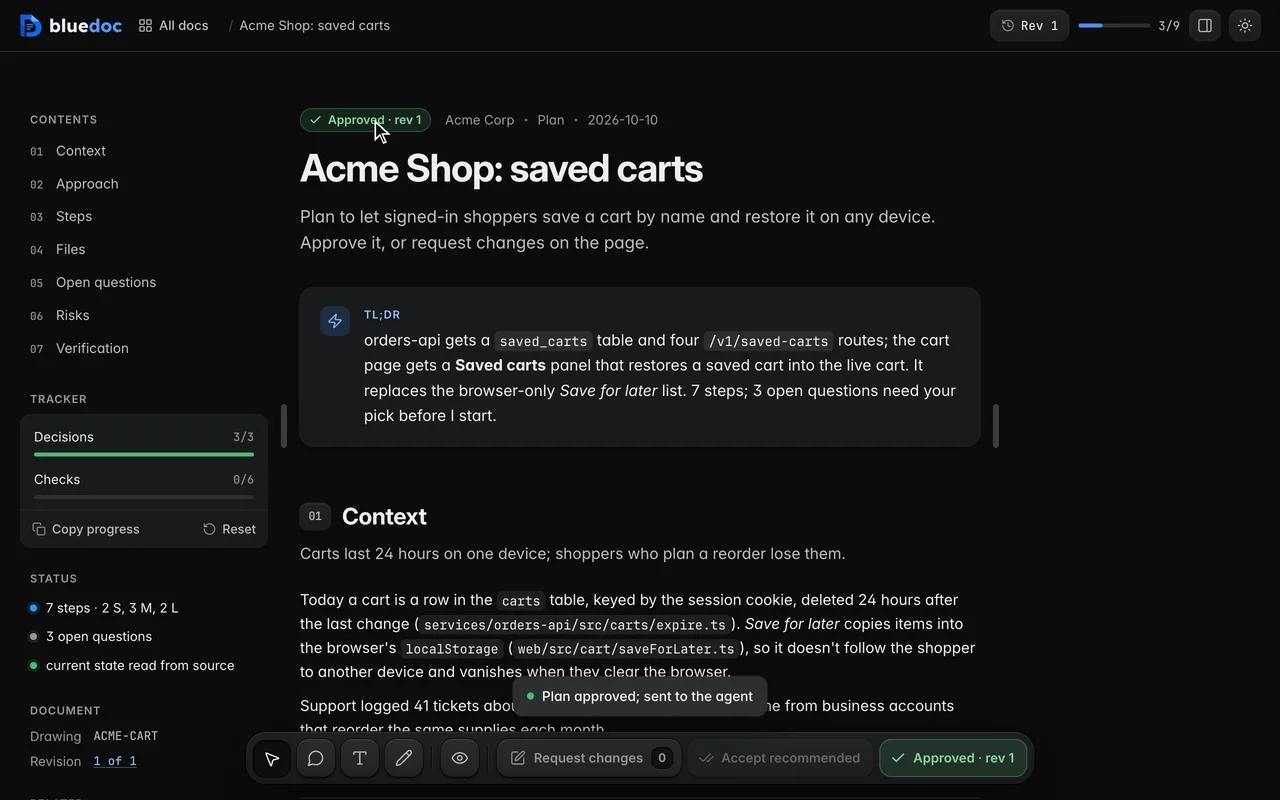
Approve lists your picks and records the approval against this revision. The agent waits for it.
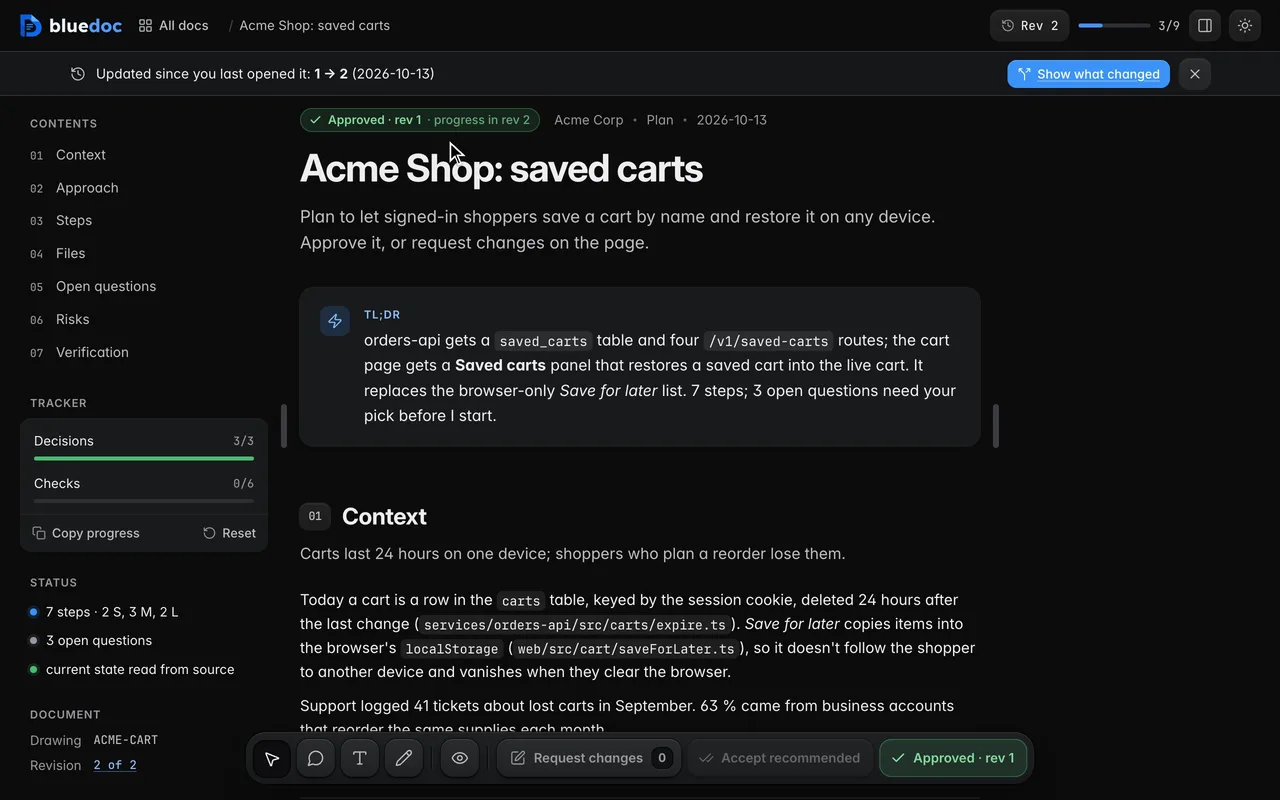
A revision that only marks steps done keeps the approval. Any other edit asks for approval again.
How the agent uses it
The agent fills in the steps and the files, then turns each choice it can’t make alone into an open question with a recommend. It waits for your answer before it writes code.
python3 <skill>/scripts/build.py new plan docs/plans/saved-carts.bluedoc.json --title "Saved carts"python3 <skill>/scripts/build.py docs/plans/saved-carts.bluedoc.jsonpython3 <skill>/scripts/serve.py open docs/plans/saved-carts.bluedoc.jsonpython3 <skill>/scripts/serve.py wait docs/plans/saved-carts.bluedoc.json --kind any{ "id": "repo", "title": "Write `SavedCartRepo` with the 20-cart limit", "effort": "M", "status": "todo", "md": "Saving a 21st cart throws `SavedCartLimit`.", "files": [ "services/orders-api/src/carts/savedCartRepo.ts", "services/orders-api/src/carts/savedCartRepo.test.ts" ], "refs": ["arch/api/repo"]}{ "id": "retention", "text": "How long does a saved cart stay after its last use?", "sub": "Recommend 180 days: covers half-yearly reorders.", "recommend": "d180", "choices": [ { "id": "d90", "label": "90 days" }, { "id": "d180", "label": "180 days" }, { "id": "forever", "label": "Until deleted" } ]}serve.py wait returns when you approve or request changes. Marking steps done after an approval keeps it; any other edit asks for approval again.
Install
Each one installs the same skill from the GitHub repository.
claude plugin marketplace add andreiverdes/bluedocclaude plugin install bluedoc@bluedocInside a session the same commands are /plugin marketplace add andreiverdes/bluedoc and /plugin install bluedoc@bluedoc. Start a new session to load the skill.
codex plugin marketplace add andreiverdes/bluedoccodex plugin add bluedoc@bluedocRestart Codex. Mention the skill with $bluedoc or let Codex pick it from your request. Plan mode (/plan) opens the plan as a page; the README has the sandbox lines that skip the approval prompts.
pi install git:github.com/andreiverdes/bluedocRestart pi. /bluedoc-plan-mode turns on plan mode, and the plan opens as a page for your approval.
omp plugin marketplace add andreiverdes/bluedocomp plugin install bluedoc@bluedocRun /reload-plugins in an open session, or start a new one. omp’s plan reviews open as pages: Approve runs the plan, Request changes refines it.
copilot plugin install andreiverdes/bluedocStart a new session. When Copilot leaves plan mode, its plan opens as a page and waits for your approval.
git clone https://github.com/andreiverdes/bluedoc.gitagy plugin install bluedoc/antigravityRestart agy. In plan mode (agy --mode plan or /plan), the implementation plan opens as a page for your approval.
npx skills add andreiverdes/bluedocFor any other agent that reads skills. Or clone the repository and link skills/bluedoc into your agent’s skills folder.
Other doc types

Architecture pages, walkthroughs, runbooks, setup guides and change proposals.

Review findings pinned to their lines from git, one decision per finding.

UI screens on a pan-and-zoom board, and app icons.

Slide decks with speaker notes, played in Present.

A site’s pages on a board, live from its dev server.

An app’s Google Play and App Store listing, checked against the stores’ rules.

Status pages, incident reports, inventories, meeting notes and comparisons.