01
Pan and zoom the blueprint canvas
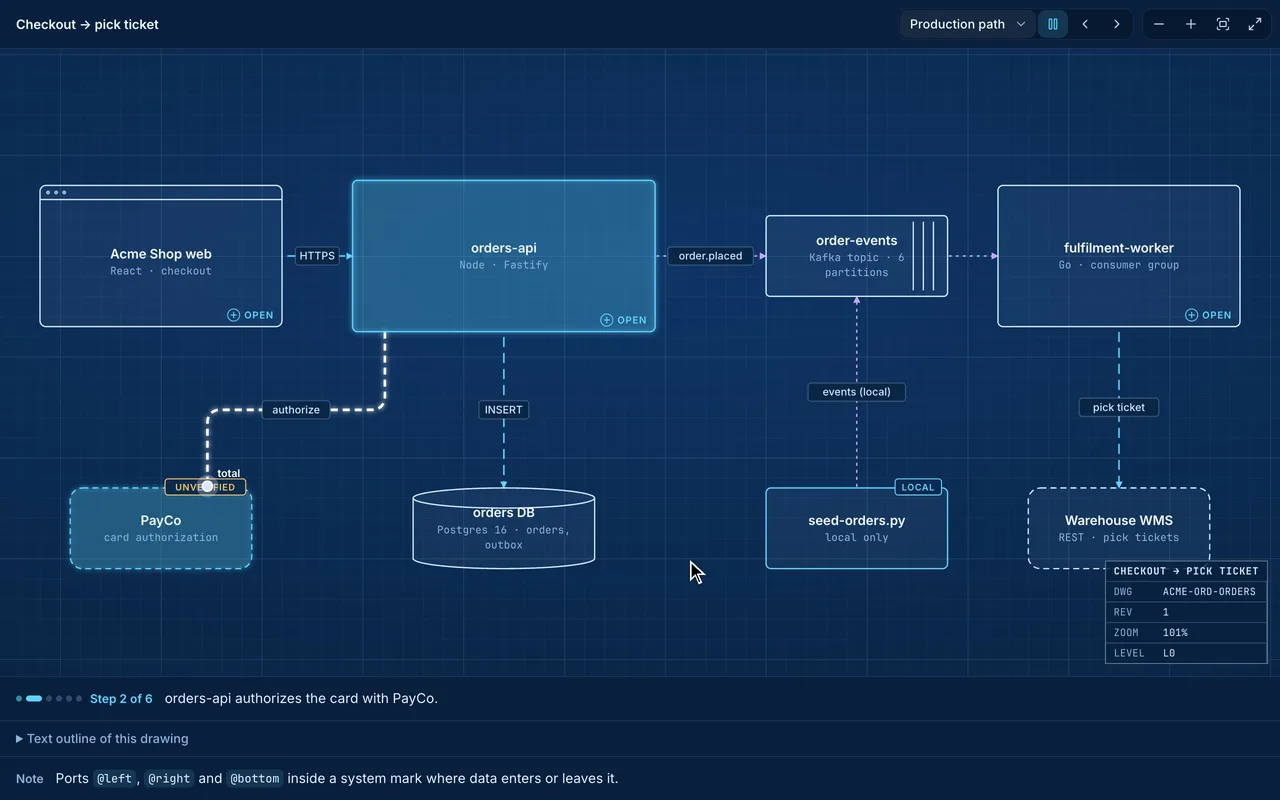
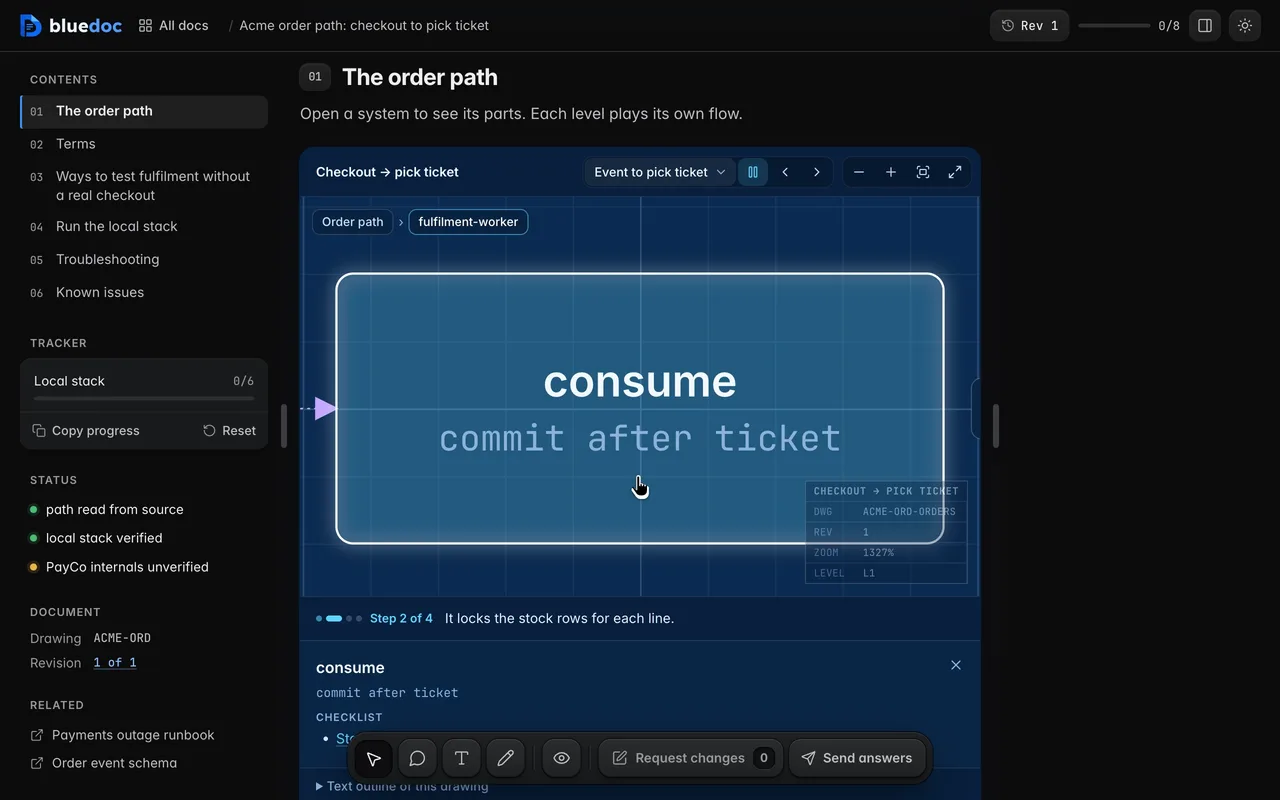
The system is a drawing you drag and zoom. Edges run at right angles, routed around the nodes, and their labels don’t overlap.
Doc type"type": "docs"
A system on one page, with a drawing you can open.
A docs page explains a system that exists. The system is a blueprint canvas you zoom into, flows play across it step by step, and procedures are checklists whose ticks the local server keeps.
Zoom three levels into the order path and back. A node with children is a system. Double-click it, or zoom in, to see its parts on their own sheet; Esc and the crumbs go back up.
What it’s for
The agent picks the kind when it starts the page; each has its own order of sections.
The system on a canvas, its terms, its parts and the decisions behind them.
One flow per scenario on the canvas, then each step explained.
Procedures as checklists, with verification and a troubleshooting table.
Prerequisites, the stack you are building and the steps to get it running.
Proposed and removed parts on the canvas, what changes and the rollout.
Features
01
The system is a drawing you drag and zoom. Edges run at right angles, routed around the nodes, and their labels don’t overlap.
02
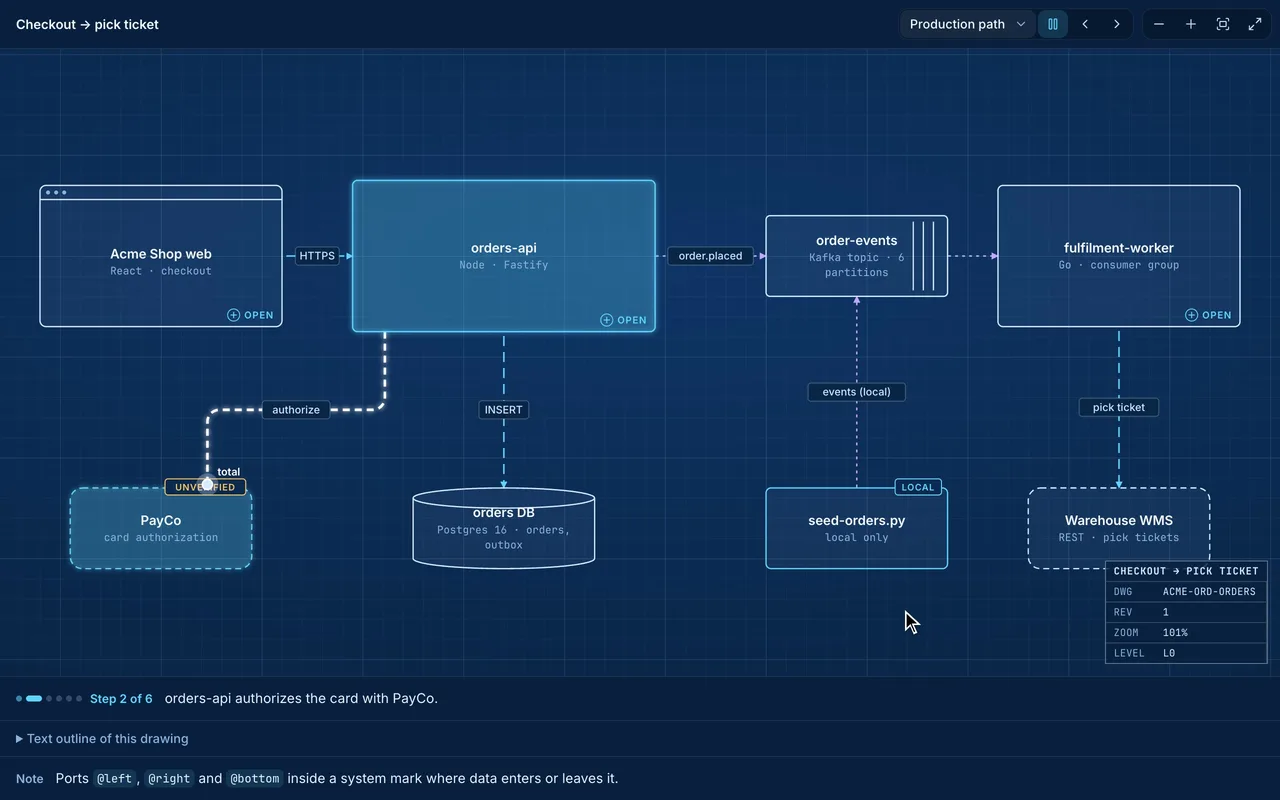
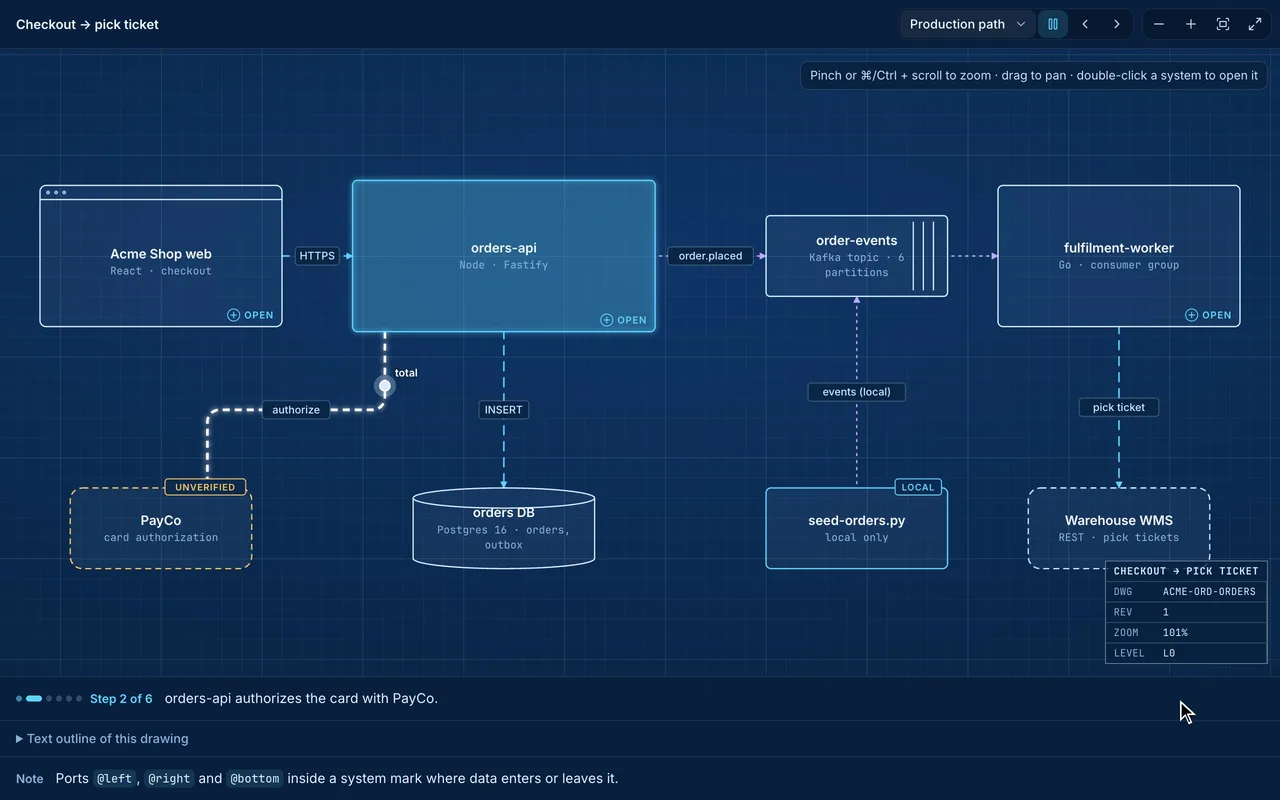
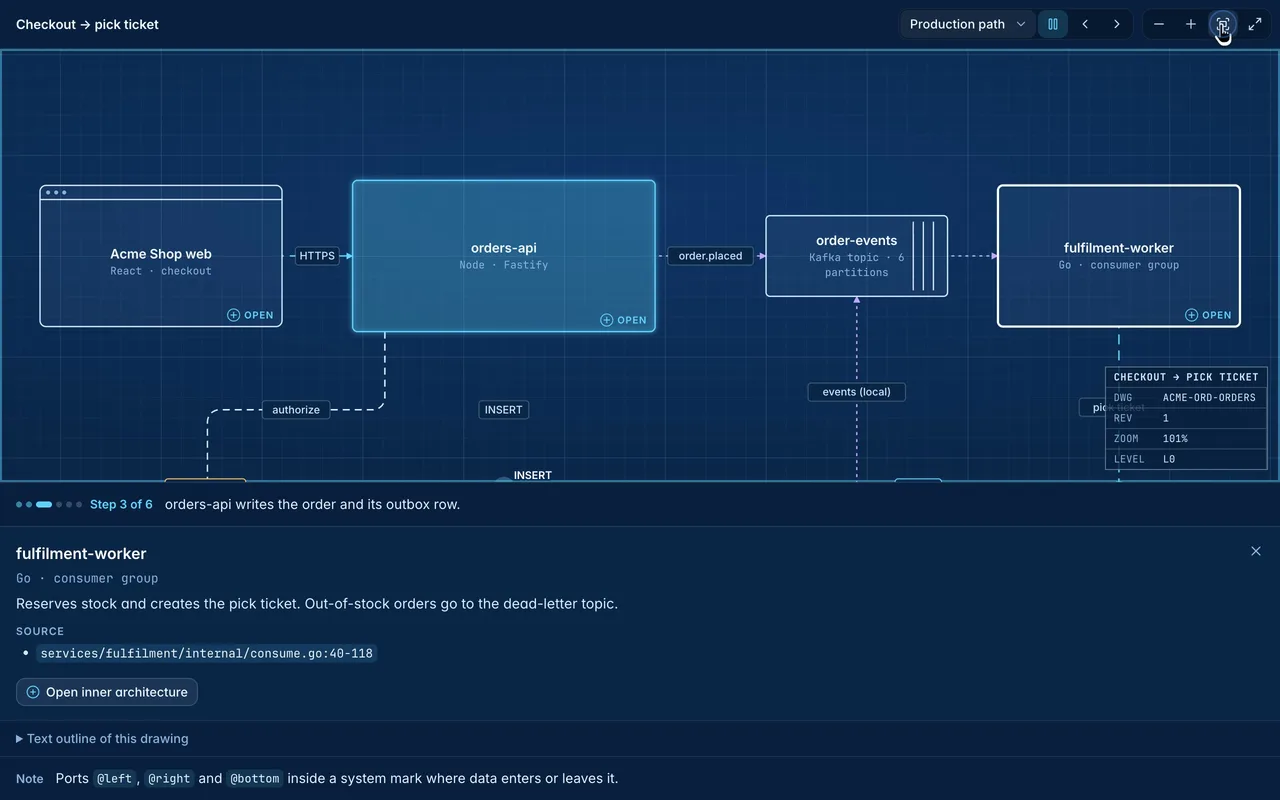
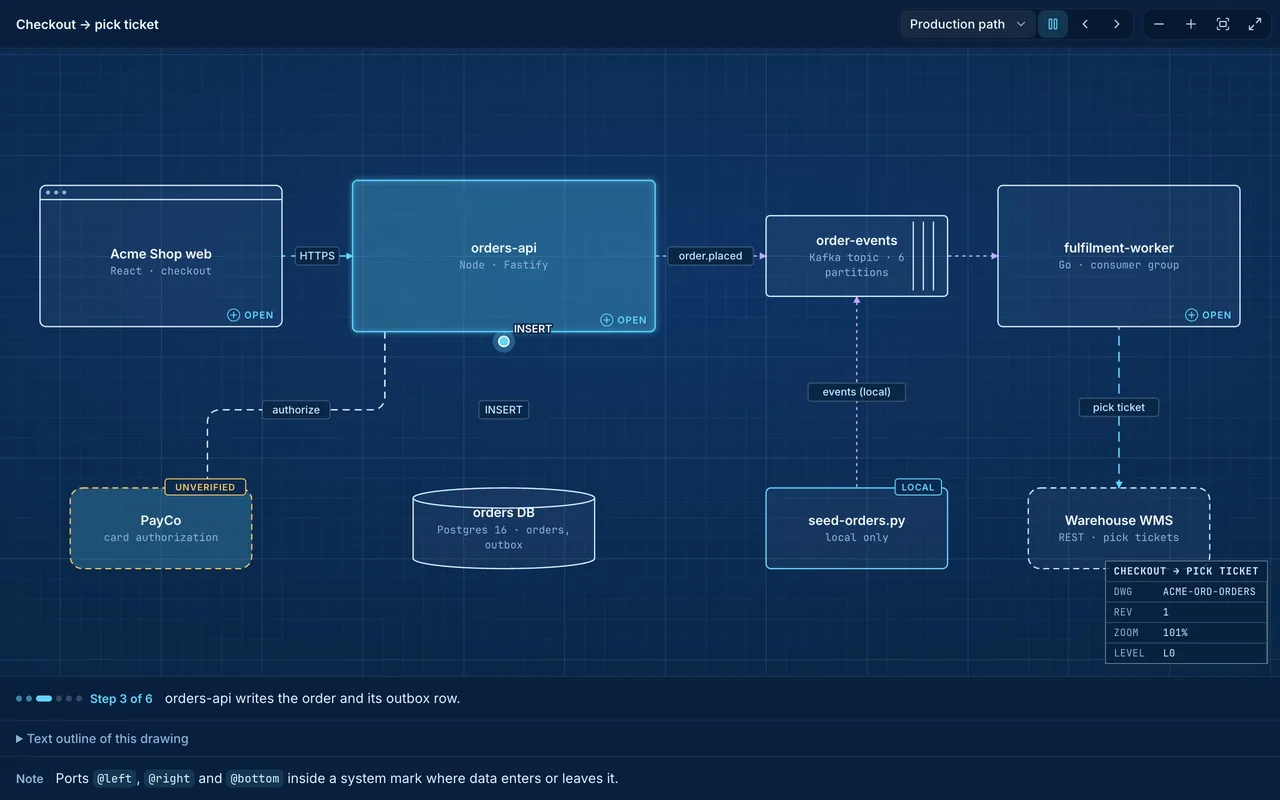
A flow plays one step per edge: a token rides the edge with its payload, and the caption reads the step and counts Step n of m.
03
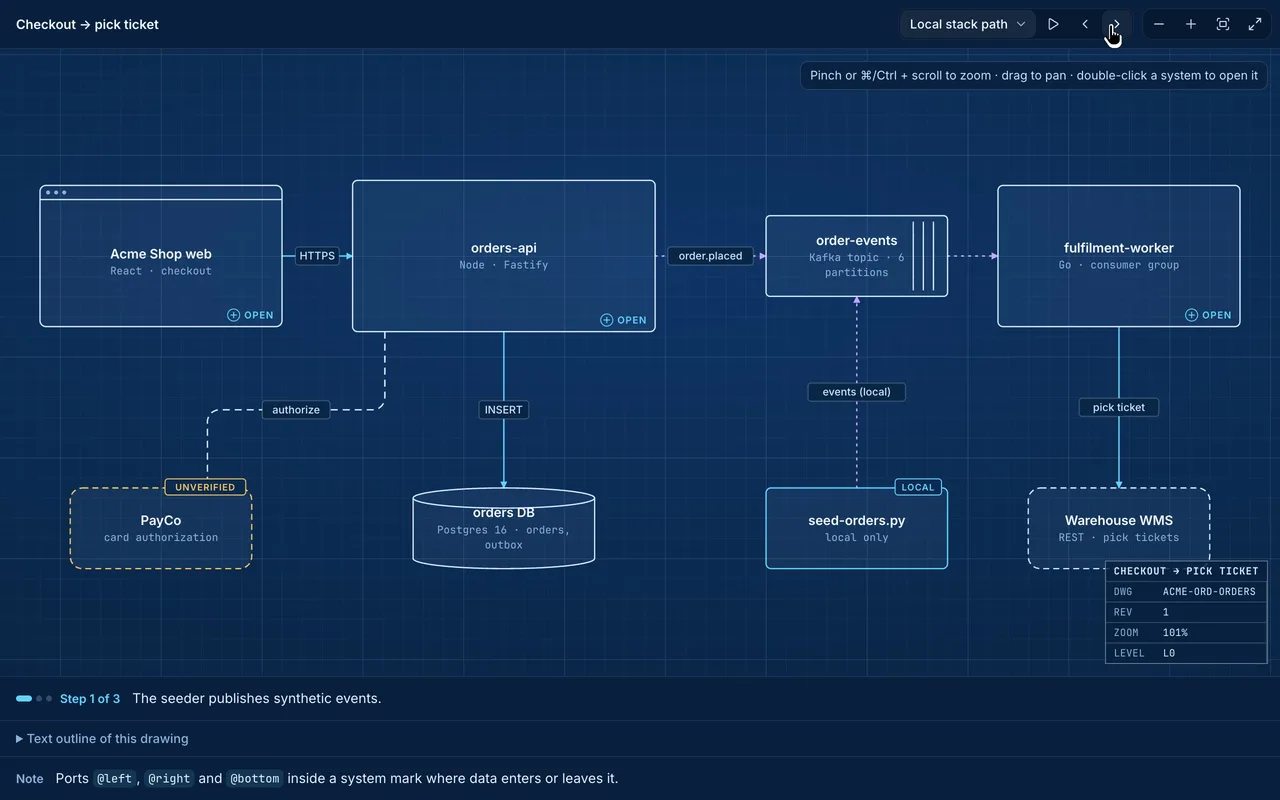
Each level has its own flows. Pick one in the canvas header, pause it, and step with ‹ › one hop at a time.
04
Click a node to read its notes and where it lives in the repo, as path:line references.
05
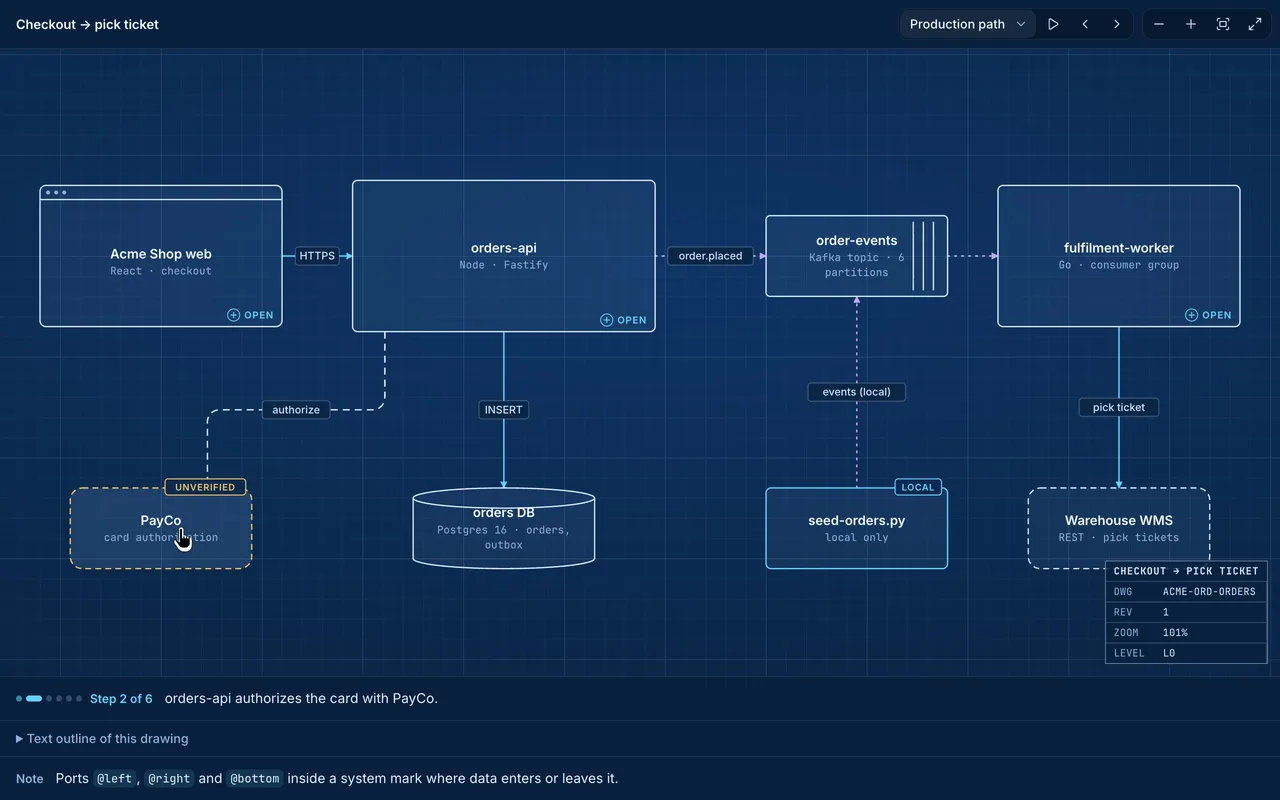
Edges show what moves: data, control calls, async events. A node marked unverified, local or proposed looks different from the live parts.
06
Full screen gives the canvas the whole window, Fit frames the drawing, and Esc returns to the page.
07
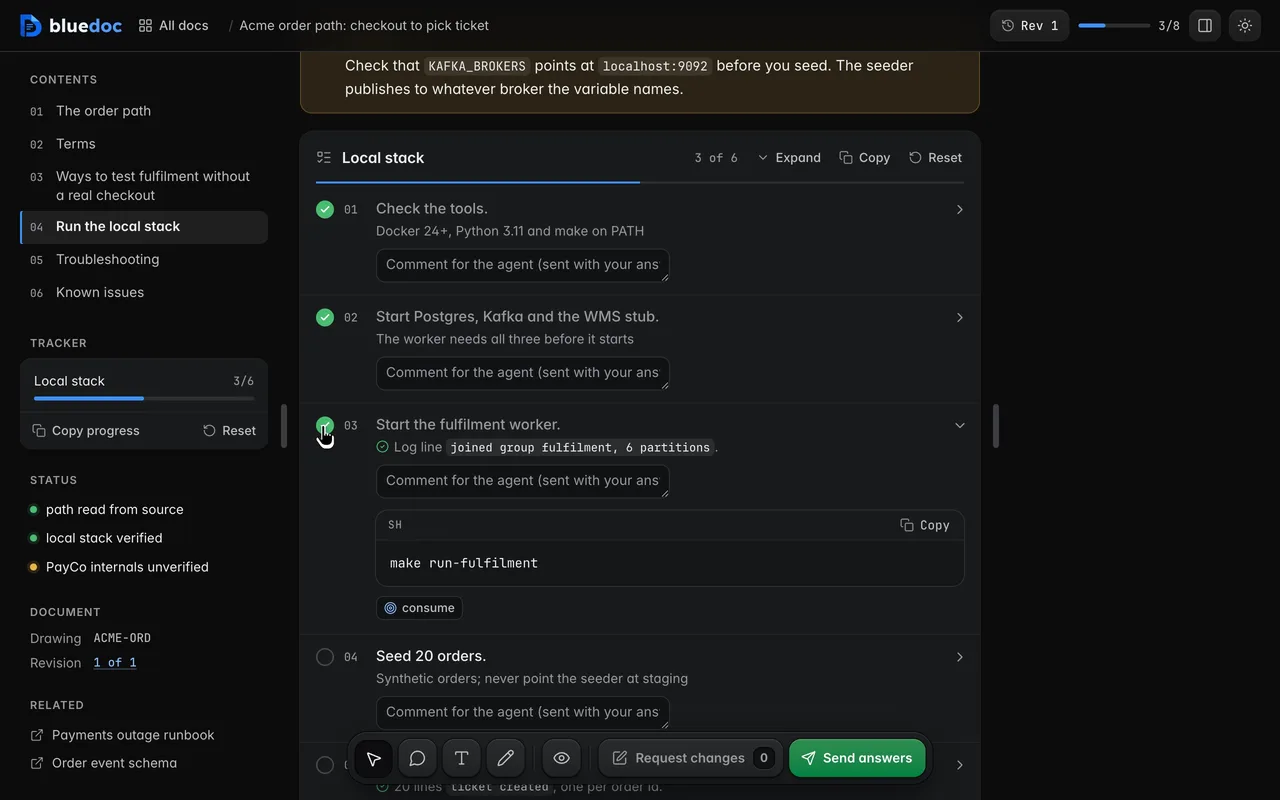
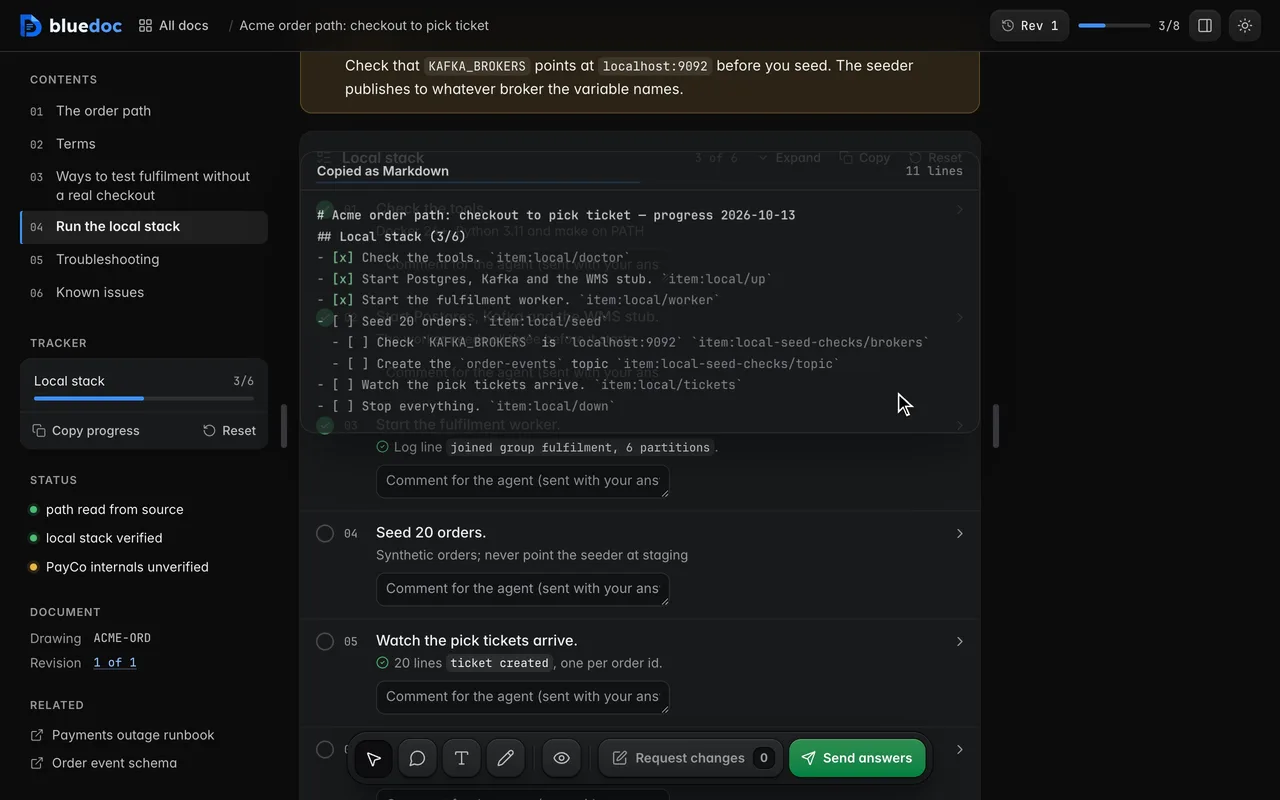
Each procedure is a checklist. A step opens to its command and its check; tick it and the progress bar moves. The local server keeps the ticks.
08
A step or a table cell can name a node. Its ref key flies the canvas there.
09
Copy progress exports the ticks as a Markdown checklist, for a PR or an issue.
10
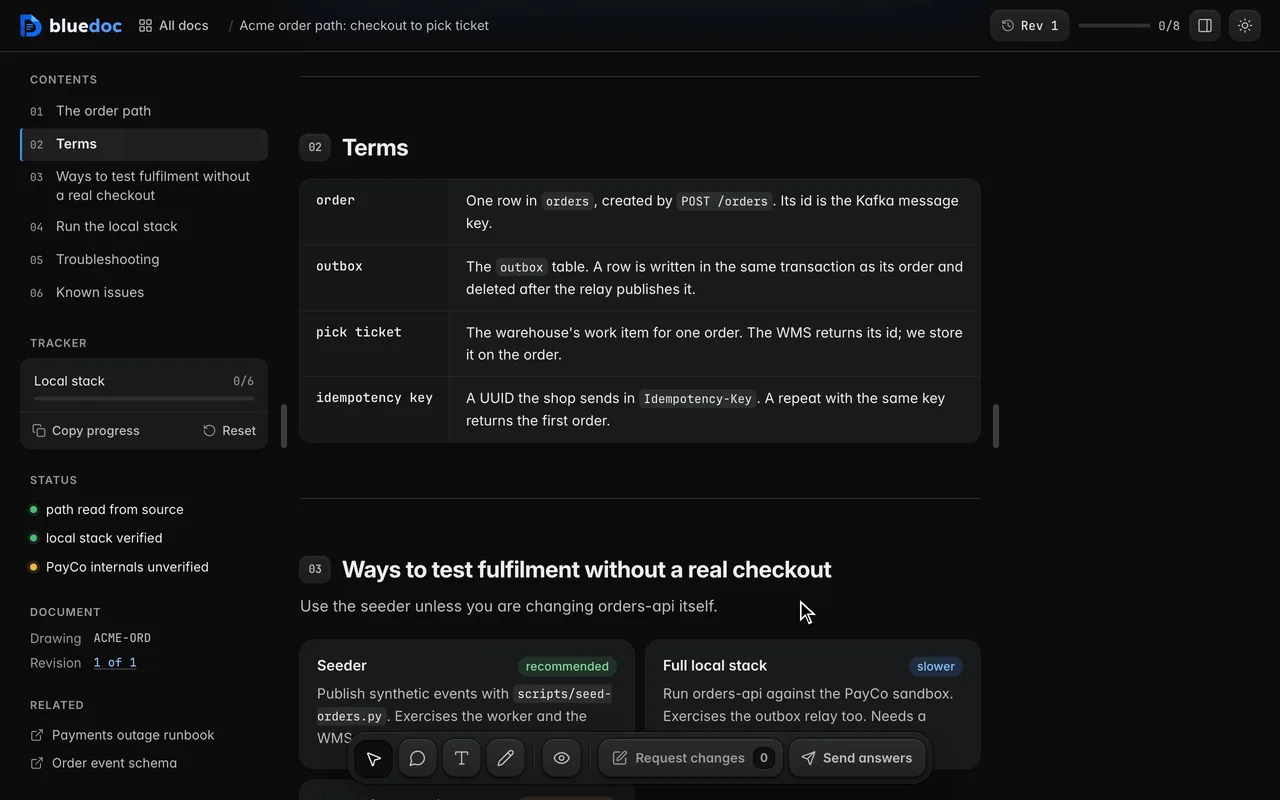
Around the drawing, the page is built from blocks: terms, cards, callouts and tables, each one a thing you can comment on.
Works on every doc
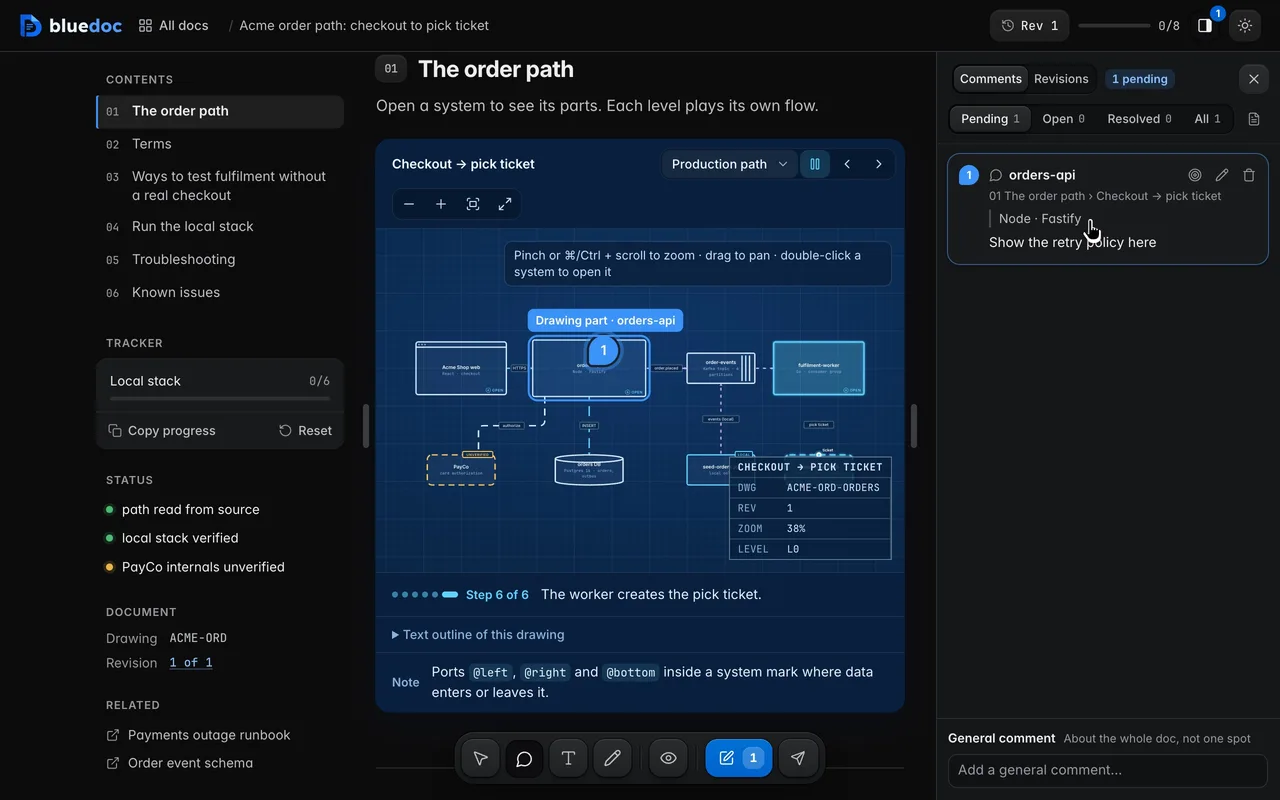
Point at a node, a row or a button and write a note. The pin stays on the element.
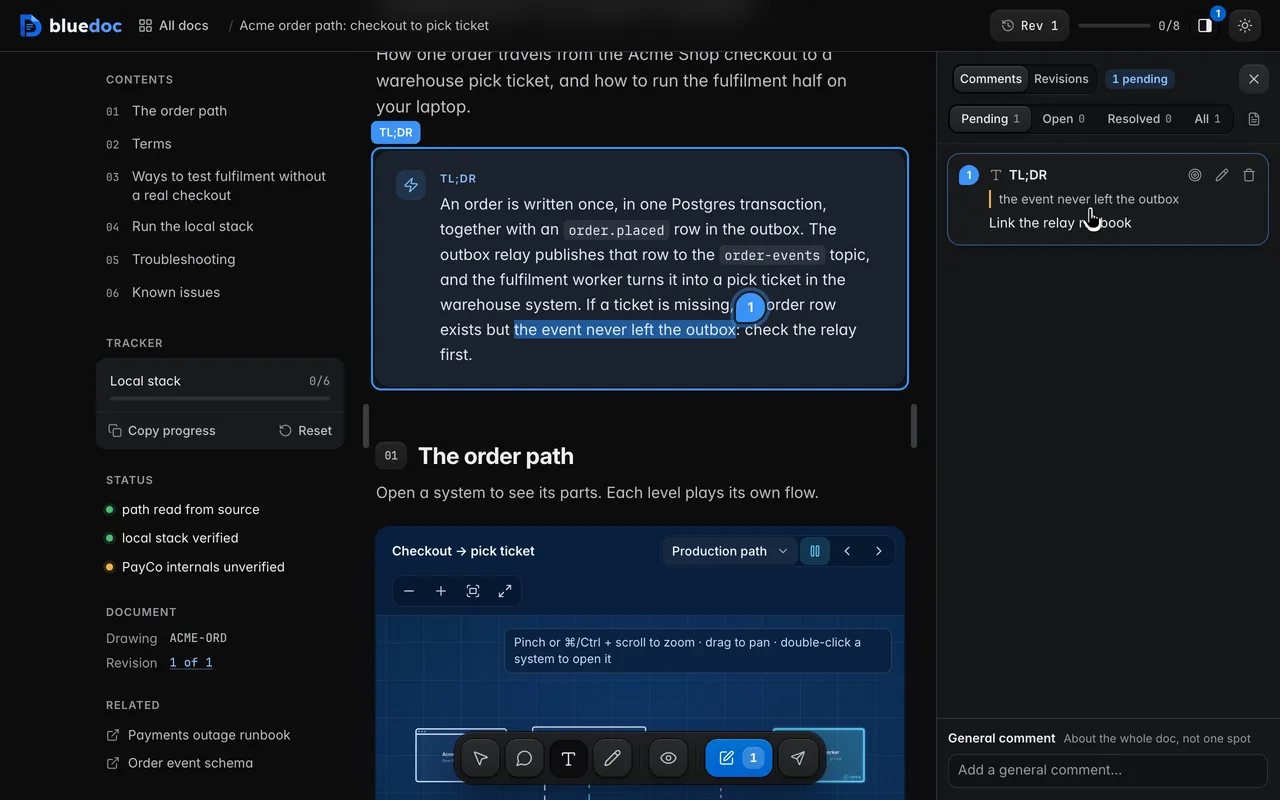
Select a sentence and say what should change.
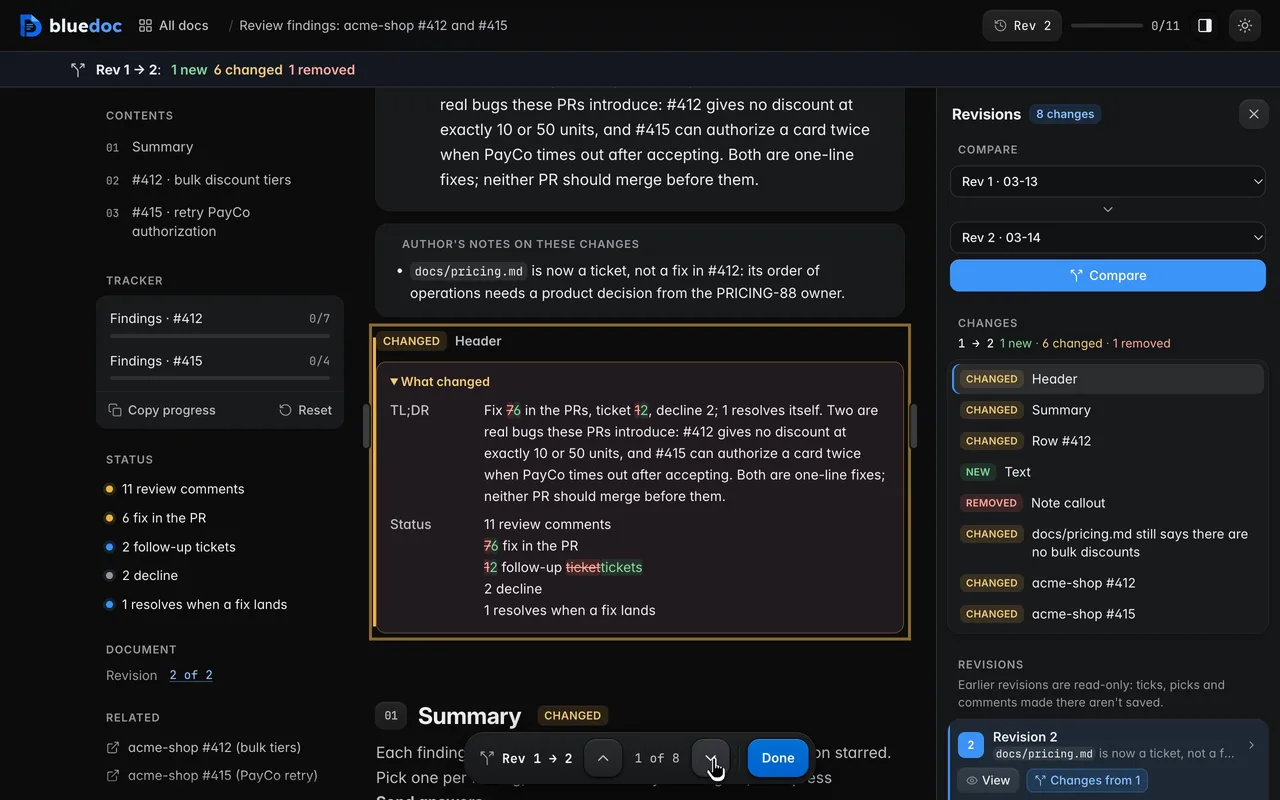
New, changed and removed parts are marked in place, with words struck and added.
How the agent uses it
The agent starts from a skeleton and fills it in. A node with children is a system you can open; each level has its own flows.
python3 <skill>/scripts/build.py new docs docs/orders/order-path.bluedoc.json --title "Order path" --kind Architecturepython3 <skill>/scripts/build.py docs/orders/order-path.bluedoc.jsonpython3 <skill>/scripts/serve.py open docs/orders/order-path.bluedoc.json{ "id": "api", "label": "orders-api", "sub": "Node · Fastify", "md": "Validates, prices and charges the order.", "refs": ["`services/orders-api/src/routes/createOrder.ts:18-96`"], "children": { "nodes": [ { "id": "auth", "label": "auth hook", "sub": "JWT check", "col": 0, "row": 0 }, { "id": "validate", "label": "validate", "sub": "zod schema", "col": 1, "row": 0 } ], "edges": [ { "from": "@left", "to": "auth", "label": "POST /orders" }, { "from": "auth", "to": "validate" } ], "flows": [{ "id": "create", "label": "Create one order", "steps": [ { "edge": "@left->auth", "label": "The auth hook checks the JWT.", "payload": "JWT" } ] }] }}build.py validates the doc, lints it and records the revision; serve.py prints the page’s URL.
Install
Each one installs the same skill from the GitHub repository.
claude plugin marketplace add andreiverdes/bluedocclaude plugin install bluedoc@bluedocInside a session the same commands are /plugin marketplace add andreiverdes/bluedoc and /plugin install bluedoc@bluedoc. Start a new session to load the skill.
codex plugin marketplace add andreiverdes/bluedoccodex plugin add bluedoc@bluedocRestart Codex. Mention the skill with $bluedoc or let Codex pick it from your request. Plan mode (/plan) opens the plan as a page; the README has the sandbox lines that skip the approval prompts.
pi install git:github.com/andreiverdes/bluedocRestart pi. /bluedoc-plan-mode turns on plan mode, and the plan opens as a page for your approval.
omp plugin marketplace add andreiverdes/bluedocomp plugin install bluedoc@bluedocRun /reload-plugins in an open session, or start a new one. omp’s plan reviews open as pages: Approve runs the plan, Request changes refines it.
copilot plugin install andreiverdes/bluedocStart a new session. When Copilot leaves plan mode, its plan opens as a page and waits for your approval.
git clone https://github.com/andreiverdes/bluedoc.gitagy plugin install bluedoc/antigravityRestart agy. In plan mode (agy --mode plan or /plan), the implementation plan opens as a page for your approval.
npx skills add andreiverdes/bluedocFor any other agent that reads skills. Or clone the repository and link skills/bluedoc into your agent’s skills folder.
Other doc types

A plan you approve or send back before the agent writes code.

Review findings pinned to their lines from git, one decision per finding.

UI screens on a pan-and-zoom board, and app icons.

Slide decks with speaker notes, played in Present.

A site’s pages on a board, live from its dev server.

An app’s Google Play and App Store listing, checked against the stores’ rules.

Status pages, incident reports, inventories, meeting notes and comparisons.