01
Edit the site and watch the board update
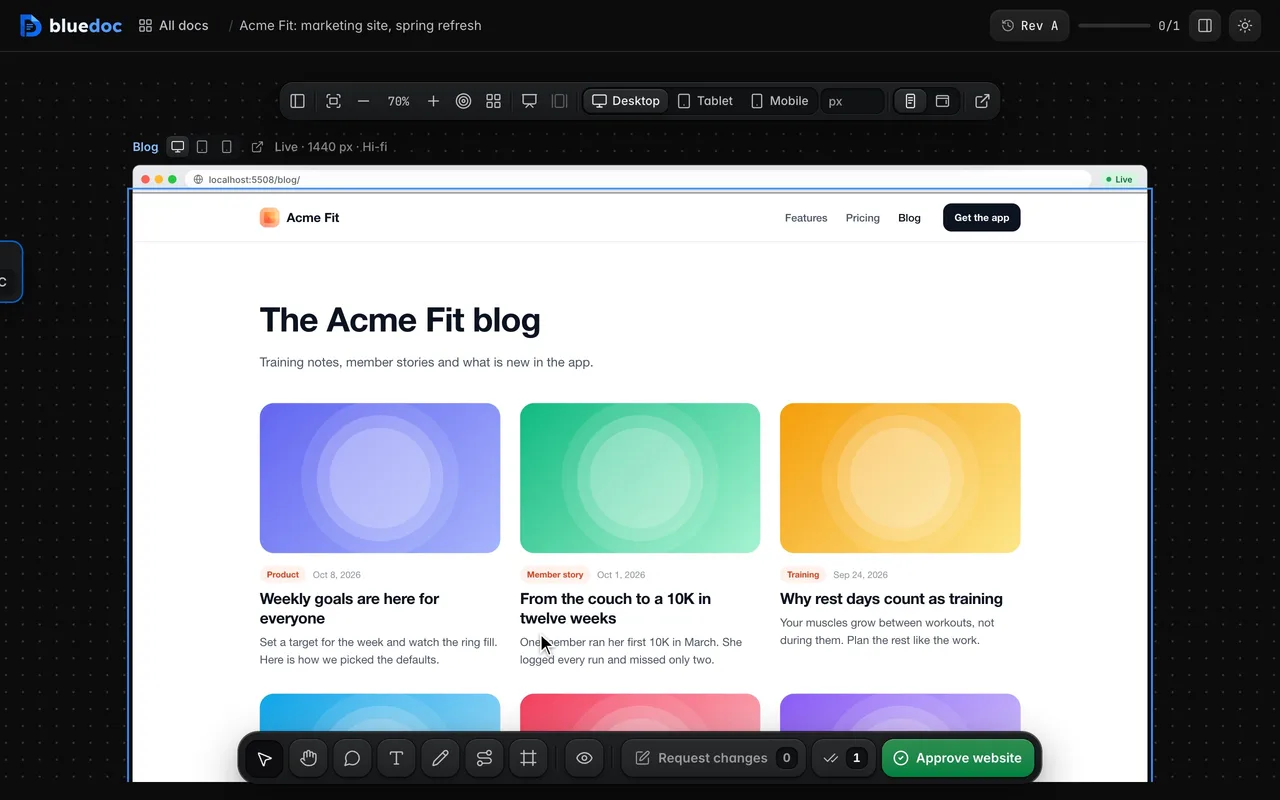
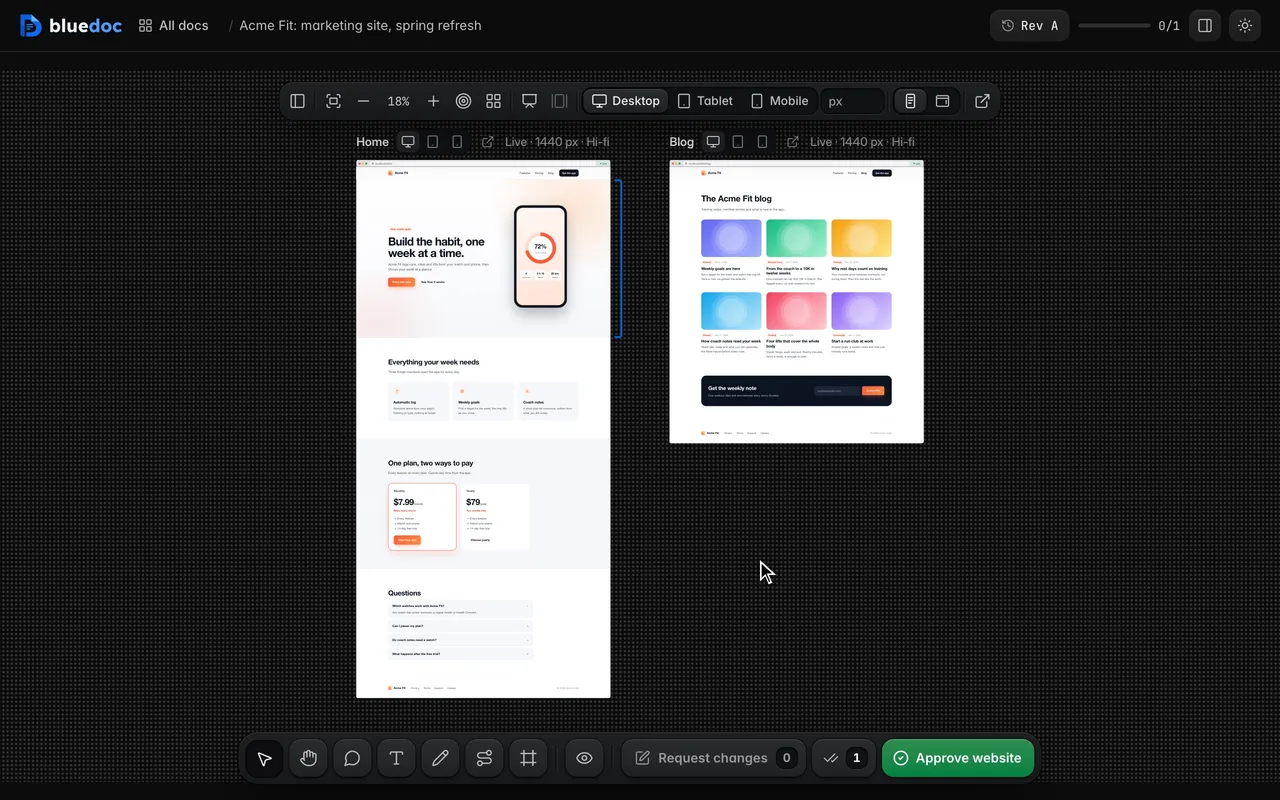
A page with a localhost URL shows the running dev server through bluedoc’s proxy. Save a source file and hot reload updates the page on the board.
Doc type"type": "website"
Your site, live on a board you can mark up.
A website doc puts a site’s pages on a board, live from its local dev server. Comment on any element and the agent learns which source file to edit; pick between versions of a section in the real layout.
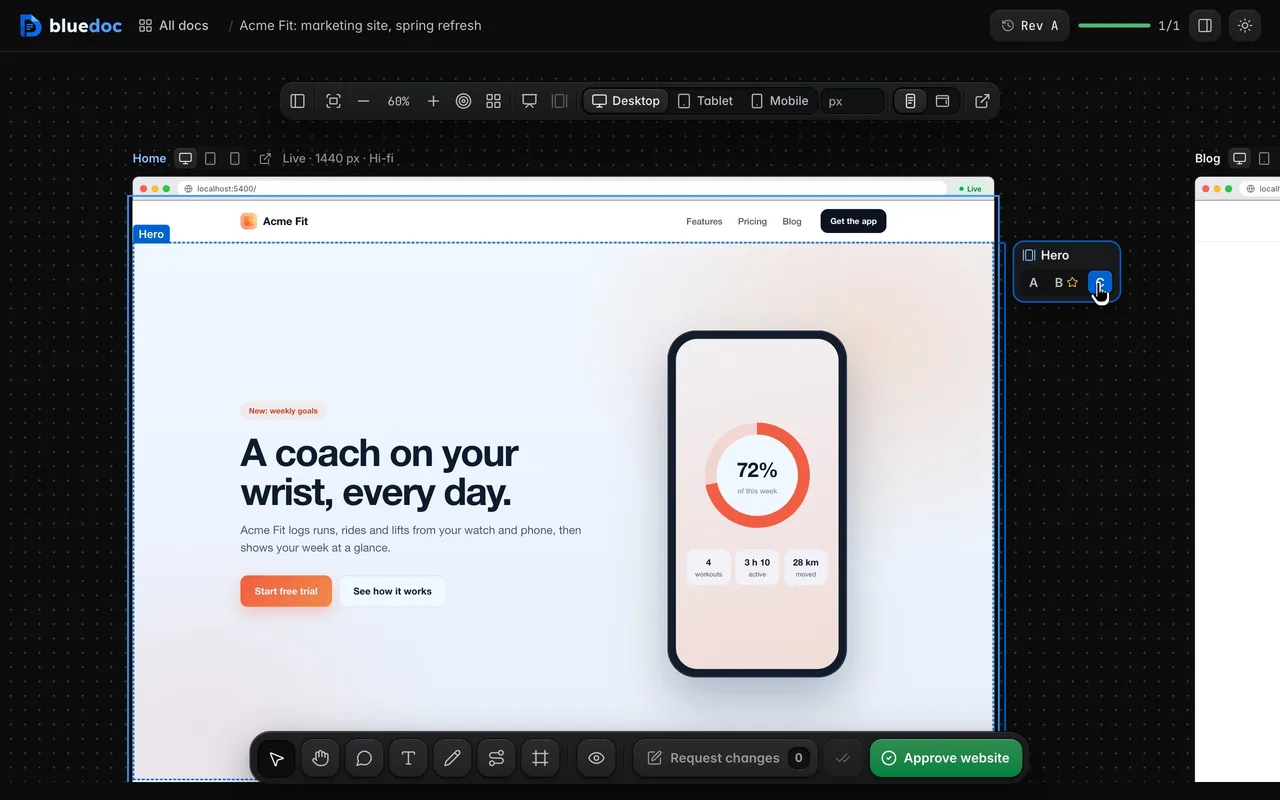
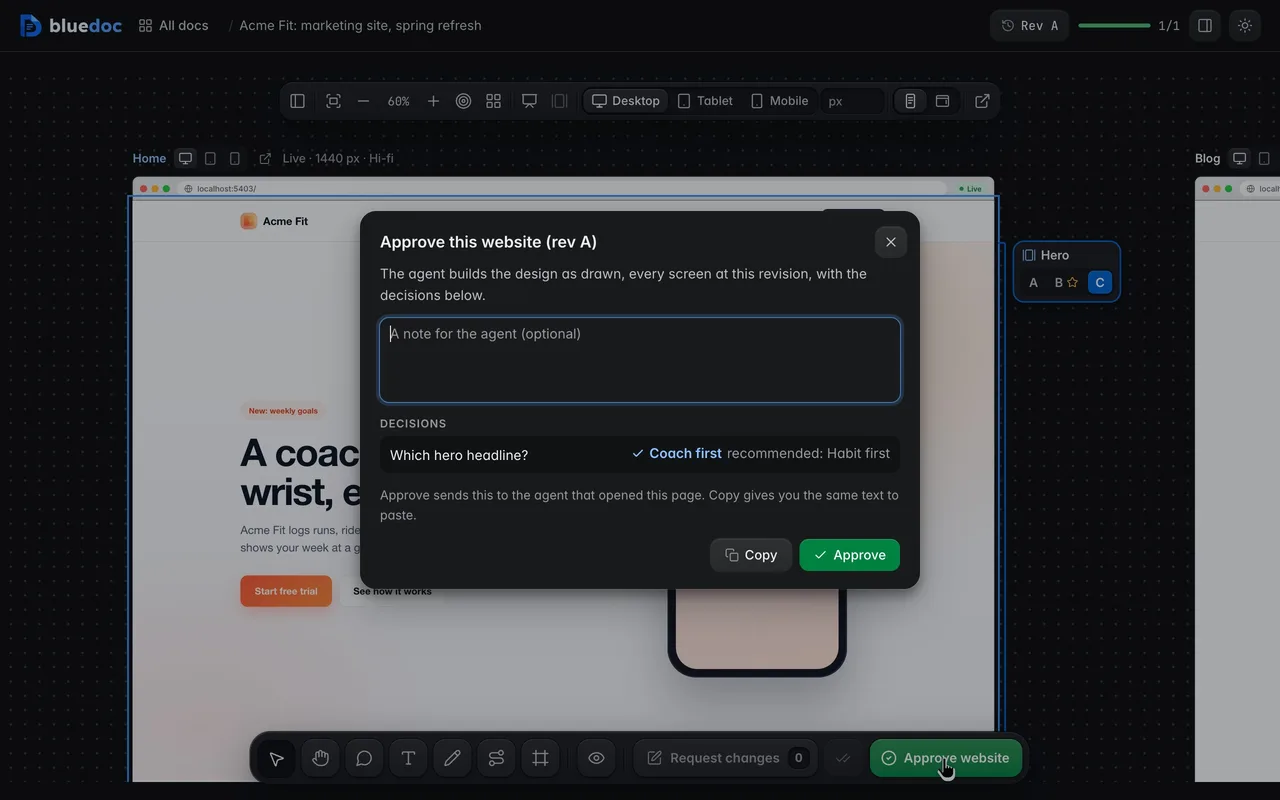
Pick a hero version in place. A section tied to a decision gets A B C keys beside it. Point at one to outline the section, pick it, and the page shows that version.
What it’s for
One board can mix live pages from the dev server and mockups of pages still to build.
Any dev server on a loopback port: Astro, Vite, Next and the rest, hot reload included.
A page that doesn’t exist yet, as an HTML screen file.
Two or three versions of a headline or a pricing table, shown in the real layout.
Every page at desktop, tablet and mobile width.
Features
01
A page with a localhost URL shows the running dev server through bluedoc’s proxy. Save a source file and hot reload updates the page on the board.
02
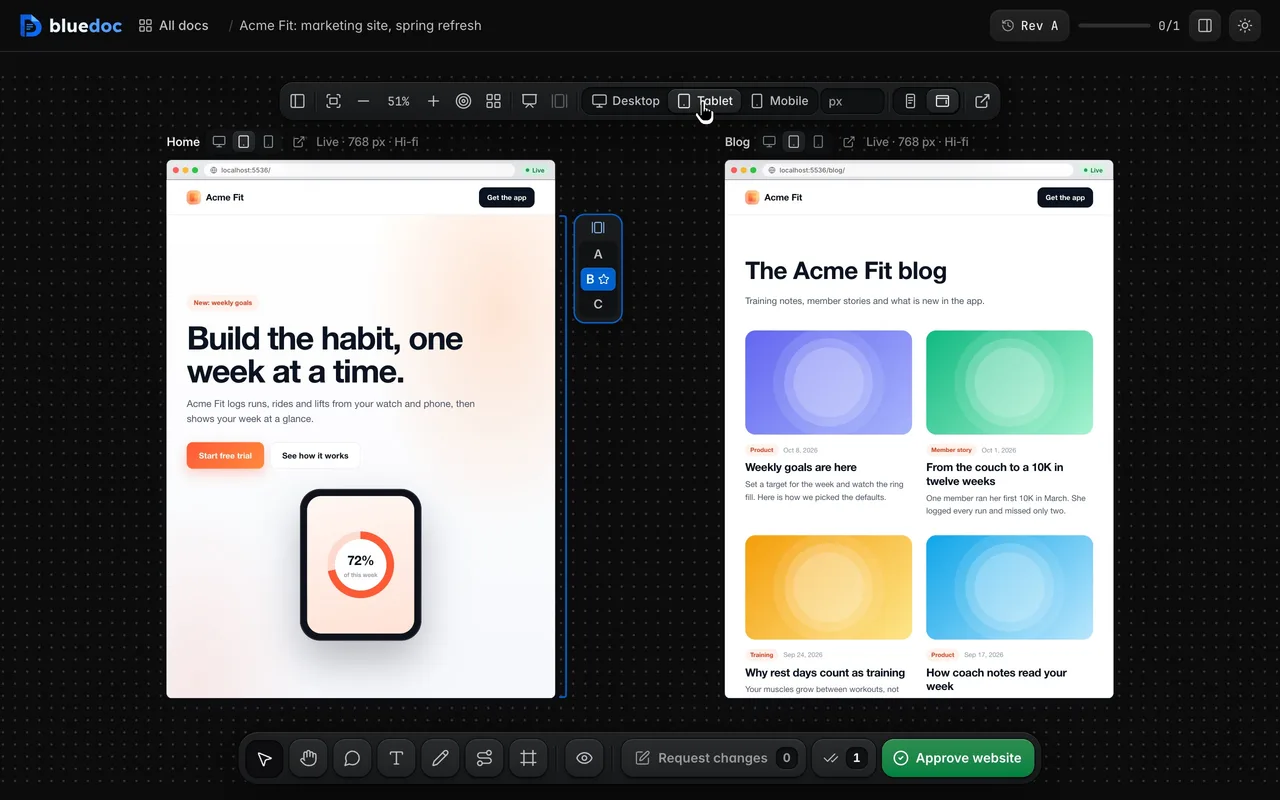
Desktop, Tablet and Mobile resize every page, and it reflows because it really is that wide. A page’s title-bar icons resize that page alone.
03
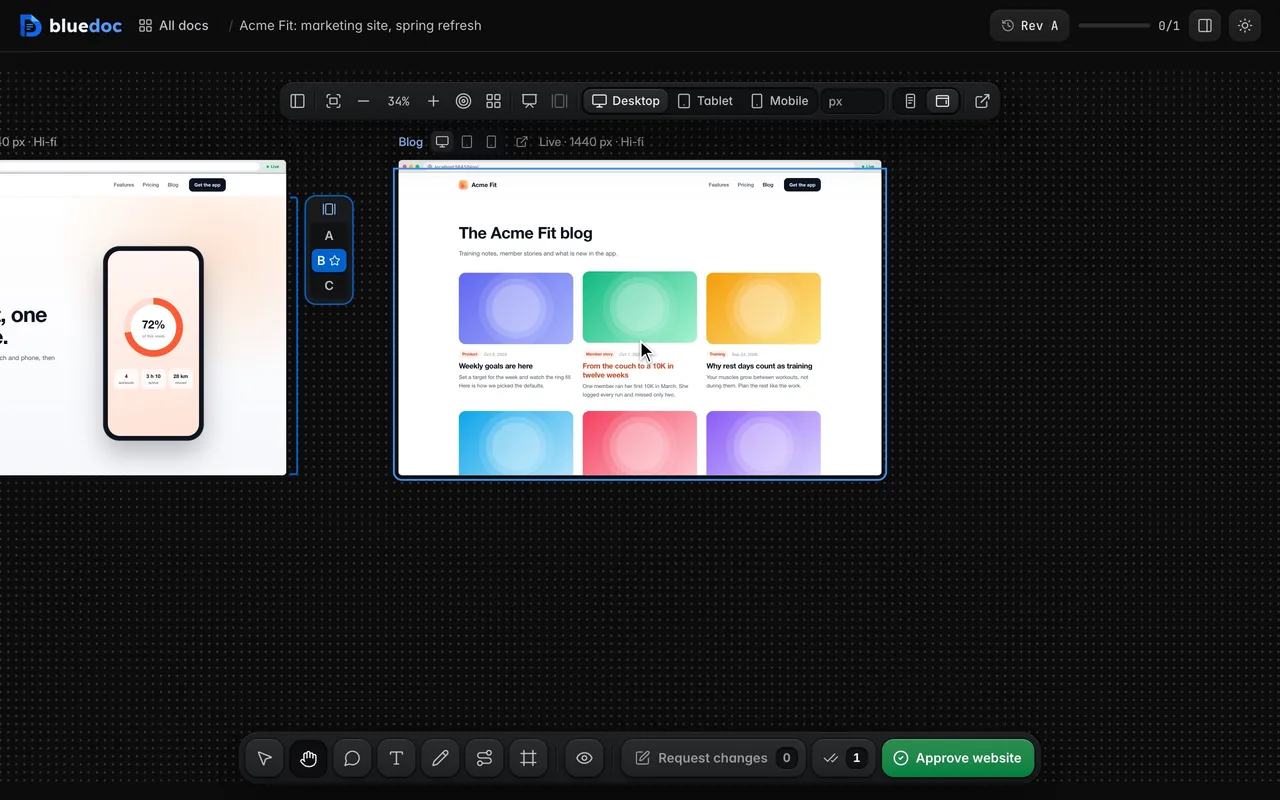
Full page grows each page to its whole height, so you pan over it. Viewport shows it in a window of the device’s height that scrolls, for sticky bars and scroll effects.
04
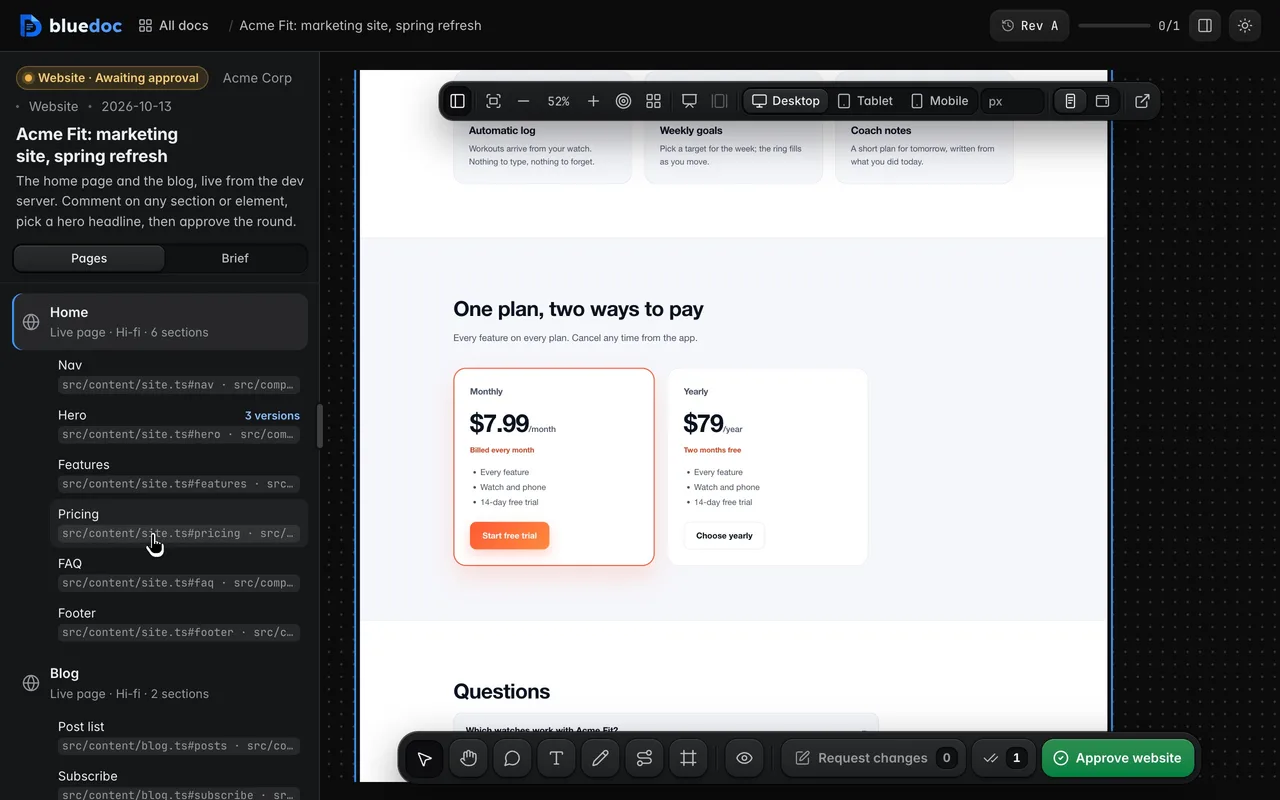
The Pages panel lists each page’s sections with the files they live in. Click one and the board pans to it.
05
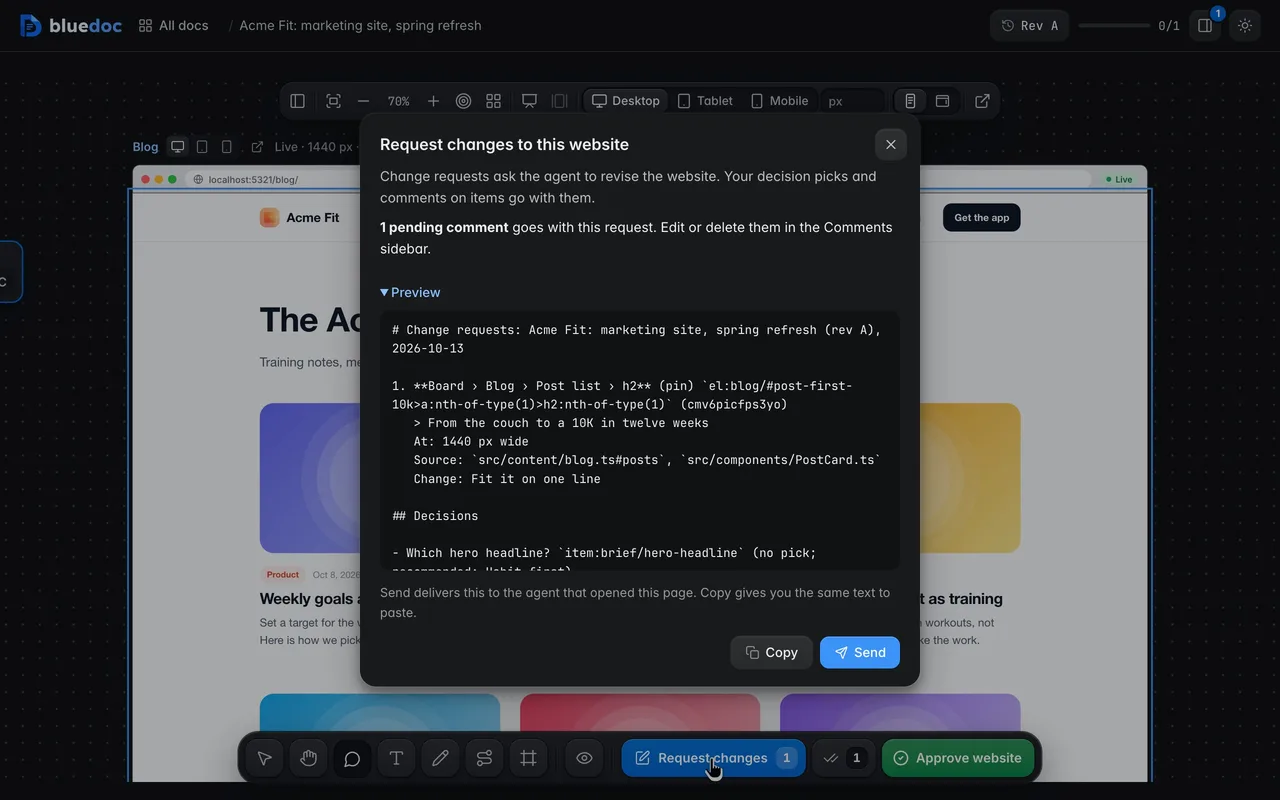
In Point mode, click anything on a page. The change request carries the element’s selector, its section, the source files and the width you were looking at.
06
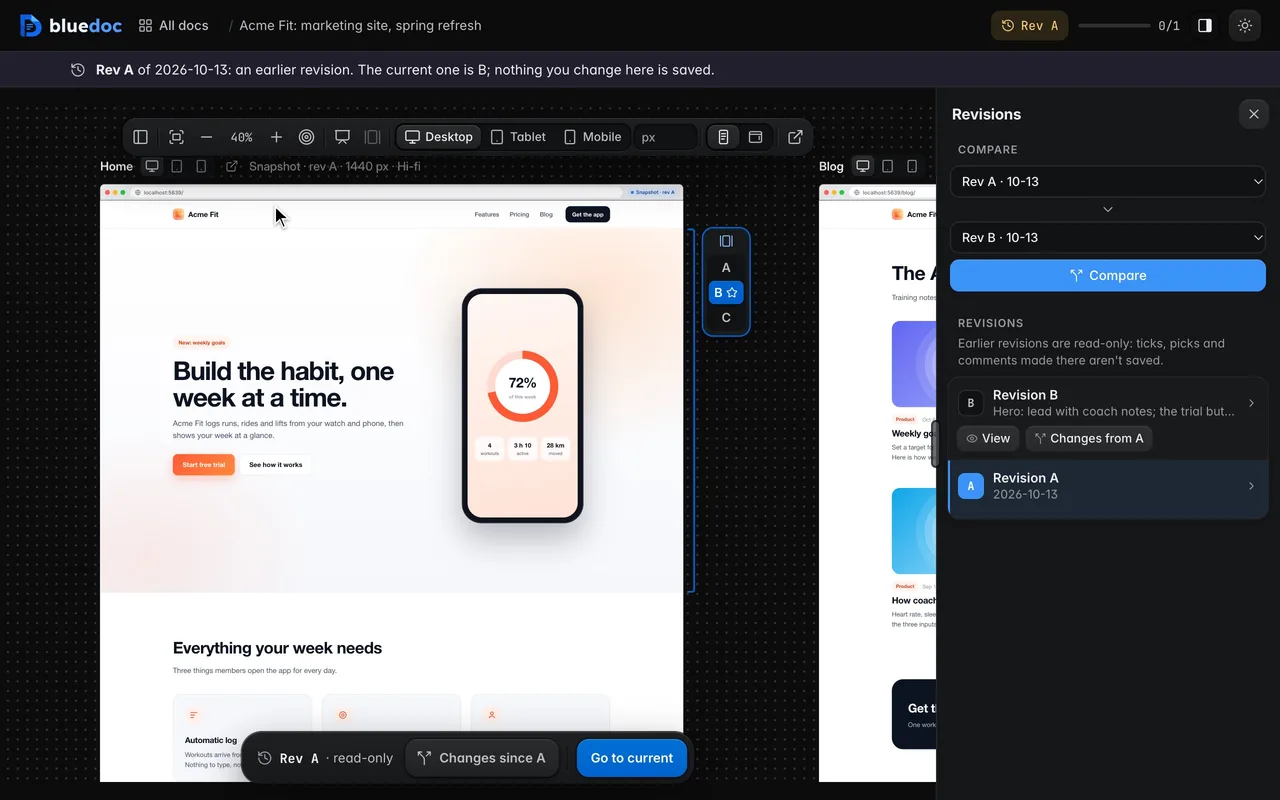
bluedoc keeps a static copy of each live page per revision and width. An earlier revision shows that snapshot, labelled as one, never the live site posing as old.
07
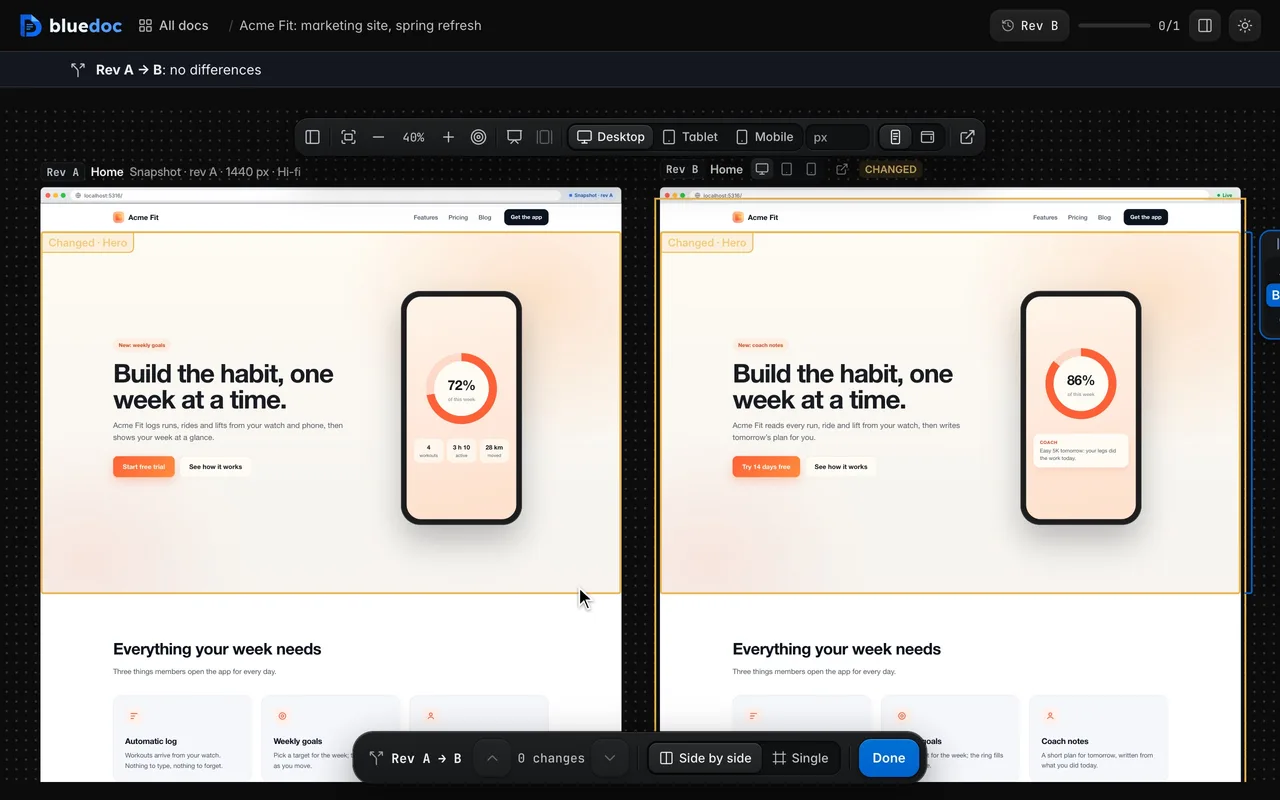
Compare puts the older revision left of the newer one at the same size; zoom and pan move both. A section whose content changed is outlined on both.
08
The external-link key opens a live page at its dev server’s own URL, with hot reload and devtools, to try it for real.
09
Approve website lists each pick beside the agent’s recommendation and records the approval on this revision. The agent waits for it, then writes the picks into the source.
Works on every doc
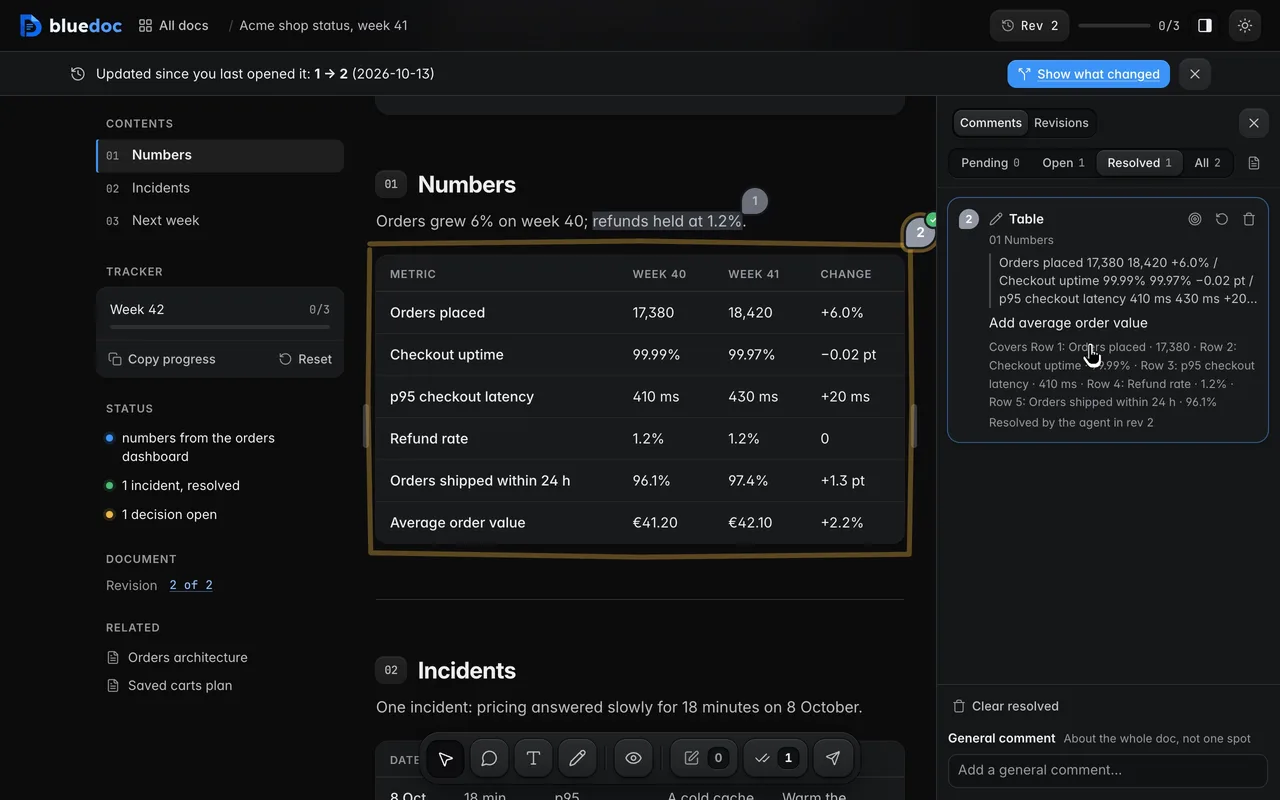
Notes go from Pending to Open when sent, and to Resolved when the agent’s revision says it dealt with them.
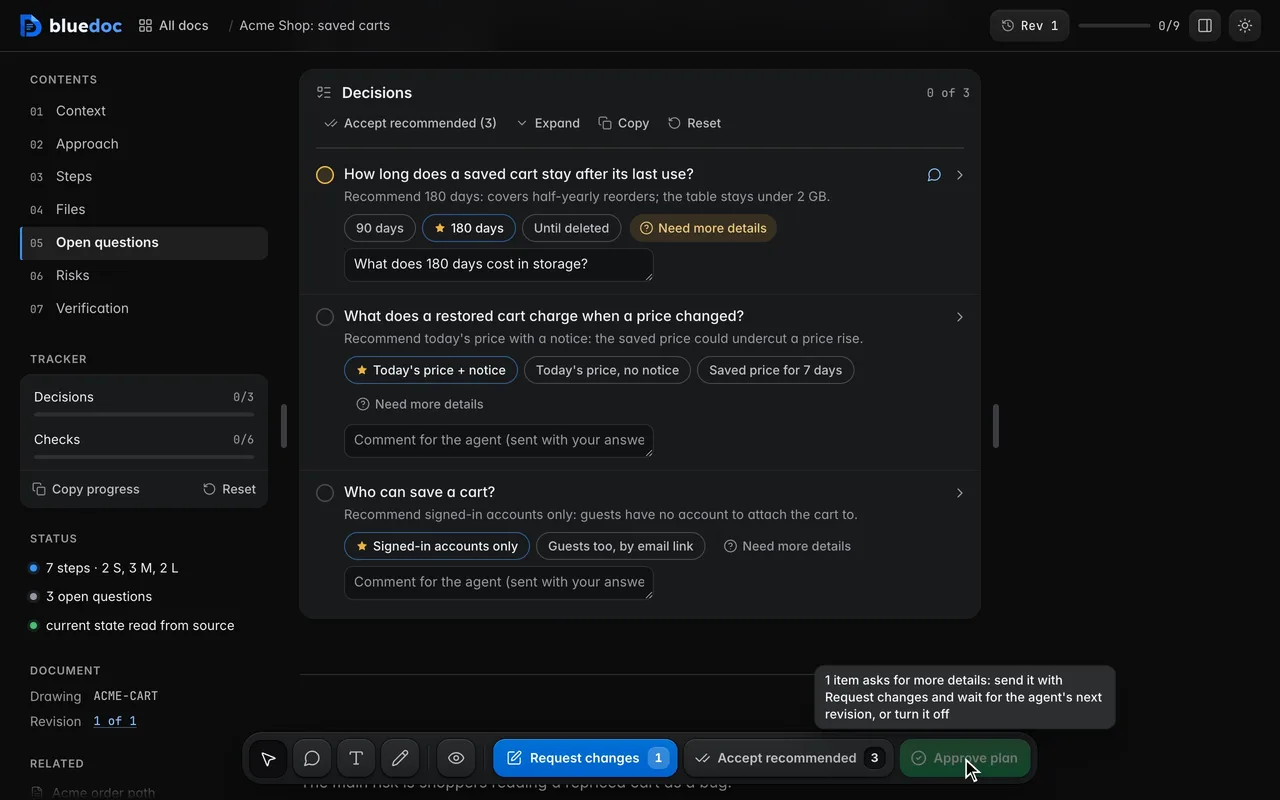
Need more details marks a question and asks the agent what is missing before you pick.
How the agent uses it
The agent reads the site, then adds one artboard per page with its sections, their selectors and source files. A section tied to a decision carries its variants.
npm run devpython3 <skill>/scripts/build.py new website docs/site.bluedoc.json --title "Acme Fit site" --url http://localhost:4321/python3 <skill>/scripts/serve.py open docs/site.bluedoc.json{ "id": "home", "title": "Home", "device": "page", "source": "src/pages/index.astro", "sections": [ { "id": "hero", "title": "Hero", "sel": "[data-bd=\"hero\"]", "source": ["src/content/home.ts#hero", "src/components/Hero.astro"], "decision": "hero-headline", "variants": { "a": [], "b": [{ "sel": "[data-bd=\"headline\"]", "text": "Build the habit, one week at a time." }] } } ]}A page with a localhost url is shown live; without one it is a mockup file. The build checks that each source file exists.
Install
Each one installs the same skill from the GitHub repository.
claude plugin marketplace add andreiverdes/bluedocclaude plugin install bluedoc@bluedocInside a session the same commands are /plugin marketplace add andreiverdes/bluedoc and /plugin install bluedoc@bluedoc. Start a new session to load the skill.
codex plugin marketplace add andreiverdes/bluedoccodex plugin add bluedoc@bluedocRestart Codex. Mention the skill with $bluedoc or let Codex pick it from your request. Plan mode (/plan) opens the plan as a page; the README has the sandbox lines that skip the approval prompts.
pi install git:github.com/andreiverdes/bluedocRestart pi. /bluedoc-plan-mode turns on plan mode, and the plan opens as a page for your approval.
omp plugin marketplace add andreiverdes/bluedocomp plugin install bluedoc@bluedocRun /reload-plugins in an open session, or start a new one. omp’s plan reviews open as pages: Approve runs the plan, Request changes refines it.
copilot plugin install andreiverdes/bluedocStart a new session. When Copilot leaves plan mode, its plan opens as a page and waits for your approval.
git clone https://github.com/andreiverdes/bluedoc.gitagy plugin install bluedoc/antigravityRestart agy. In plan mode (agy --mode plan or /plan), the implementation plan opens as a page for your approval.
npx skills add andreiverdes/bluedocFor any other agent that reads skills. Or clone the repository and link skills/bluedoc into your agent’s skills folder.
Other doc types

Architecture pages, walkthroughs, runbooks, setup guides and change proposals.

A plan you approve or send back before the agent writes code.

Review findings pinned to their lines from git, one decision per finding.

UI screens on a pan-and-zoom board, and app icons.

Slide decks with speaker notes, played in Present.

An app’s Google Play and App Store listing, checked against the stores’ rules.

Status pages, incident reports, inventories, meeting notes and comparisons.