Feature · Share and export
Share a link.
Or export a file.
Share puts the current revision in a secret gist on your own GitHub, behind a bluedoc.ai link that opens view-only in any browser. Export saves it as one HTML file, a PDF or Markdown.
claude plugin marketplace add andreiverdes/bluedocclaude plugin install bluedoc@bluedocInside a session the same commands are /plugin marketplace add andreiverdes/bluedoc and /plugin install bluedoc@bluedoc. Start a new session to load the skill.
codex plugin marketplace add andreiverdes/bluedoccodex plugin add bluedoc@bluedocRestart Codex. Mention the skill with $bluedoc or let Codex pick it from your request. Plan mode (/plan) opens the plan as a page; the README has the sandbox lines that skip the approval prompts.
pi install git:github.com/andreiverdes/bluedocRestart pi. /bluedoc-plan-mode turns on plan mode, and the plan opens as a page for your approval.
omp plugin marketplace add andreiverdes/bluedocomp plugin install bluedoc@bluedocRun /reload-plugins in an open session, or start a new one. omp’s plan reviews open as pages: Approve runs the plan, Request changes refines it.
copilot plugin install andreiverdes/bluedocStart a new session. When Copilot leaves plan mode, its plan opens as a page and waits for your approval.
git clone https://github.com/andreiverdes/bluedoc.gitagy plugin install bluedoc/antigravityRestart agy. In plan mode (agy --mode plan or /plan), the implementation plan opens as a page for your approval.
npx skills add andreiverdes/bluedocFor any other agent that reads skills. Or clone the repository and link skills/bluedoc into your agent’s skills folder.
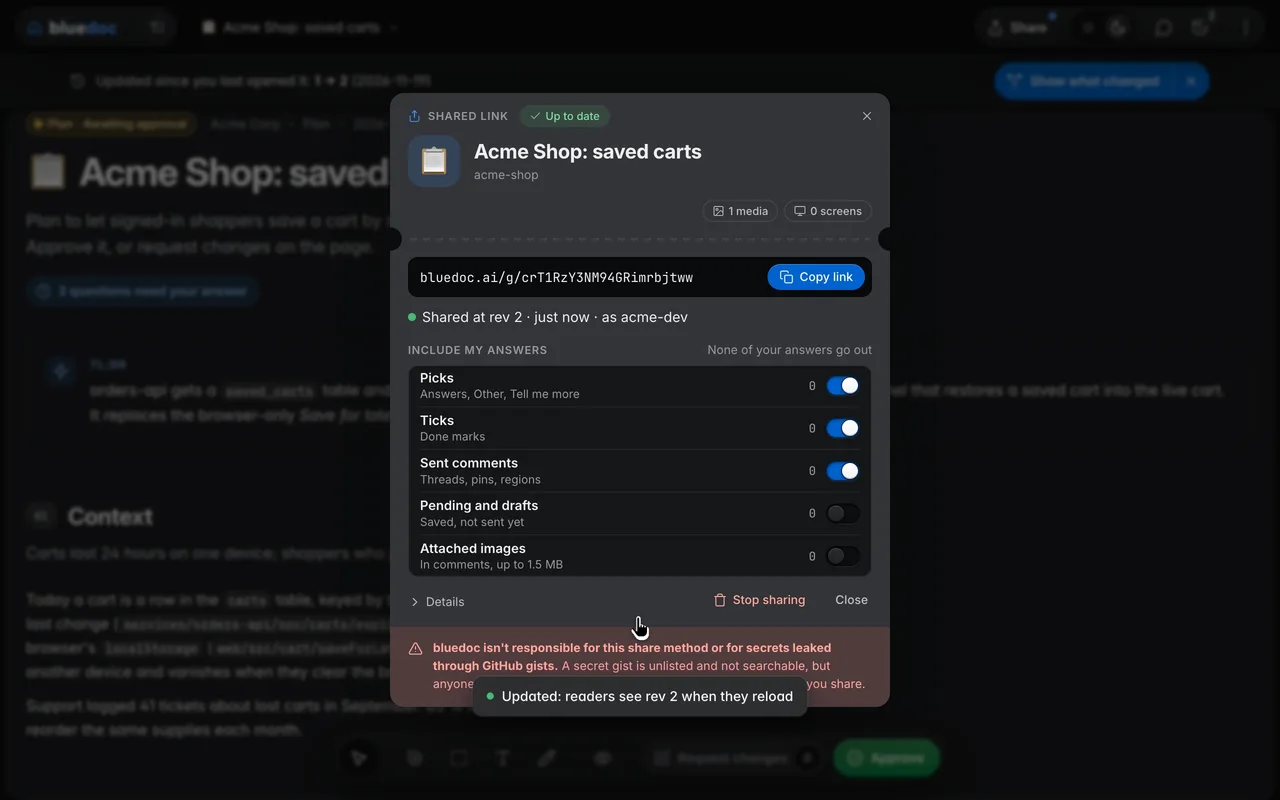
The shared page
Read it anywhere. Copy it with bluedoc.
The reader needs nothing installed. Your picks, ticks and sent comments go with the link as far as Include my answers lets them; no file path leaves your machine.
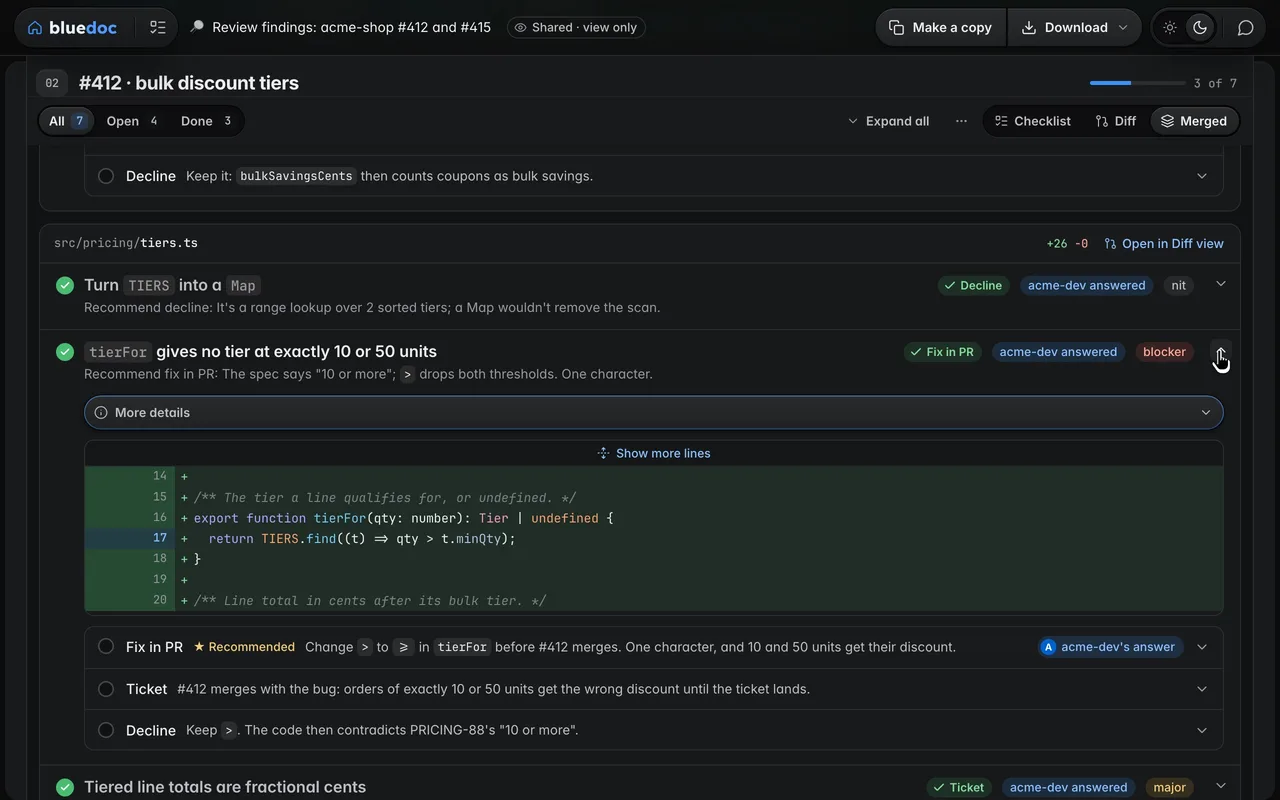
Shared, view only
The link opens the doc read-only in any browser, with the sharer’s picks marked as theirs. Make a copy brings it into your own bluedoc.
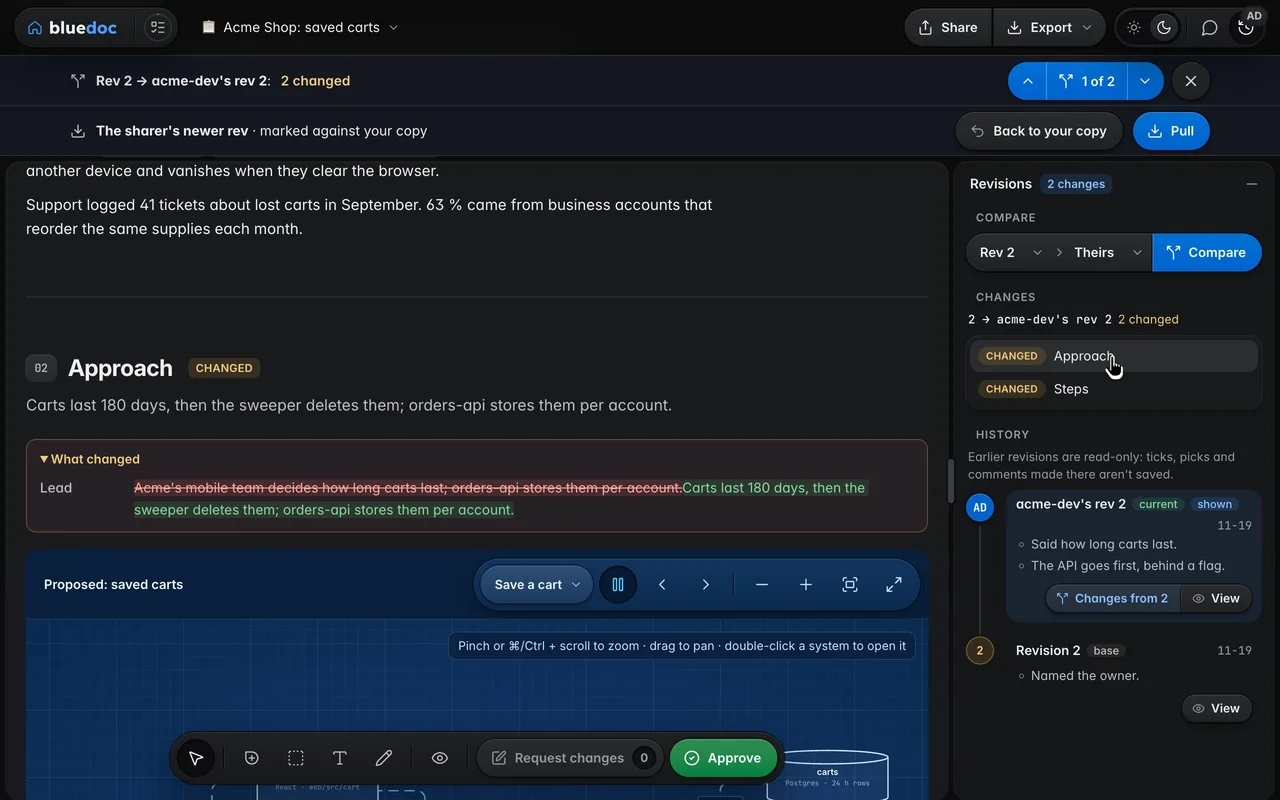
Take the sharer’s updates
Your copy says when the sharer shares a newer revision. Compare shows theirs over yours, Pull merges it into a new revision, and Take theirs settles a part you both changed.
Export
One file, from any page.
Every page exports the revision you’re viewing. Decks and listings have their own key, Export to…; a design’s icon sheet saves every PNG size.
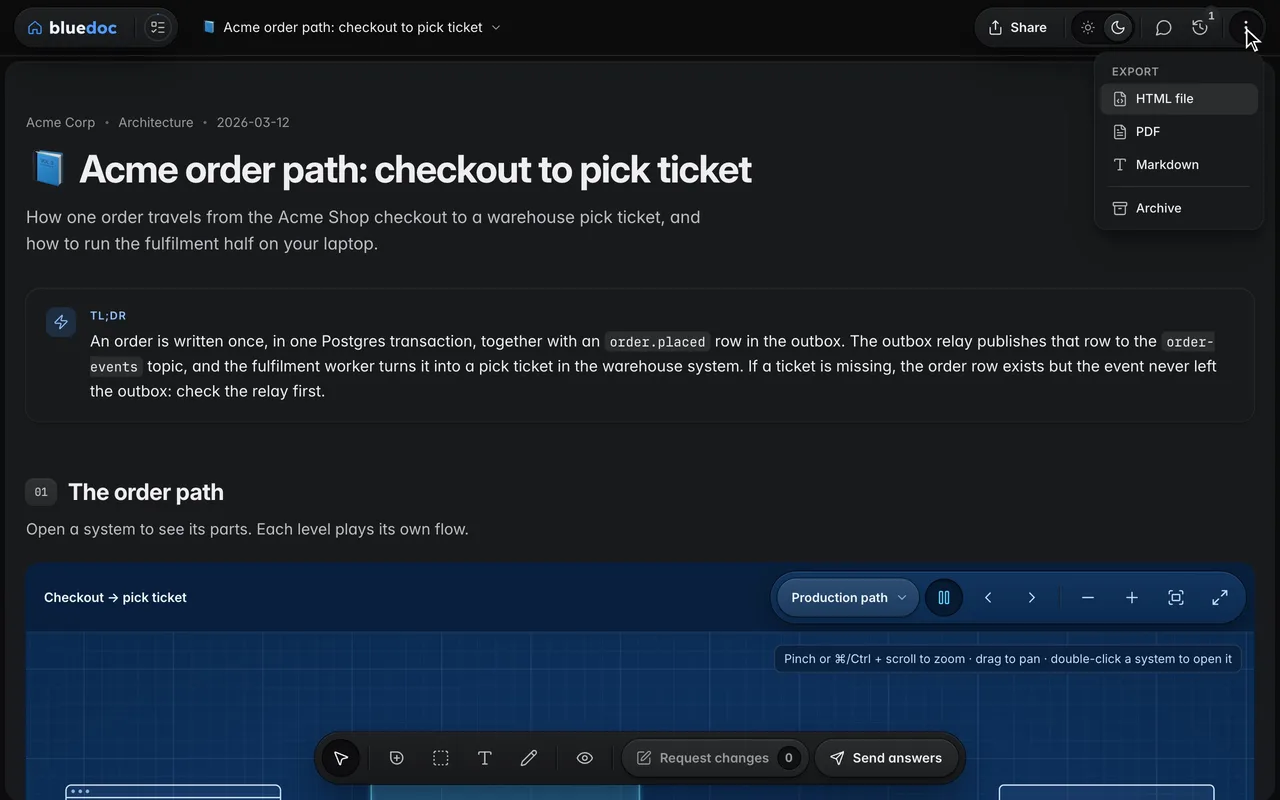
Export to HTML, PDF or Markdown
⋮ → Export saves the revision you’re viewing as one HTML file that works offline, a PDF, or Markdown.
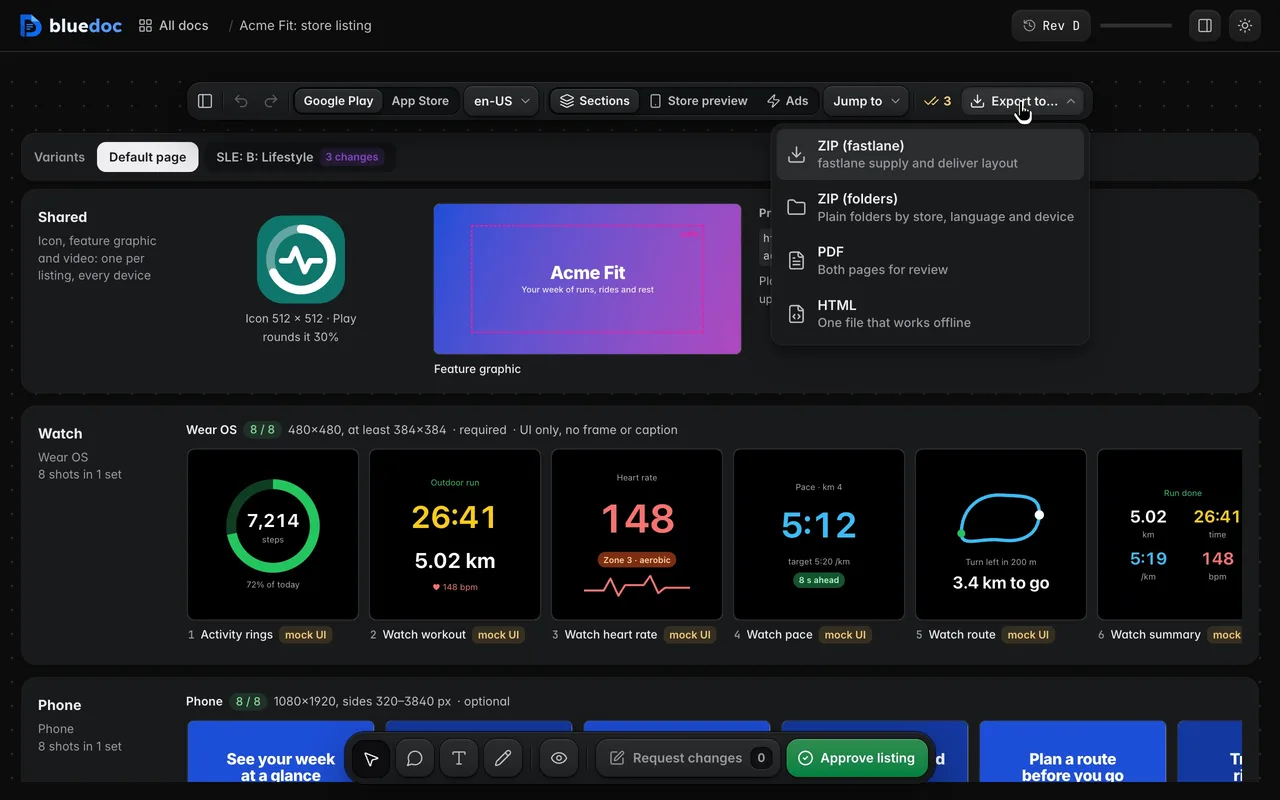
Export the fastlane ZIP
Export to… writes the fastlane ZIP, the same files in plain folders, a PDF or an HTML file. The key counts the files as it renders each PNG at its store size.
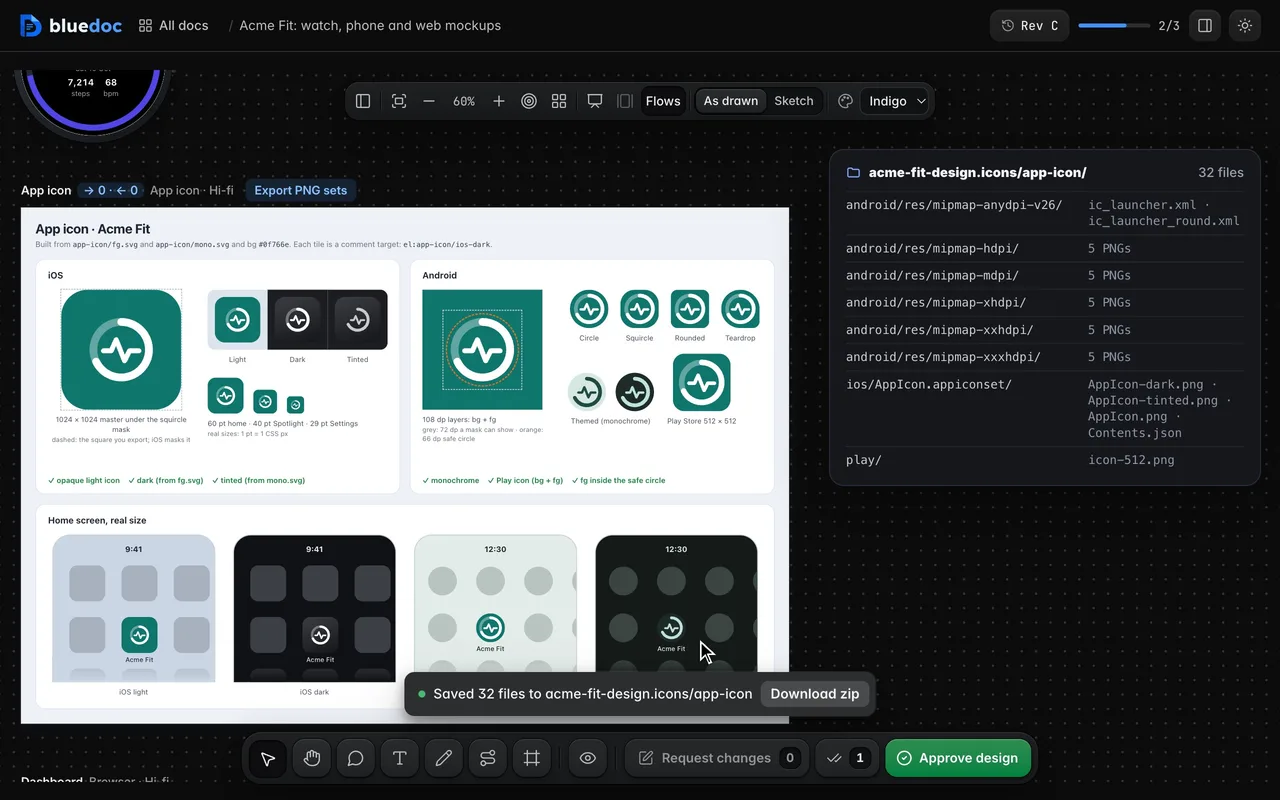
Export the PNG icon sets
Export PNG sets renders every PNG size with Contents.json and the adaptive-icon XML, and saves them beside the doc.
From the terminal
Your agent can share and export too.
serve.py share puts the doc in its gist and prints the link; run again, it updates the same gist. A colleague’s agent copies it with serve.py import, and build.py -o writes the offline HTML file.
python3 <skill>/scripts/serve.py share docs/plans/saved-carts.bluedoc.json --answers picks,ticks,commentspython3 <skill>/scripts/serve.py import https://bluedoc.ai/g/<id>python3 <skill>/scripts/build.py docs/plans/saved-carts.bluedoc.json -o saved-carts.htmlA secret gist is unlisted and not searchable, but anyone with the link can read it: check the doc for secrets first. serve.py unshare deletes the gist.
Other features
Six more features, a page each.
- CommentsPin, box, select or draw a comment on any part of the page.
- QuestionsPick the starred answer, write your own, or ask for more.
- Send and approveApprove a revision, or send it back with your notes.
- RevisionsEvery revision kept, any two compared side by side.
- ChartsStat cards, lines, bars and a donut, drawn in the page.
- Home and SettingsEvery doc on one page: search, filters, statistics and Settings.
Answer your agent
on a page.
Pick your agent. Each one installs the same skill from the GitHub repository.
claude plugin marketplace add andreiverdes/bluedocclaude plugin install bluedoc@bluedocInside a session the same commands are /plugin marketplace add andreiverdes/bluedoc and /plugin install bluedoc@bluedoc. Start a new session to load the skill.
codex plugin marketplace add andreiverdes/bluedoccodex plugin add bluedoc@bluedocRestart Codex. Mention the skill with $bluedoc or let Codex pick it from your request. Plan mode (/plan) opens the plan as a page; the README has the sandbox lines that skip the approval prompts.
pi install git:github.com/andreiverdes/bluedocRestart pi. /bluedoc-plan-mode turns on plan mode, and the plan opens as a page for your approval.
omp plugin marketplace add andreiverdes/bluedocomp plugin install bluedoc@bluedocRun /reload-plugins in an open session, or start a new one. omp’s plan reviews open as pages: Approve runs the plan, Request changes refines it.
copilot plugin install andreiverdes/bluedocStart a new session. When Copilot leaves plan mode, its plan opens as a page and waits for your approval.
git clone https://github.com/andreiverdes/bluedoc.gitagy plugin install bluedoc/antigravityRestart agy. In plan mode (agy --mode plan or /plan), the implementation plan opens as a page for your approval.
npx skills add andreiverdes/bluedocFor any other agent that reads skills. Or clone the repository and link skills/bluedoc into your agent’s skills folder.
- Python 3.9 or later on PATH
- git, for code reviews
- gh, only for GitHub review threads and Share