A new look: one app bar, one dock, panes that make room
bluedoc 1.1 puts every key in one app bar at the top and one dock at the bottom, docks the panes beside the page, and fits a phone down to 320 px.
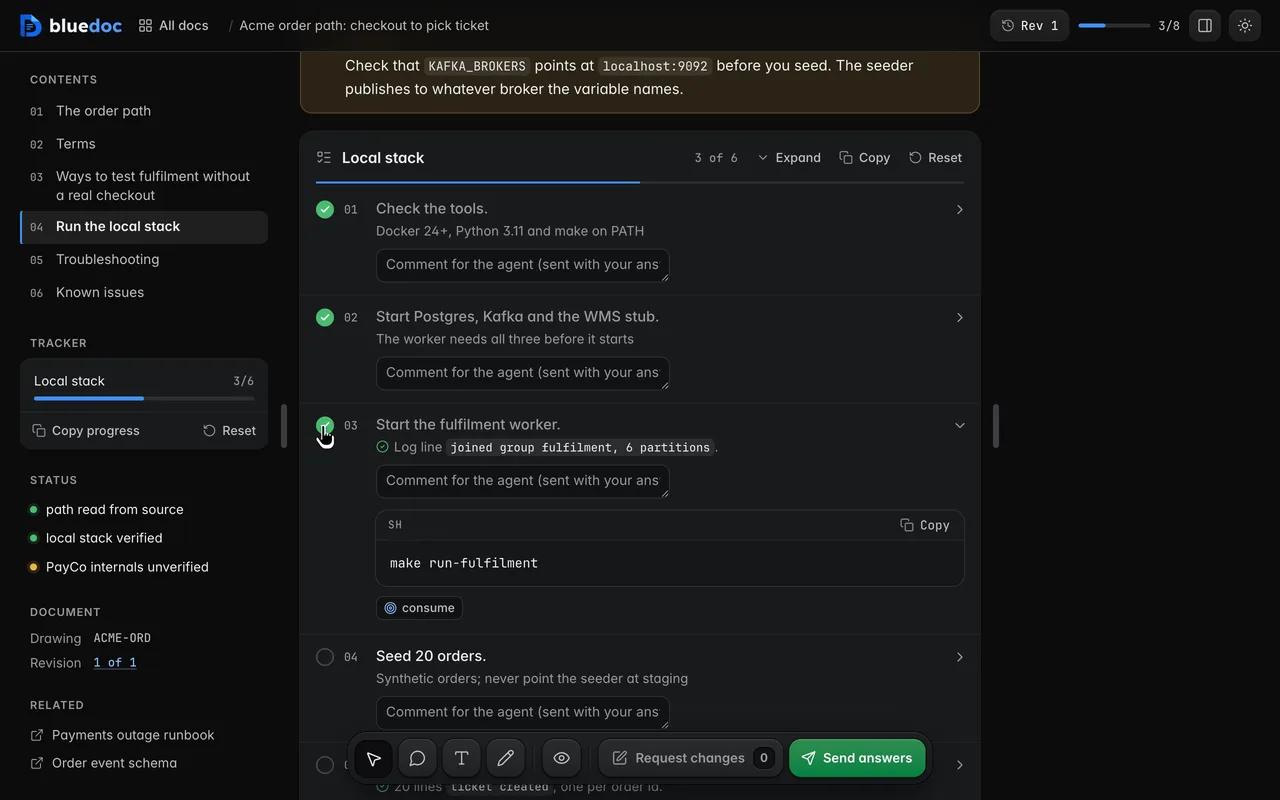
The frame around every bluedoc page is new in 1.1. Its keys live in two places, the app bar at the top and the dock at the bottom, on a plan, a review, a board or a status page alike.
The app bar
The left tray starts with the home key, then the left pane’s keys. On a doc that’s Contents: sections, tracker, status and related docs, with a ring for your progress. On a board it’s Brief, ringed with the decisions you’ve picked, and Screens (Pages on a website, Slides on a deck, Listing on a store listing). After the tray comes the doc’s name: click it for a searchable menu of the project’s docs.
The right tray holds Share, the light/dark switch, Comments with your pending count, and Revisions with the current revision, amber when you’re looking at an earlier one. The ⋮ menu at its end holds Export (HTML file, PDF, Markdown) and Archive. [ and ] open and close the left and right panes.
The dock
The dock sits at the bottom of every page. It starts with View, then the four comment tools: Element (C) pins a comment on a node, a row or a button, Region (M) boxes an area, Text (T) comments on a passage, and Pen (D) draws, with its colours and widths in a pill above the dock. Boards add Link (L) and Frame (R).
The keys at the end name the next step. Request changes is blue and counts what will go. The green key depends on the page: Send answers on docs and status pages, Approve on plans, designs and websites, Present on decks, and Apply decisions, Post review or Reply and fix on a review. Accept recommended left the dock: each list of questions has its own.
Panes that dock and resize
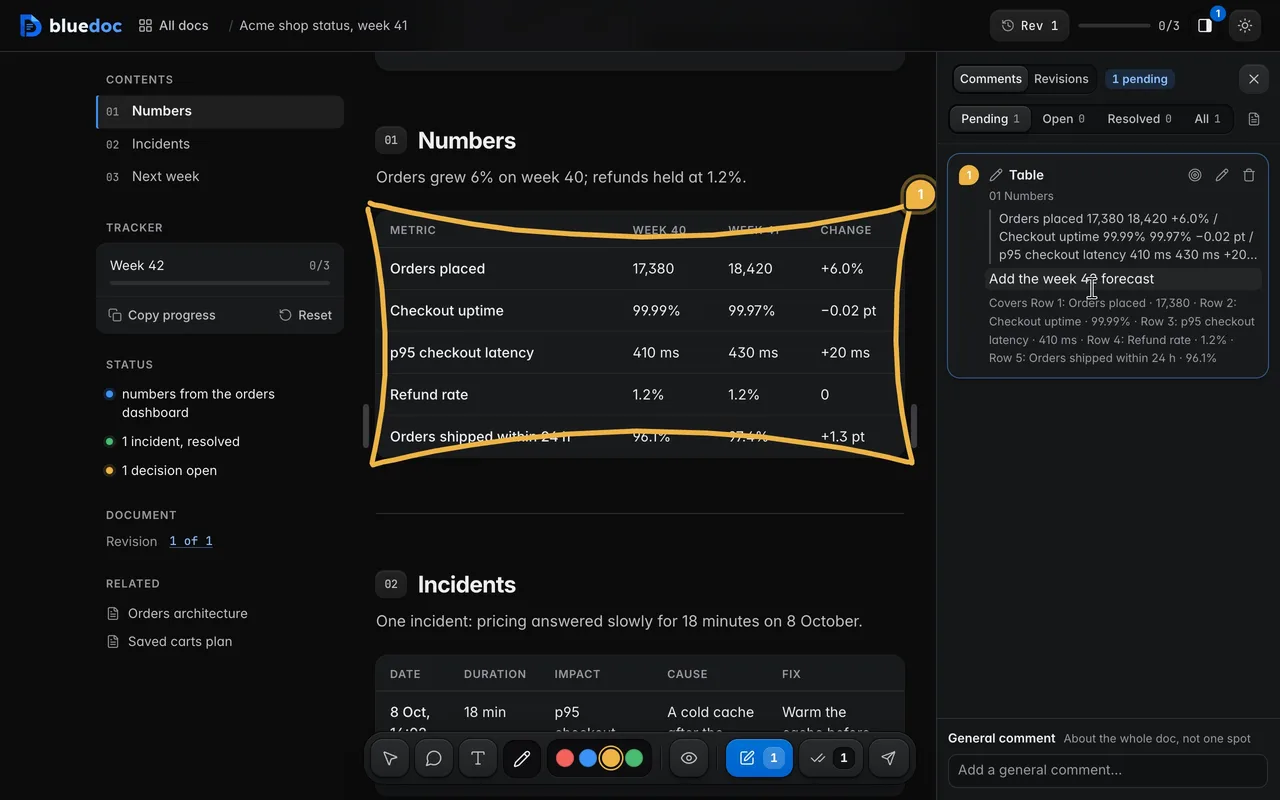
On docs, plans, reviews, status pages and store listings, the panes dock beside the page and push it, so the text keeps its reading width. Drag a pane’s edge to resize it; the page fills the rest, and a double-click resets it. On a board the panes open over the board instead.
Revisions
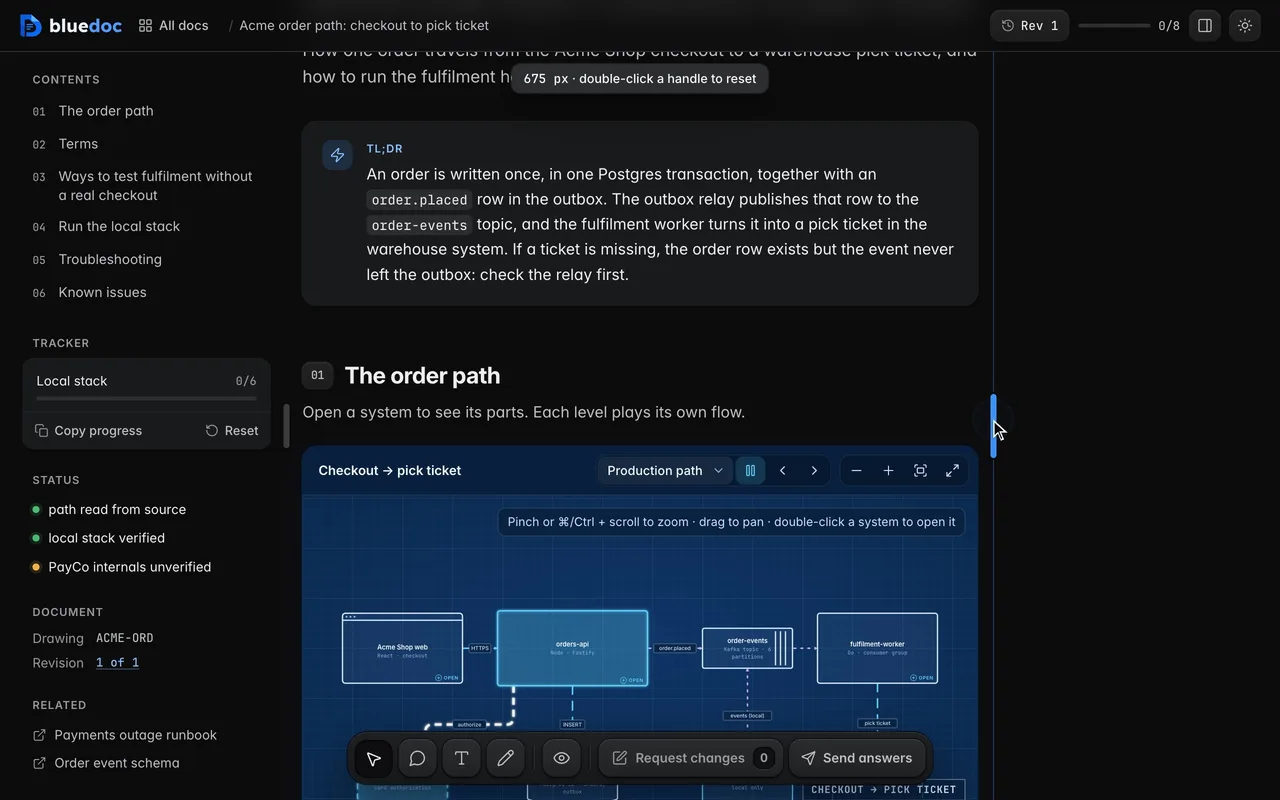
Revisions is one timeline, each revision with the agent’s note on what changed. Every row ends in Changes from N | View. View opens that revision read-only; Changes from N opens the compare view, with new parts in green and removed words struck. When a doc changed since you last opened it, a strip at the top offers Show what changed.
On a phone
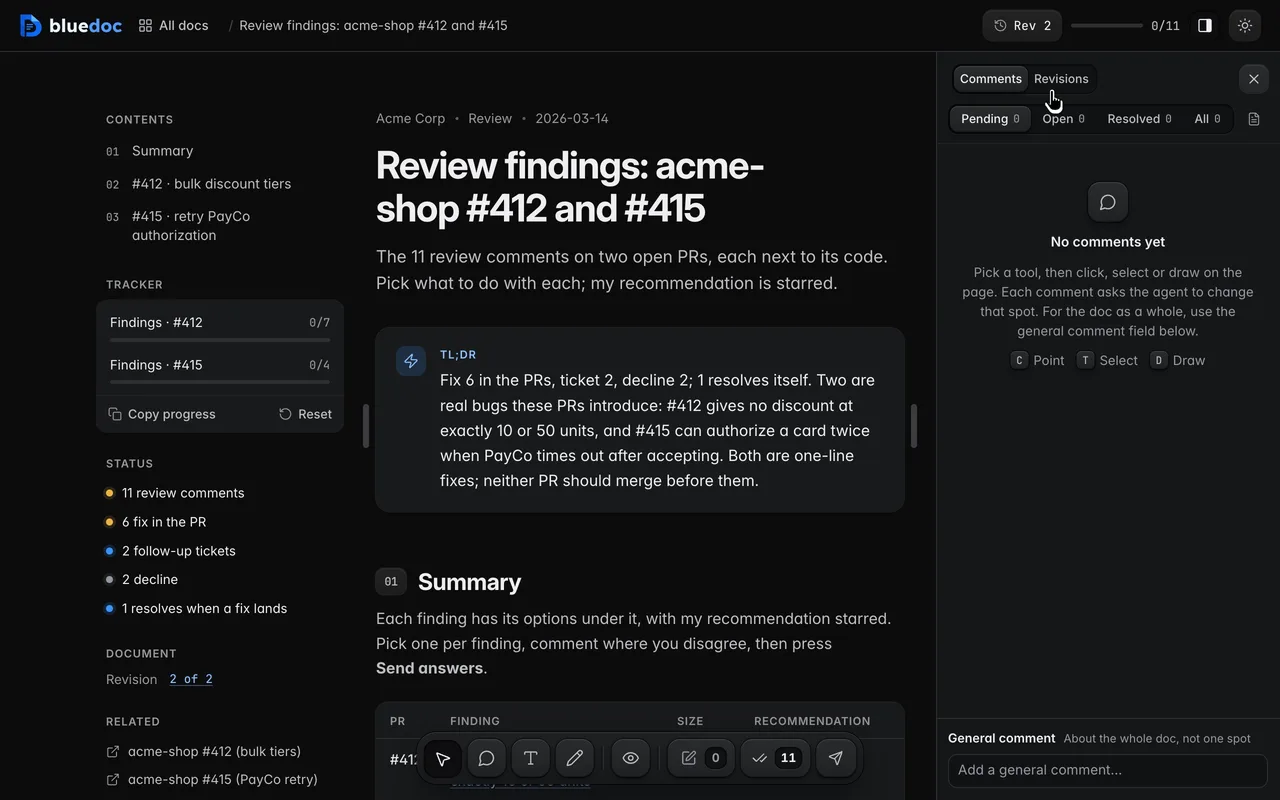
Every page fits a phone down to 320 px. At 600 px and below the trays step aside: Contents sits at the bar’s left, and Comments at its right opens a bottom sheet with Brief, Comments and Revisions. The theme switch moves into the ⋮ menu. The dock folds the four comment tools into one key, and with Pen on, a strip above the dock holds its colour and width.
The rest of what changed is in the bluedoc 1.1 release notes.