Reviews that take you to what needs you
Each PR is a card with an answered meter and a header that stays, one toolbar per PR, findings that fold once answered, and a send key named for who owns the PR.
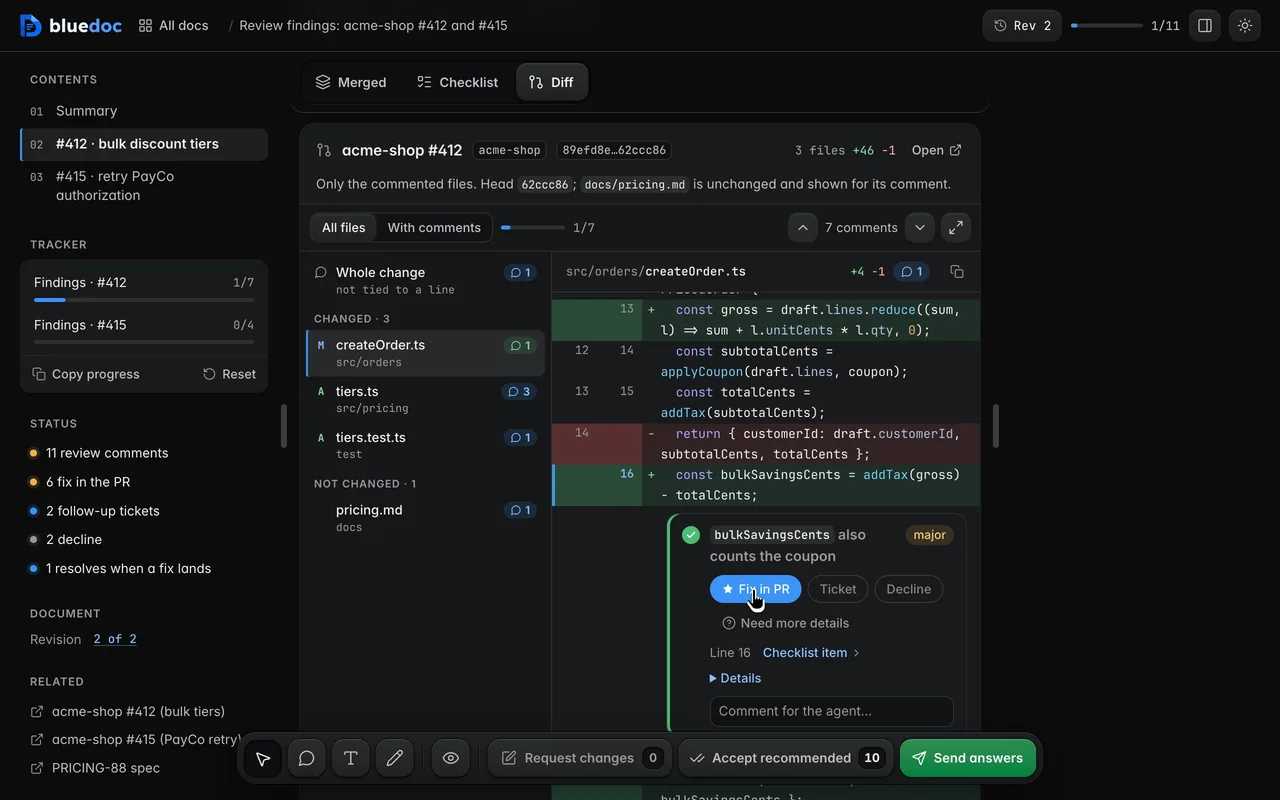
A bluedoc review puts each finding under the lines it is about, in a diff the server reads from git, with the agent’s recommendation starred. For 1.1 I went through it with one question in mind: what still needs me?
A card per PR
Each PR is a card. Its header has the number with a fold chevron, the title, an answered meter that fills as you go, and a status: N replies when the agent’s replies wait for you, Answered once nothing is open. On the right sit the branches, head → base, with a chip per severity.
As you scroll the findings, the title row and toolbar stick under the app bar; the rest of the header scrolls away.
One toolbar
The toolbar under each PR’s title holds it all: All · Open · Done with counts, Accept recommended, Expand all, Copy and Reset under ⋯, and Checklist · Diff · Merged. Every action works in every view, a pick in one view shows in the others, and each PR keeps its own filter and view.
A review opens on Open: findings with no answer, a Tell me more not sent yet, or an agent reply you haven’t answered. A finding you answer stays until you move on; the list ends with “N findings you answered are hidden · Show”. Findings that need you load open; answered ones fold to ✓ and your pick.
The tracker in the Contents pane counts what is open. Click it and it opens the first finding that needs you, scrolls to it and flashes it.
The code, in the finding
Every finding opens whole, with More details under its title: the detail, then the file and the lines around the comment, and Open in Diff view to jump there.
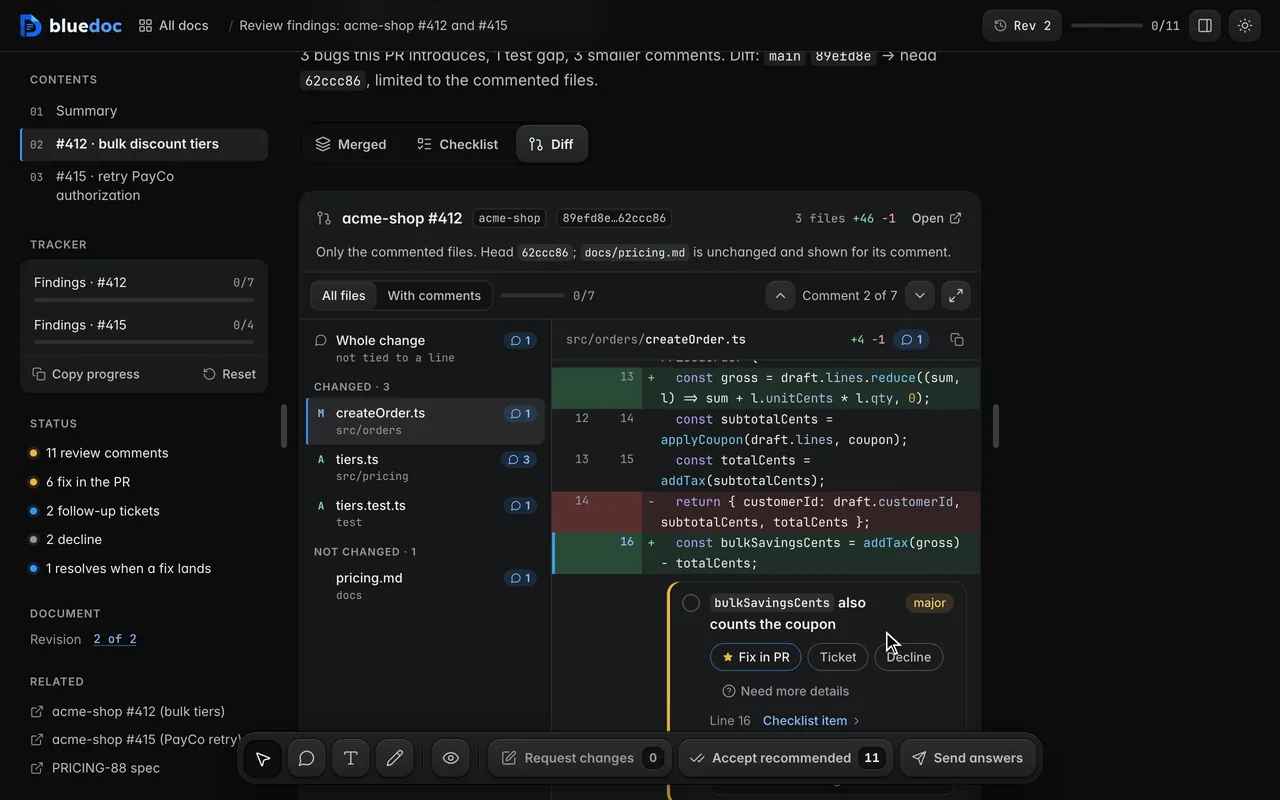
To comment on a line rather than a finding, turn on Element (C) and click the line. The comment names the diff, the file and the line, so the agent knows exactly where.
The send key says what happens
Who owns the PR decides what your answers become, and the send key names it:
- Reply and fix on your own PR. The agent gathers your peers’ open threads and checks each against the code; you pick Fix in PR, Ticket or Decline. It fixes on your branch, replies on each thread and resolves the fixed ones.
- Post review on someone else’s PR. You can’t change their code, so each finding is a comment to Post or Don’t post, and Post as sends each PR’s review as a Comment, Request changes or Approve.
- Apply decisions on your own change, before there is a PR.
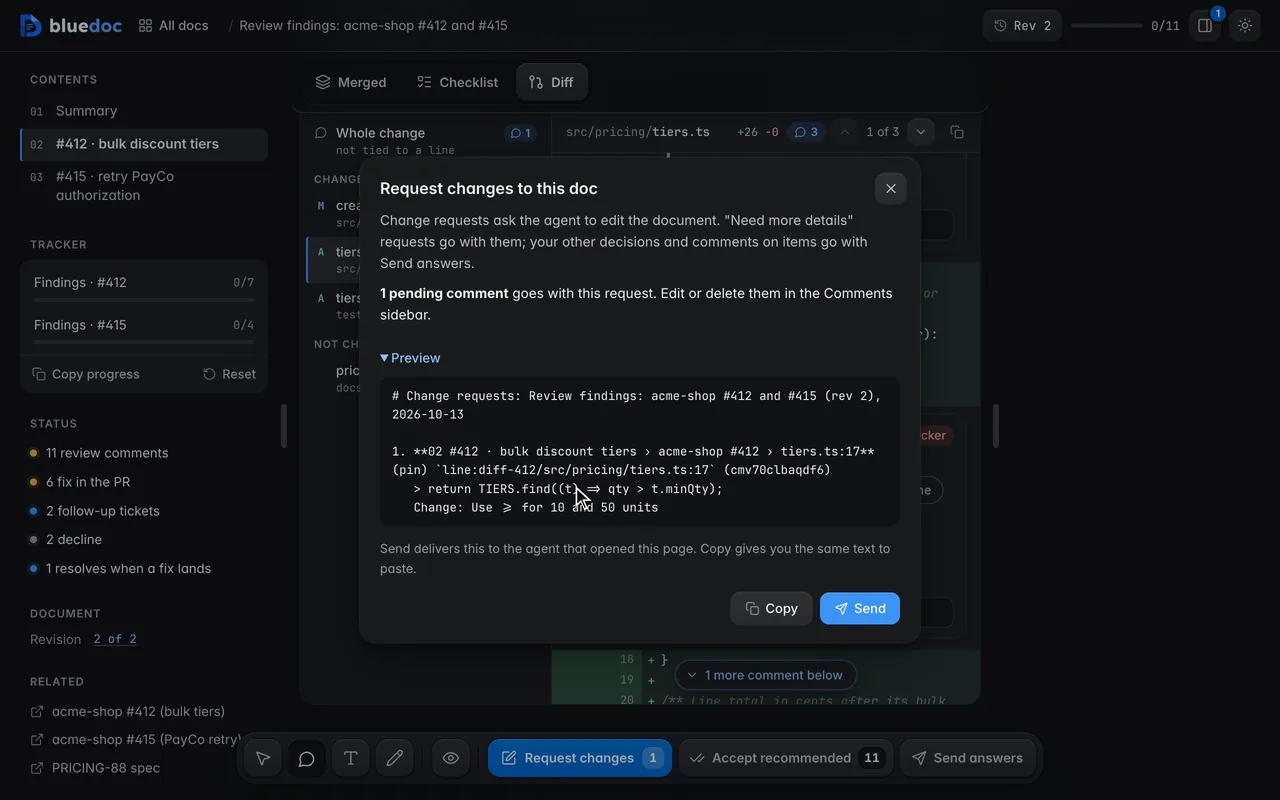
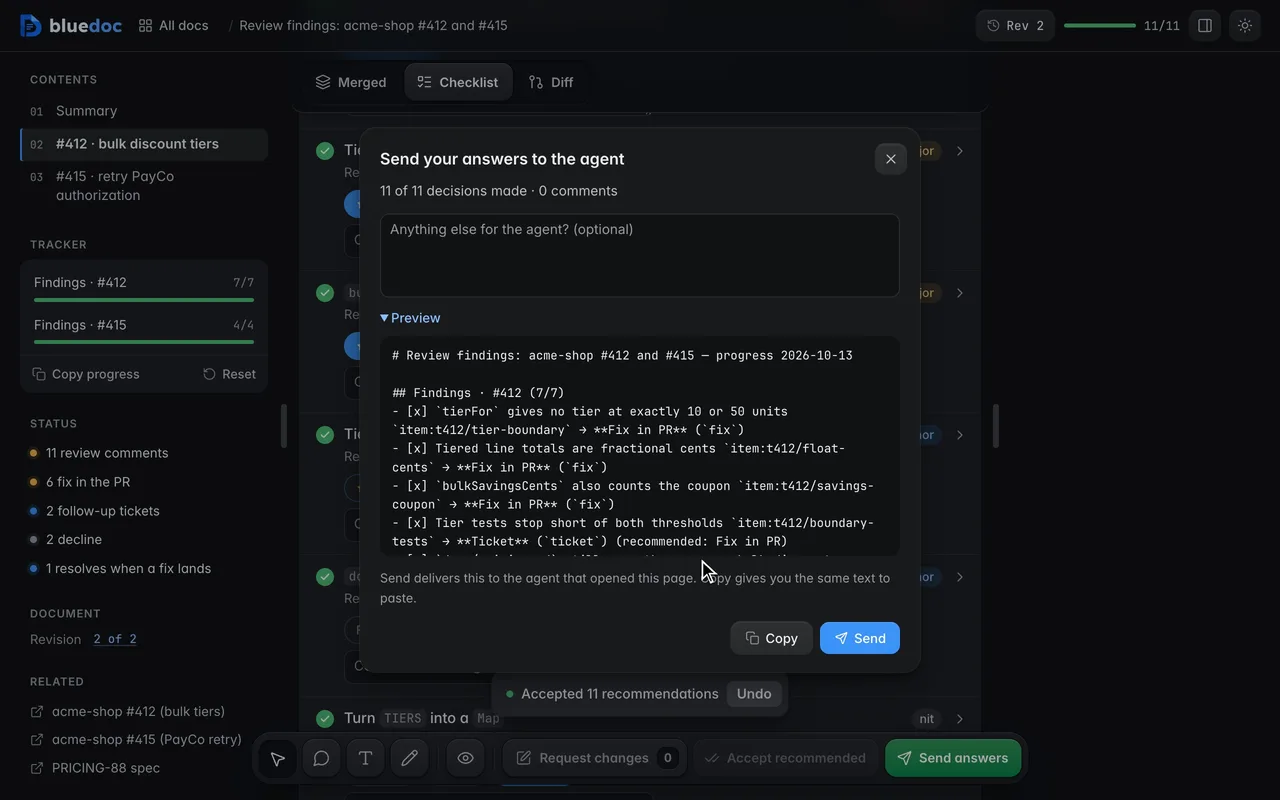
Comments on findings and lines go with Request changes. The send dialog lists every pick, and under one that differs from the agent’s, what it recommended.
When the agent answers in a finding’s conversation, its reply is signed with its model’s name and marked New until you’ve seen it.