Every question is one answer card
Plan questions, brief picks, review findings and questions with several answers now share one card, with the recommendation starred, Other, Tell me more and a conversation per question.
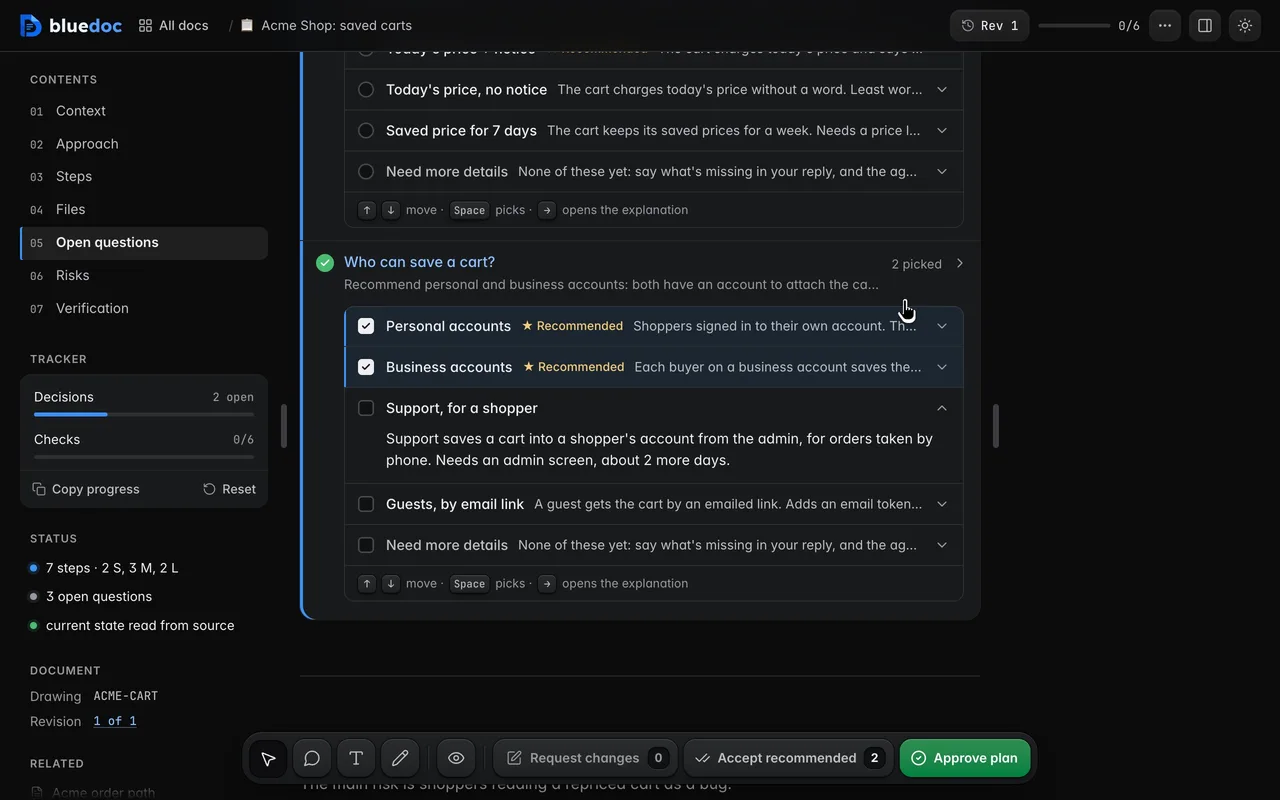
When an agent can’t settle something alone, it asks you. A plan’s question, a design brief’s pick and a review finding used to look a little different each. In 1.1 they are one card.
The card
The head holds the question, its state and a chevron. The state reads ✓ with your pick, N picked when the question takes several answers, or Asking for more in amber. Questions that need you open; answered ones fold away.
More details, a raised row with a thin blue edge, opens the question’s own detail and any code that goes with it.
Each answer is a row: its label, ★ Recommended on the agent’s choice, and one line on what it means. Picking an answer opens its full explanation and marks it Your pick. The chevron opens one without picking it, so you can read first.
Other is always the last answer: a field where typing picks it, or one more tick when the question takes several.
Tell me more is an answer too
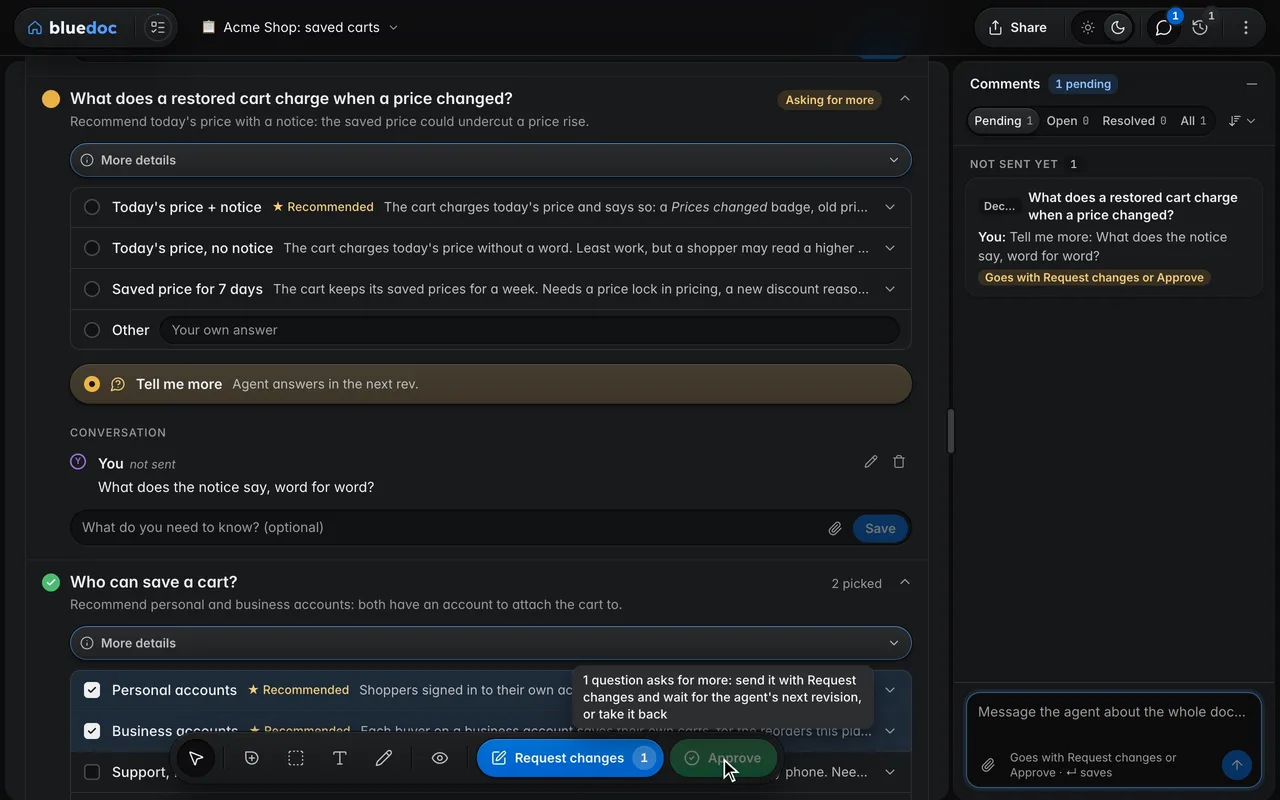
When you don’t know enough to choose, Tell me more, the pill under the answers, is a complete answer. It clears your pick, turns the question amber and moves you to the reply field, which asks “What do you need to know?” The agent answers in its next revision with a fuller description and options.
A plan, design or website can’t be approved while a question asks for more: Approve greys out, and its tooltip says to send the question with Request changes.
Comments live inside the answer
Every opened answer has a one-line comment field with attach. Comment on an answer you didn’t pick and you are asking about it; nothing gets picked. The reply field under the card is about the question as a whole.
Enter or Save keeps the comment and empties the field. It shows once in the question’s conversation, not sent, with Edit and Delete. Each question has one conversation: your messages and the agent’s replies on a timeline, each marked with the answer it is about.
Accept recommended, per list
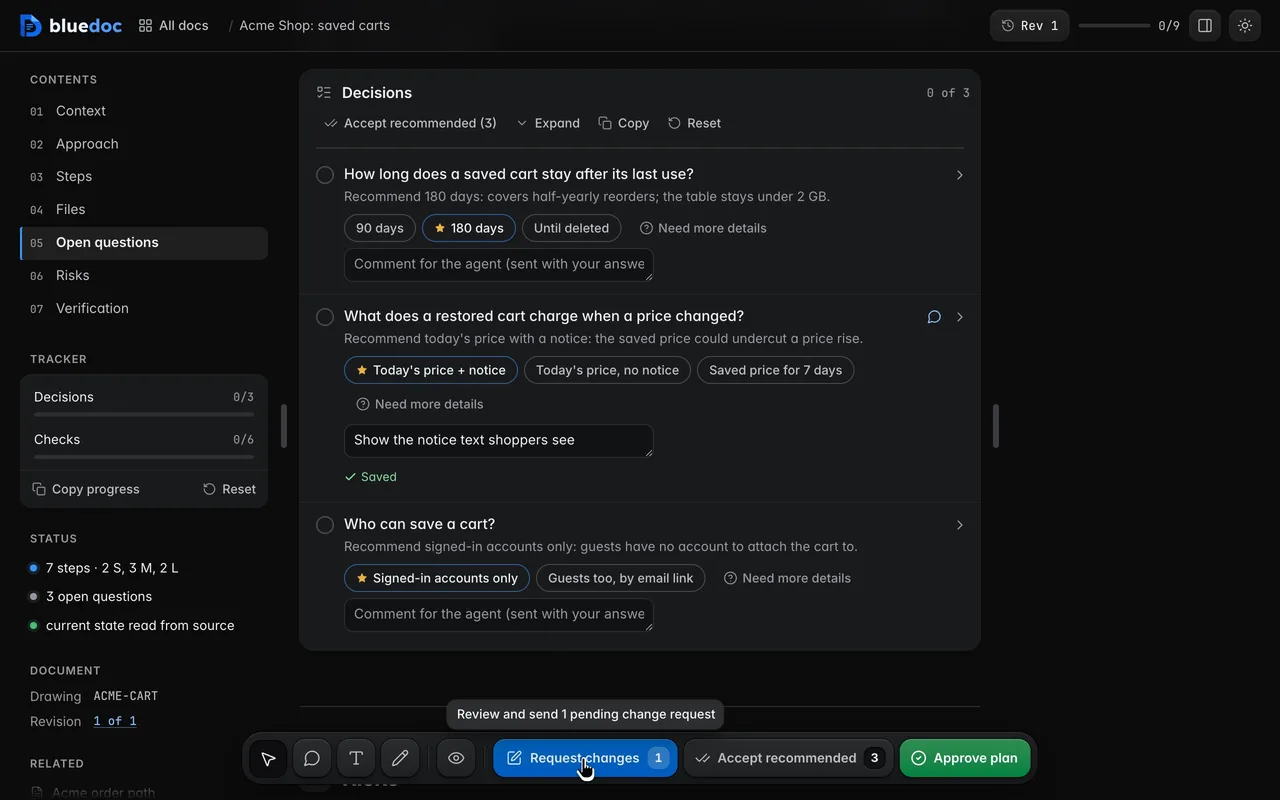
Each decision list has its own toolbar: All · Open · Done with counts, Accept recommended, Expand all, and Copy and Reset under ⋯. Accept recommended picks every starred answer in that list and skips a question you answered with Other or Tell me more. Change the ones you disagree with afterwards.
How your picks travel
Approve, Request changes and Send answers open the same send dialog: what goes, as chips and a timeline, then a one-line note, then Copy and the send key. ⌘↵ sends. Text you typed but didn’t save goes too.
A comment on a question goes with Request changes, which counts it. Send answers, on pages with nothing to approve, carries picks, ticks and comments on steps. A plan approves only when every question has an answer: until then the dialog shows Answer it › and a greyed Approve.